



LEGOYO Smart Retail Solutions-from Shelf Edge to Self-Service
Configure electronic shelf labels, shelf-edge LCD displays, transparent screens and self-service kiosks around your store workflow, software environment and deployment plan. LEGOYO supports retailers, system integrators, distributors and OEM/ODM buyers with product selection, technical clarification, sample evaluation and project-based supply.
01
Electronic shelf labels for digital pricing and product information
02
LCD displays for shelf-edge promotions and in-store content
03
Transparent screens for product showcases and interactive merchandising
04
OEM/ODM support for hardware, enclosures, mounting and packaging
・What We Solve
Shelf Price Management
・ERP sync ・Store-wide updates
Paper tags are slow to update and mistakes happen-shelf says $7.99, register rings up $8.49, customer complains. With ESL, your back office pushes a price change and every tag in the store updates within seconds.
Showcase Displays
Mount a transparent screen on your cooler door or display case. Shoppers see the product behind it while the screen plays videos or shows product info. Looks better than a sticker, takes less floor space than a standing sign.
Checkout Lines
Peak hours mean long lines at checkout. Put a few self-service kiosks on the floor-customers who want to scan and pay themselves can do that. Our units handle Apple Pay, Google Pay, card tap, and can check inventory on the spot.
In-Store Advertising
Hang a screen behind the register or at an endcap. Schedule your promos from the back office-morning deals, afternoon specials, weekend sales-without sending someone out to swap posters. Works across multiple locations.
Designed for Project-Based Retail Procurement
Configure Hardware Around the Application
Every project has different content, software, interaction and installation requirements. LEGOYO helps buyers review the complete configuration instead of selecting equipment by screen size alone.
Connect Digital Content with Physical Retail
Use different display technologies for pricing, promotions, merchandise presentation and self-service interaction while creating a more coordinated in-store customer journey.
Clarify Integration Requirements Earlier
Review POS, ERP, CMS, API, network and peripheral requirements before production. Earlier technical clarification helps reduce uncertainty during software integration and deployment.
Validate Before Volume Procurement
Evaluate the selected hardware, interfaces, software and installation method through samples or pilot units before committing to a larger rollout.
Support OEM/ODM Requirements
Discuss enclosure design, surface color, logo, computing platform, interface layout, mounting, peripheral openings and private-label packaging according to engineering feasibility.
Prepare for Repeat Supply
Document the approved configuration, accessories, packaging and inspection requirements so that pilot and repeat orders can follow a clearer production standard.
Request Configuration and Pricing
・Who Uses Thi
Not just supermarkets-here's where our gear is running
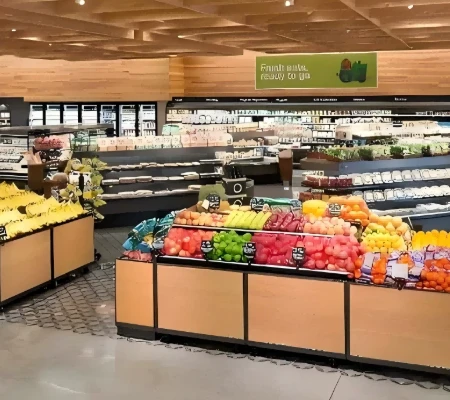
Grocery & Big Box
Tens of thousands of SKUs, weekly promos. Staff can't keep up with paper tags. Missed updates, wrong prices-it adds up fast.
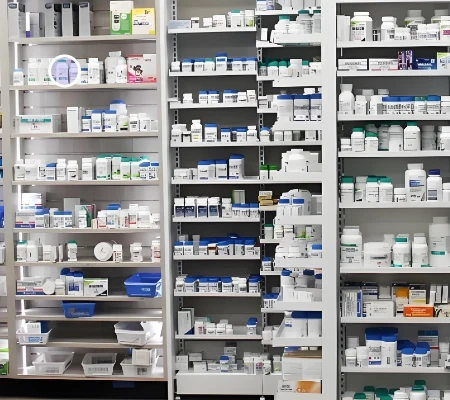
Pharmacy
Drug prices are regulated. Post the wrong number and you're looking at fines. ESL pulls directly from your system-no manual entry.
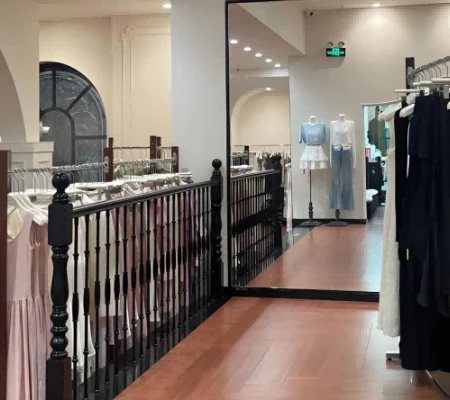
Apparel
Seasonal markdowns are a headache. ESL tags look clean on the rack and you can reprice an entire floor in minutes.
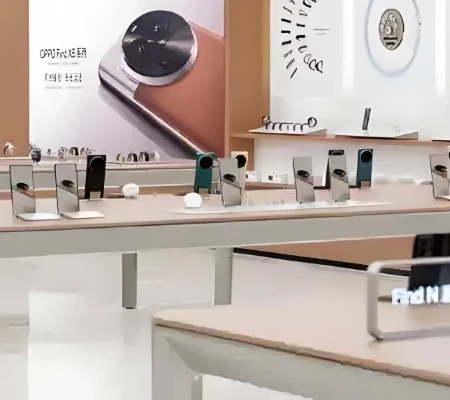
Electronics
Spec sheets don't fit on a paper tag. ESL can show a QR code-customer scans it, gets the full rundown on their phone.
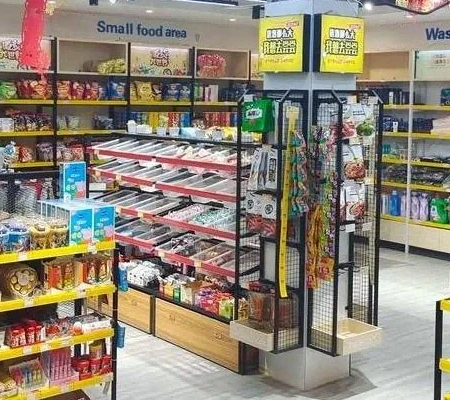
Convenience Stores
Small crew, no time for tag runs. 24-hour stores especially-you need prices that update themselves.
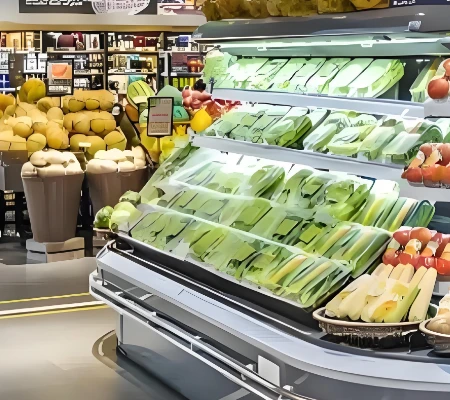
Fresh Market
Automatic markdowns as products approach sell-by dates reduce waste while maintaining profitability
Plan the Connection from Backend System to Store Device
A successful smart retail project depends on more than display hardware. Product data, pricing, promotional content and customer interactions may originate from different systems. The data path, software responsibility and update process should therefore be defined before deployment.
Business Systems
Identify the POS, ERP, inventory platform, CMS, product database or customer application that provides the information.
01
Integration Method
Confirm whether the project uses an API, database connection, file import, middleware or another approved communication method.
02
Store Infrastructure
Review gateways, network coverage, power, device location, security requirements and store-level operating procedures.
03
Display and Interaction Devices
Map the correct content and workflow to electronic shelf labels, LCD displays, transparent screens or kiosks.
04
Testing and Acceptance
Define how updates, device status, software behavior and peripheral functions will be tested before rollout.Final integration scope depends on the selected hardware, software environment and responsibilities agreed for the project.
05
・Our product range
Electronic Shelf Labels
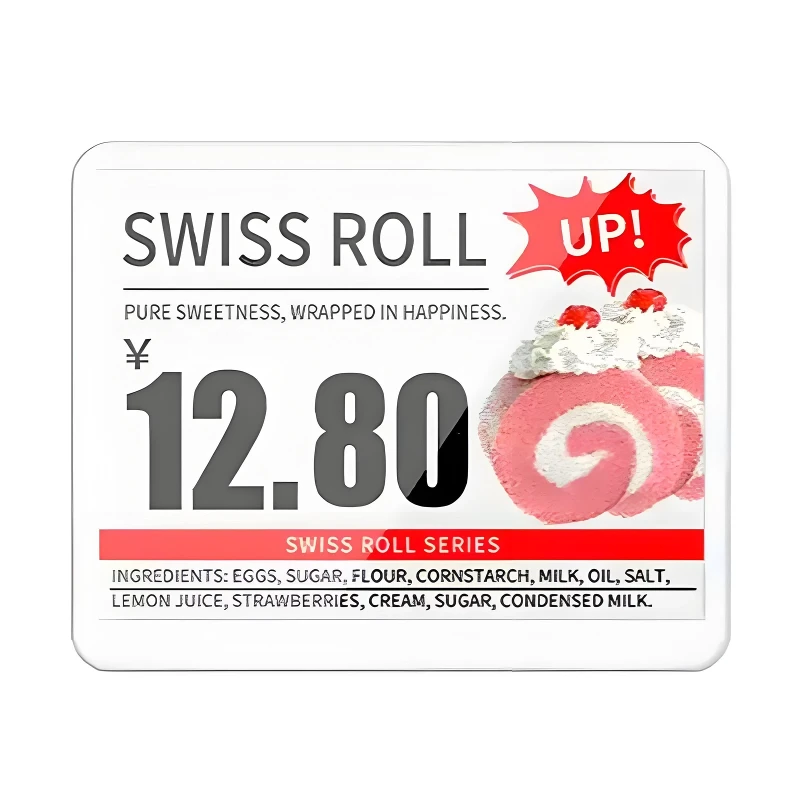
E-ink display-same tech as a Kindle. Looks like paper, easy on the eyes. Big advantage is power draw: one coin cell lasts about 10 years. We offer black/white/red/yellow screens so sale prices can pop in red. Each tag has NFC and a QR code built in-shoppers tap or scan to pull up product details.
CR2450 battery, 10yr life
Black/white/red/yellow
2.4GHz wireless, AES-128
NFC + QR code

Transparent LCD Screens
38% light transmission-you can see through it. Mount on a cooler door or in front of a display case; customers view the merchandise while the screen shows video or graphics on top. Touch-capable, 4K resolution, 5.9mm bezel.
38% transparency
4K resolution
10-point touch
5.9mm bezel
Self-Service Kiosks
Like McDonald's ordering screens. Ours handle price checks, inventory lookup, ordering, and payment. You can add a barcode scanner, receipt printer, or facial recognition module. Open API-hooks into whatever system you're already running.
Card, Apple/Google Pay
Built-in thermal printer
Inventory system tie-in

・How We Work
01
Proposal & quote
We recommend a hardware mix, spec out quantities, and give you a cost breakdown plus ROI estimate.
02
System integration
Connect to your ERP, POS, inventory management. We handle the API work and test until data flows clean.
03
On-site install
Our crew mounts the hardware, configures the network, and trains your staff on the dashboard.
04
Ongoing support
Something breaks, software needs an update, you have a question-reach out anytime.
More Than a Standard Display Catalog
| What B2B Buyers Need | LEGOYO Project Approach | Buyer Benefit |
|---|---|---|
| Product selection | Configuration based on application, software and installation | Reduces unsuitable model selection |
| Technical review | Interfaces, mounting and peripherals reviewed before approval | Identifies missing requirements earlier |
| Sample evaluation | Sample or prototype discussion before bulk production | Supports compatibility testing |
| OEM/ODM | Hardware and enclosure requirements reviewed by project | Better fit for private-label programs |
| Documentation | Model-specific specifications and available technical documents | Simplifies engineering and procurement review |
| Production approval | Approved configuration used as the order reference | Improves repeat-order consistency |
| Packaging | Standard or customized packaging discussed by product | Supports export and distributor requirements |
| Supply planning | Sample and production schedules confirmed separately | Improves project scheduling |
| After-sales planning | Warranty, spare-parts and RMA scope confirmed before order | Reduces lifecycle uncertainty |
FAQ
Q: What solutions does LEGOYO provide?
A: LEGOYO provides electronic shelf labels, shelf-edge and bar LCD displays, transparent LCD displays and configurable self-service kiosks. Each product category supports different retail workflows, including digital pricing, promotional content, product discovery and customer-facing self-service.
Q: Which industries are these solutions suitable for?
A: The portfolio can support supermarkets, convenience stores, pharmacies, consumer electronics stores, beauty retailers, fashion stores, specialty retail and other commercial environments. The final configuration should be selected according to the specific workflow and installation conditions.
Q: How do I choose the right product?
A: Start by defining the task the display must perform. Then confirm the content, viewing distance, interaction, operating environment, software, network, mounting and required peripherals. LEGOYO can review this information and recommend a suitable product category or model.
Q: Can LEGOYO integrate with our POS, ERP or CMS?
A: Integration feasibility depends on the selected hardware, required data flow, software platform, communication method and project responsibilities. Provide information about your current system so the integration method and technical scope can be reviewed before quotation.
Q: Are all specifications shown on the website confirmed for every model?
A: No. Display size, battery life, brightness, communication protocol, IP rating and other technical values may vary by model. Final specifications should be confirmed through the selected model datasheet, quotation and applicable test documentation.
Q: Does LEGOYO support OEM/ODM customization?
A: OEM/ODM requirements may include enclosure design, color, logo, computing platform, interfaces, mounting, peripheral openings and packaging. Final feasibility depends on the engineering requirements, quantity and selected product configuration.
Q: Can I request a sample before placing a bulk order?
A: Yes, sample or prototype evaluation can be discussed according to the selected product. Sampling is recommended for customized displays, kiosk projects and applications involving software, interfaces, mounting or third-party peripherals.
Q: What is the MOQ?
A: MOQ depends on the product, standard configuration, customization, component requirements and packaging. Provide the expected sample, pilot and rollout quantities so LEGOYO can prepare a more accurate project-based quotation.
Q: What is the production lead time?
A: Lead time depends on the selected model, customization, component availability and order quantity. Sample lead time and mass-production lead time should be confirmed separately after the technical configuration is approved.
Q: Can LEGOYO provide custom packaging?
A: Custom labels, manuals, cartons, inserts and private-label packaging can be discussed for distributor and OEM/ODM programs. Final packaging scope, MOQ and cost should be confirmed during quotation.
Q: Can I request datasheets and test reports?
A: Available documents may include product datasheets, drawings, specification sheets, inspection records, test-report samples and model-specific compliance documents. Document availability should be confirmed for the selected product.
Q: What information is required for a quotation?
A: Please provide the product category, application, quantity, preferred size, software platform, installation method, operating environment, required interfaces and peripherals, customization, packaging, destination country and target delivery schedule.