GS439 | STRETCHED LCD SIGNAGE
43.9-Inch Bar LCD Display for Retail Headers and Fixtures
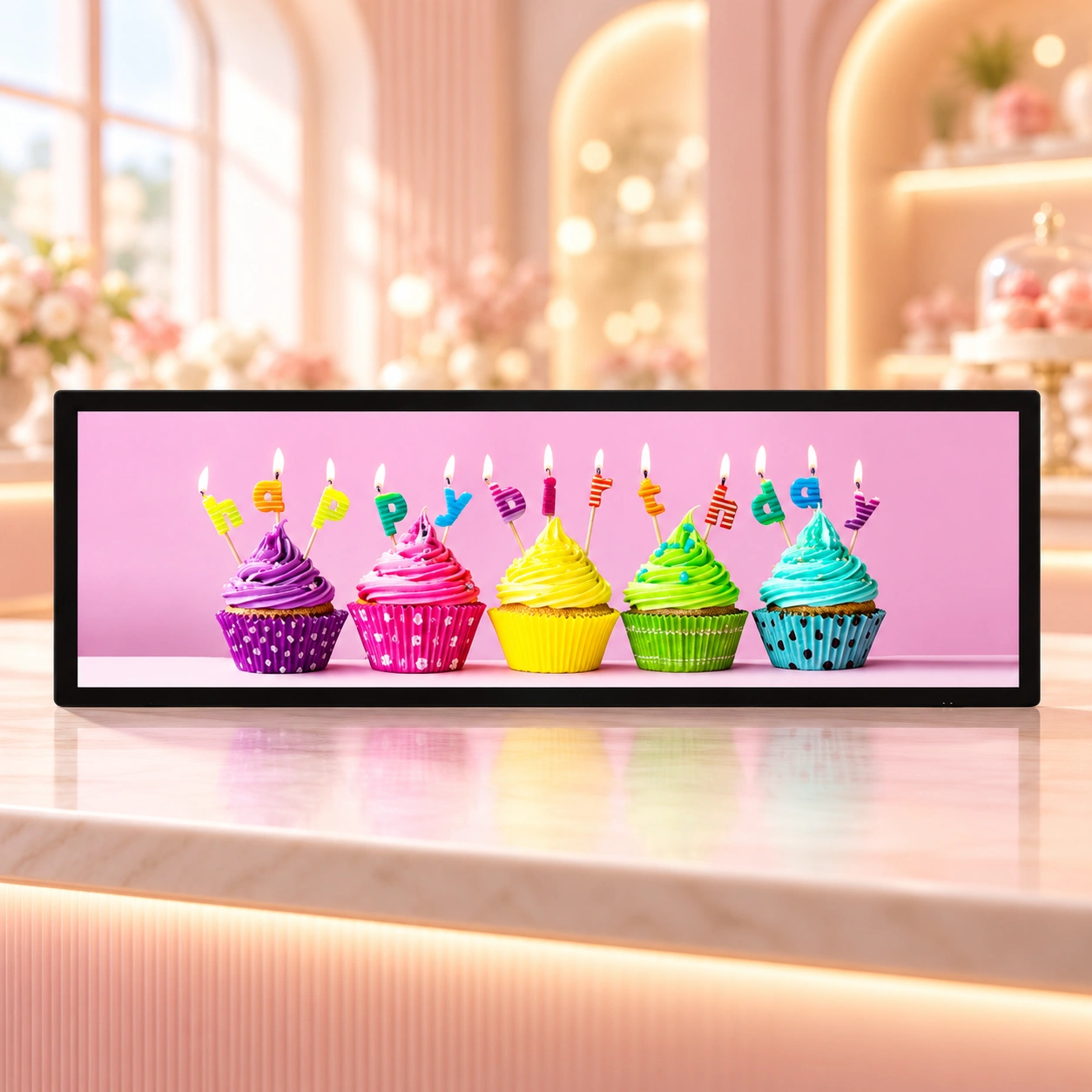
Give narrow retail spaces a clear visual identity with the Legoyo GS439. This 43.9-inch stretched LCD display combines a native 1920 × 540 resolution with a panoramic 32:9 format for product stories, department branding and short promotional messages.
The horizontal canvas follows the shape of shelf headers, counter displays and long retail fixtures. Use a single campaign image or a carefully arranged combination of products, headlines and supporting information to connect the screen with the merchandise below.
For projects requiring messages in two opposite viewing directions, discuss the complete dual-face assembly and playback arrangement during configuration planning.
43.9 inches
Nominal screen diagonal
1920 × 540
Native content canvas
32:9
Panoramic aspect ratio
6.5 ms
Listed response time
Make the Header Part of the Product Story
A retail header should help customers understand the space beneath it. Plan the GS439 around the category, viewing distance and surrounding fixture so the display presents one coherent message.
Identify the Department
Introduce the department name, collection or product family with a clear visual hierarchy. Keep category identity consistent with the shelving and nearby printed graphics.
Present a Product Range
Arrange complementary products across the wide canvas. Give a featured item enough space while using supporting images to establish the wider collection.
Focus the Promotion
Lead with one offer, launch or seasonal theme at a time. Place essential conditions where customers can read them from the intended viewing position.
Fit the Store Design
Coordinate the display with the fixture finish, lighting and sightlines. Review the complete screen assembly and service access before finalizing the installation.
GS439 Display Specifications
Review the core display parameters when selecting the screen and preparing sample artwork.
| Parameter | GS439 Specification |
|---|---|
| Model | GS439 |
| Screen size, diagonal | 43.9 inches |
| Native resolution | 1920 × 540 pixels |
| Aspect ratio | 32:9, also expressed as 16:4.5 |
| Display colors | 1.07 billion |
| Contrast ratio | 5000:1 |
| Viewing angle, horizontal / vertical | 178° / 178° |
| Response time | 6.5 ms |
| Backlight type | LED |
| Listed backlight life | 30,000 hours |
Request the approved datasheet and mechanical drawing for brightness, active image dimensions, complete enclosure size, weight, mounting points and the selected playback package. Backlight life is a component-life specification, not a warranty period.
Product Views and Housing Details
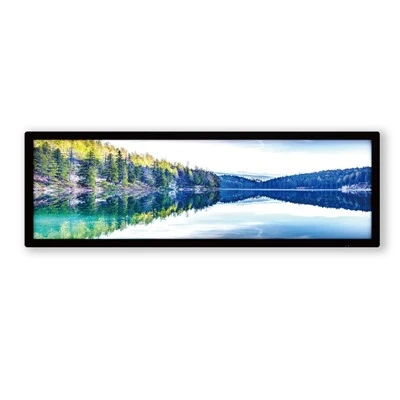
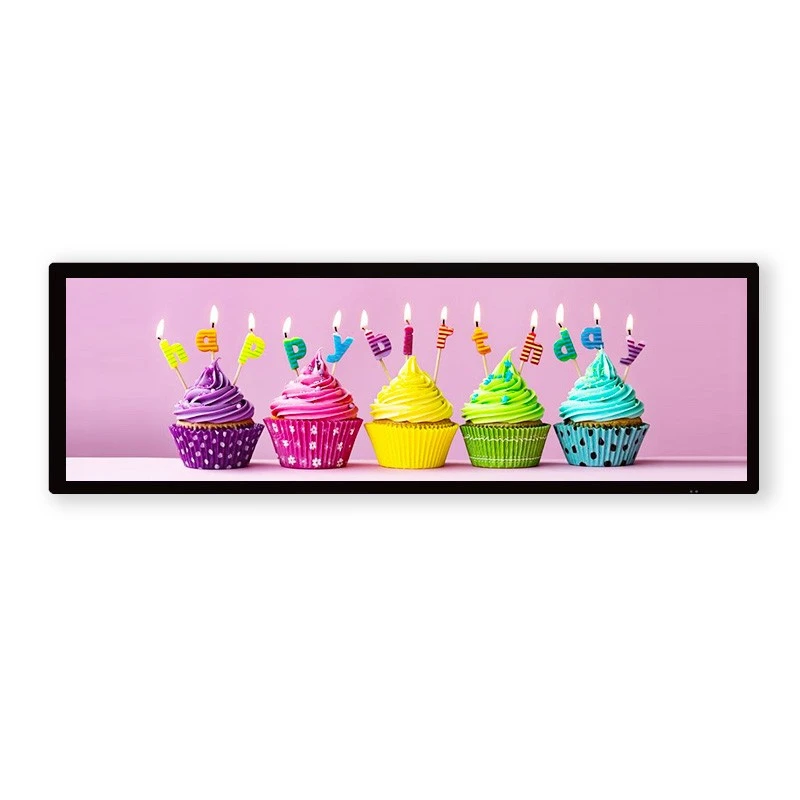
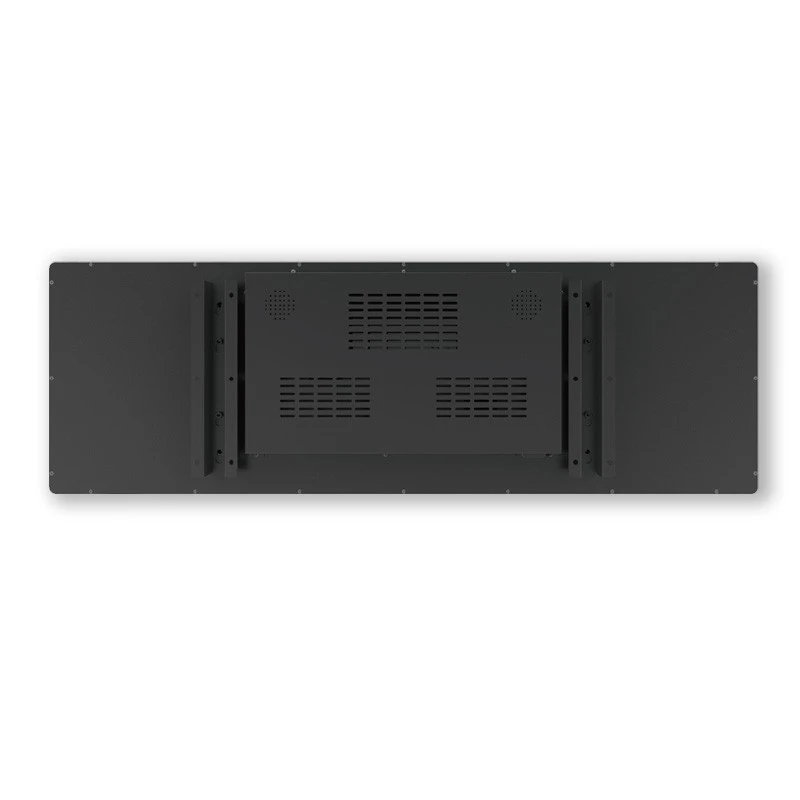
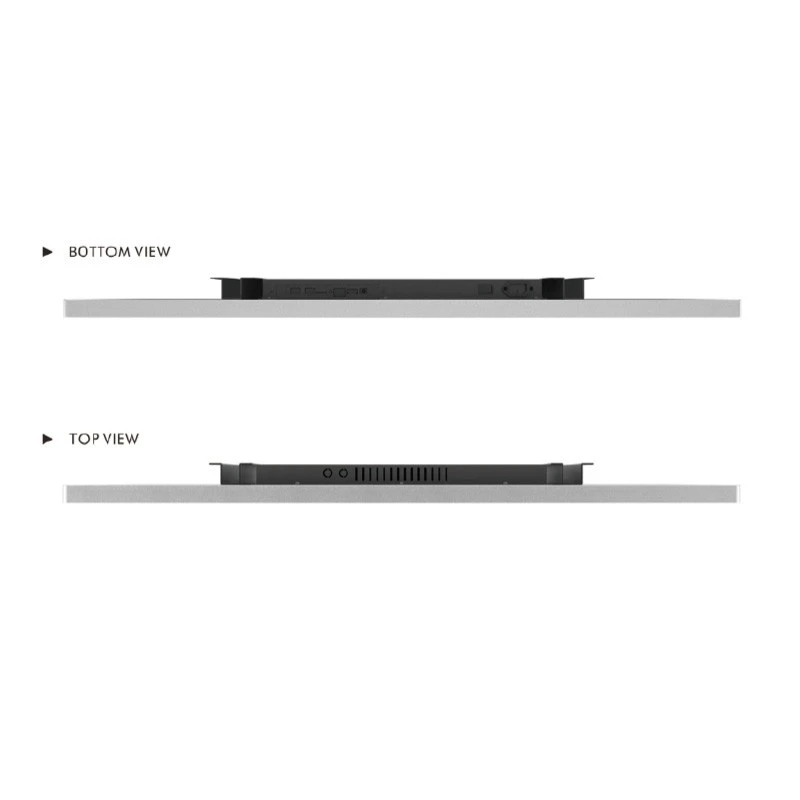
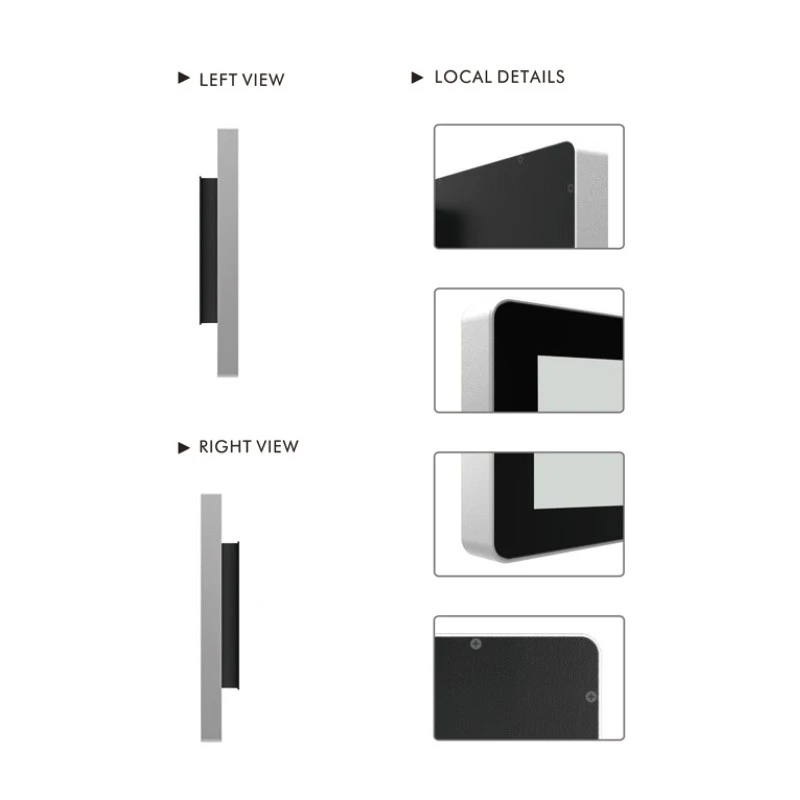
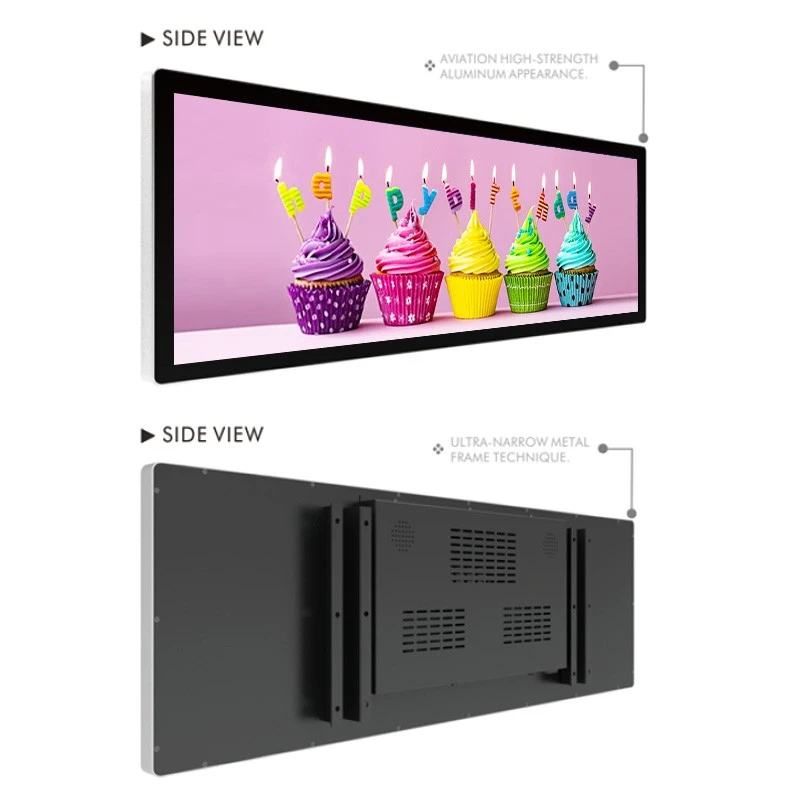
The existing GS439 images show the display face, rear housing, side profile and frame details. Use these views to begin the fixture discussion, then confirm the complete configuration on the project drawing.

Display Face and Rear Housing
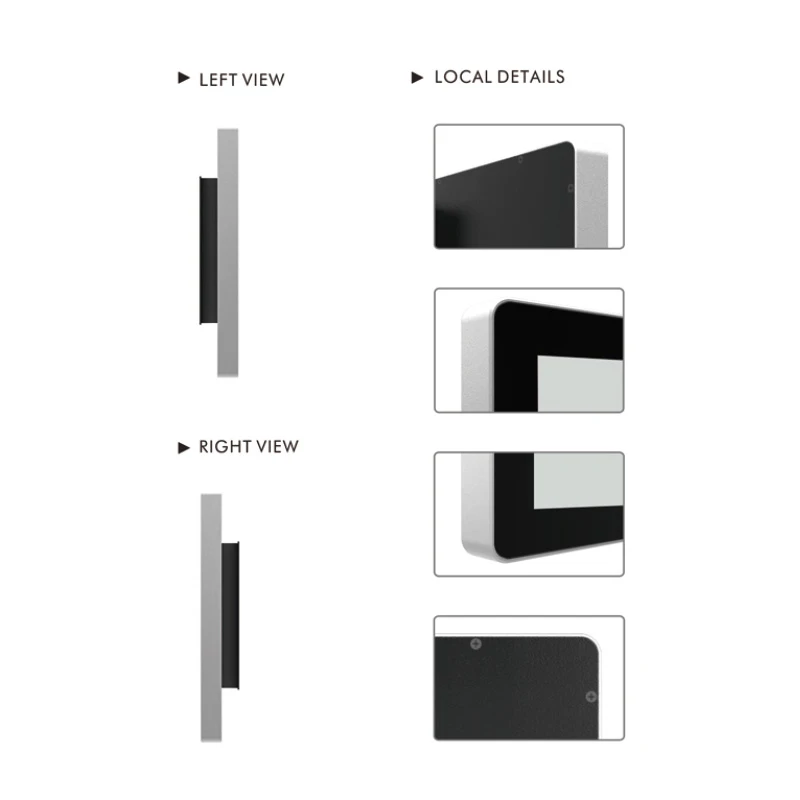
Side Profile and Frame Details
Application Ideas for Commercial Interiors
Select the message and mounting concept around the customer journey. These application ideas provide a starting point for planning the screen, fixture and content together.
Supermarket Department Headers
Introduce an aisle category, seasonal range or featured product above the merchandise. Keep the department identity visible while giving each promotion a defined area. Explore our supermarket display solutions.
Bakery and Café Counter Branding
Use appetizing product photography, a seasonal selection or a short combination offer above a counter. Keep the layout simple enough to understand during a brief queue or ordering decision.
Beauty and Cosmetics Fixtures
Present a launch theme, shade family or product benefit above a beauty display. Coordinate screen colors with physical testers and packaging. Discover related cosmetics store solutions.
Fashion and Accessory Collections
Connect a horizontal campaign image with the collection below it. Combine a strong lifestyle visual with a short collection name or styling message. See our fashion store display ideas.
Convenience Store Promotions
Highlight a new arrival, snack range or service message near a customer decision point. Prioritize clear product names and concise copy. Review complementary convenience store displays.
Showrooms and Exhibition Headers
Create a panoramic introduction above a product demonstration or brand fixture. For opposite visitor approaches, discuss a dual-face concept with suitable support, cabling and maintenance access.
Build Content for a 1920 × 540 Screen
Start with the native pixel canvas. A standard 16:9 design has a different shape from this 32:9 display, so artwork should be recomposed or deliberately cropped rather than stretched to fill the screen.
Suggested Visual Structure
- Use one primary headline and one dominant product image.
- Reserve a consistent area for the brand or category name.
- Keep supporting information brief and well spaced.
- Leave breathing room around logos, text and product edges.
Review in the Real Viewing Position
- Check text size from the planned customer distance.
- Confirm image proportions, scaling and crop boundaries.
- Allow enough time to read each promotional message.
- Test contrast under the actual store lighting.
For a sequence of campaigns, keep headline position, logo size and supporting-copy alignment consistent. Confirm supported media formats and encoding with the selected player before exporting the final files.
Planning a Dual-Face Signage Project
When an installation needs LCD content facing two opposite directions, define the complete screen assembly and the role of each face. The physical arrangement and content-control method should be agreed together.
Matching Campaigns
A shared campaign can introduce the same department or collection from both approaches. Specify whether matching artwork is sufficient or whether the project also requires synchronized playback.
Direction-Specific Messages
Different approaches may call for separate product suggestions, destinations or promotions. Independent playlists require an appropriate controller and output arrangement, which should be confirmed in the quotation.
Identify Face A and Face B on the installation drawing, including their viewing directions, output orientation and assigned content. Confirm the final dual-face enclosure dimensions and mounting structure before fixture production.
Player Selection and Content Management
Choose the playback package around how your team creates, approves and updates content. Existing players, proposed integrated controllers and managed store networks need different integration details.
| Planning Area | Information to Confirm |
|---|---|
| Player and connections | Content source, required physical interfaces, player location and available connection space. |
| Content workflow | Local or network updates, scheduling needs, user access and any software licensing. |
| Existing platform | Platform name, software version, player requirements and the intended output resolution. |
| Operational behavior | Startup sequence, playback recovery, orientation and any two-face content-control requirement. |
Interfaces, operating systems, network functions and software compatibility depend on the selected hardware. Include these requirements in the project brief so the complete playback configuration can be reviewed.
Sizing and Installation Planning
Select the screen diagonal for the viewing task, then plan the fixture around the approved mechanical drawing. The nominal screen size alone does not define an installation opening or bracket arrangement.
Define the Available Space
Provide the fixture opening, surrounding shelf dimensions, viewing height and photographs of the location. Show nearby lights, products and structures that may affect visibility.
Review the Mounting Drawing
Confirm enclosure width, height and depth, active image opening, mounting points and total installed weight. Include the supporting structure and any dual-face assembly details.
Reserve Access and Clearance
Allow room for connections, cable bends, ventilation and maintenance. Identify the power location and a practical way to access or remove the display after the fixture is complete.
For a wider retail concept, combine the installation brief with our bar-shaped LCD screen solutions and POP display solutions.
Electronics Space Reference for Integrators
The GS439 documentation lists these maximum board dimensions for integration planning. Review the selected electronics and connector layout before committing to the final enclosure design.
| Board Envelope | Listed Maximum Dimensions |
|---|---|
| Mainboard | 150 × 90 mm |
| Single power board | 180 × 85 mm |
| Combined power plate | 187 × 120 mm |
These are mechanical size references, not electrical ratings or a list of included components. Input voltage, power consumption and controller specifications should be confirmed for the ordered configuration.
Customization and Project Workflow
Discuss the required finish, housing appearance, fixture interface, branding and packaging during the configuration review. Changes to dimensions or materials require an engineering assessment and an agreed drawing.
01. Establish the Project Brief
Share the quantity, venue, destination, fixture measurements, installation photographs and content concept. Explain whether one viewing direction or a dual-face arrangement is required.
02. Agree the Configuration
Review the display requirements, brightness, complete dimensions, mounting structure, controller and interfaces. Record requested appearance changes and the intended maintenance approach.
03. Validate Representative Content
Test sample 1920 × 540 artwork with the proposed player. Check orientation, scaling, readability and any matching or independent content requirement for opposite faces.
04. Confirm the Order Scope
Agree the approved drawings, included accessories, software scope, packaging and acceptance requirements. Request the quotation and delivery schedule for the selected configuration.
Frequently Asked Questions
Explore Related Bar Display Formats
Compare the 43.9-inch bar display digital signage and the 49.5-inch bar display digital signage when reviewing alternative fixture layouts.
For another nominal screen size, review the 37.8-inch LCD bar display. Confirm the mechanical and playback requirements of each format against your installation brief.
Discuss Your GS439 Retail Display Project
Share your retail fixture, screen location, viewing directions and content plan with Legoyo. Request a configuration review and quotation covering the display assembly, approved dimensions, playback hardware, mounting details and delivery scope.
Request a GS439 Quotation Contact Our TeamHot Tags: 43.9 inch bar LCD display, GS439 stretched LCD screen, 32:9 LCD display, retail header display, commercial digital signage, retail fixture integration, bar LCD display supplier, Legoyo digital display