


GS495 | PANORAMIC RETAIL SIGNAGE
49.5-Inch Stretched LCD Display for Double-Sided Signage Projects
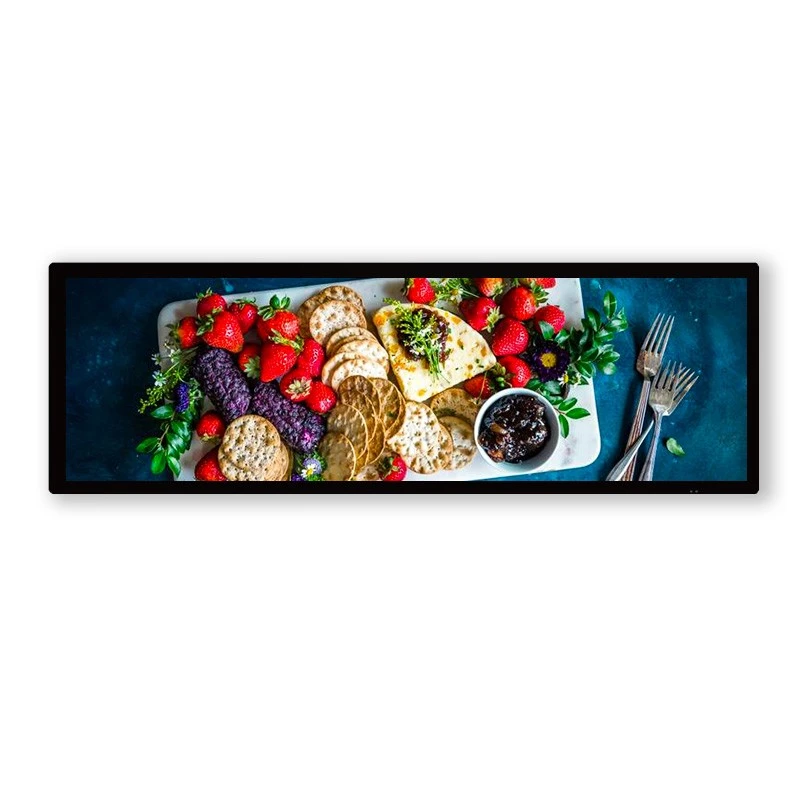
Bring product stories, promotional messages and directional information into long, narrow display spaces. The GS495 combines a 49.5-inch LCD format with a native 1920 × 540 resolution, creating a wide canvas for shelf headers, retail fixtures and overhead information layouts.
Its 32:9 proportions suit spaces where a conventional rectangular screen would occupy too much height. Use the panoramic layout for a strong brand message, a featured product range or a simple combination of imagery and information.
Planning front-and-back LCD presentation? Share your viewing directions and installation concept with Legoyo so the dual-face assembly, mounting structure and playback arrangement can be defined for your project.

49.5 inches
Nominal screen diagonal
1920 × 540
Native pixel resolution
32:9
Panoramic aspect ratio
178° / 178°
Listed horizontal / vertical viewing angles
A Panoramic Format That Works with Your Retail Layout
A stretched LCD screen lets the message follow the shape of the fixture. Plan the screen position around what customers should notice first, the direction they approach from and how long they can comfortably read the content.
Fit Narrow Spaces
Use the shallow landscape format above merchandise, along an aisle header or within a display fixture. Check the complete enclosure dimensions against the available opening before installation.
Lead with the Product
Build a wide composition around a product family, lifestyle image or short promotion. Keep the key message visible without filling the screen with small text.
Plan Both Approaches
For a dual-face installation, identify the audience on each side. Match each message to the relevant entrance, aisle or counter instead of treating both viewing directions as identical.
Coordinate the Fixture
Consider screen position, surrounding branding, cable routing and service access together. A coordinated installation helps the display sit naturally within the store environment.
GS495 Display Specifications
Use the following panel and reference-unit specifications to begin your layout and integration planning.
| Parameter | GS495 Specification |
|---|---|
| Model | GS495 |
| Screen size, diagonal | 49.5 inches |
| Native resolution | 1920 × 540 pixels |
| Aspect ratio | 32:9, also expressed as 16:4.5 |
| Display colors | 1.07 billion |
| Contrast ratio | 5000:1 |
| Viewing angle, horizontal / vertical | 178° / 178° |
| Response time | 6 ms |
| Active display area, horizontal × vertical | 1209.6 × 340.3 mm |
| Reference unit outline, horizontal × vertical × depth | 1239.6 × 370.8 × 55 mm |
| Backlight type | LED |
| Listed backlight life | 30,000 hours |
Final dual-face enclosure dimensions, brightness, mounting points and playback hardware should follow the approved project specification. The 30,000-hour figure is a backlight-life specification, not a warranty period.
Product Appearance and Integration Details
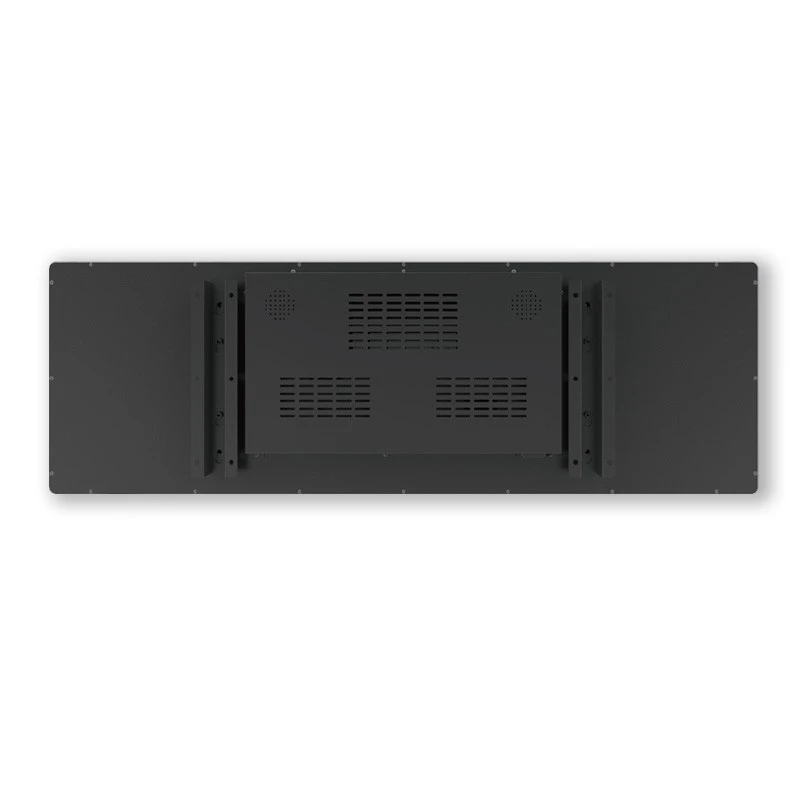
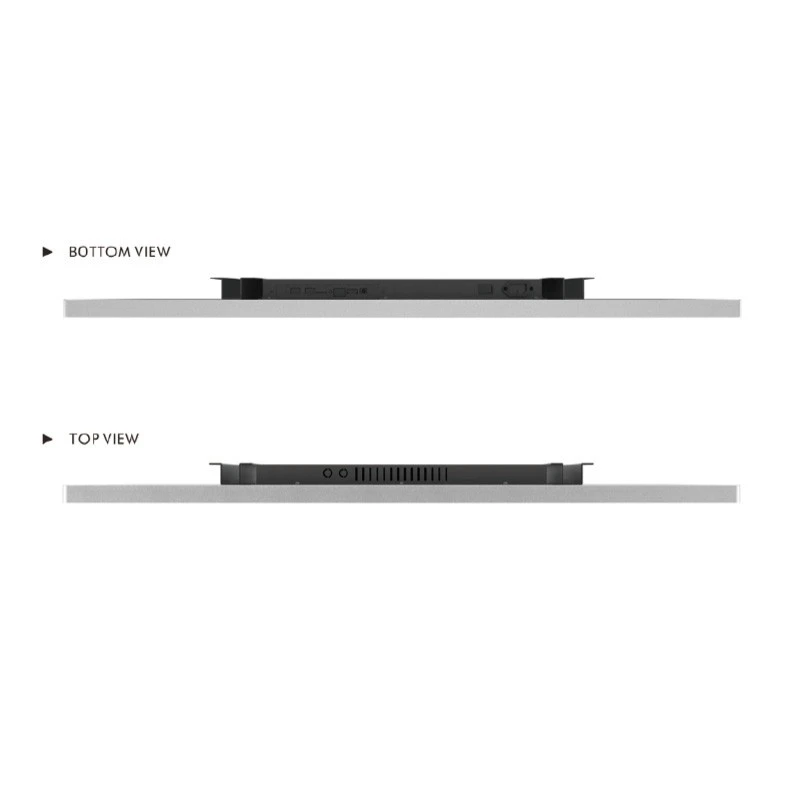
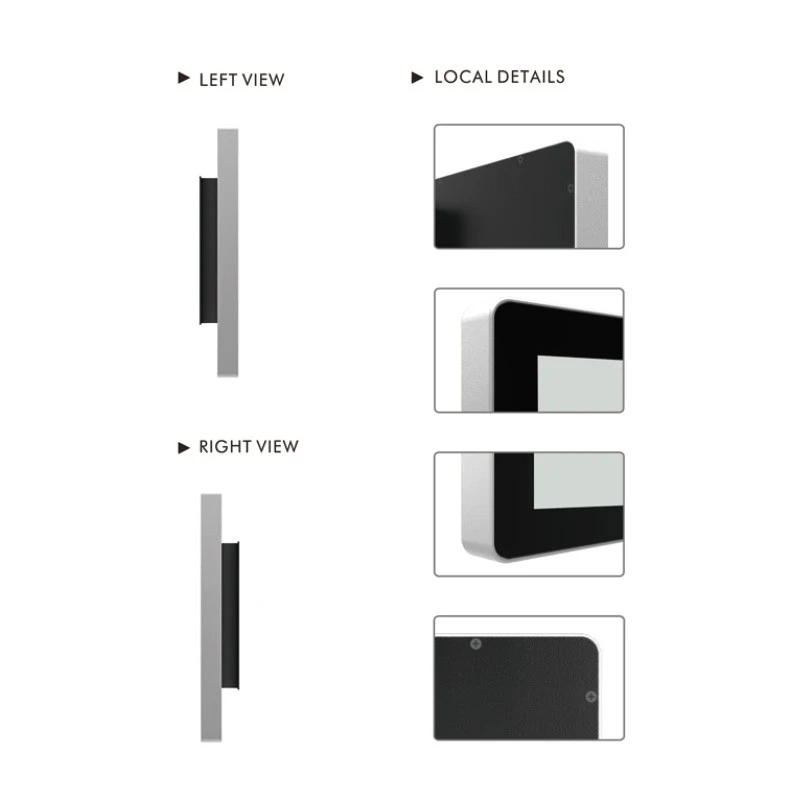
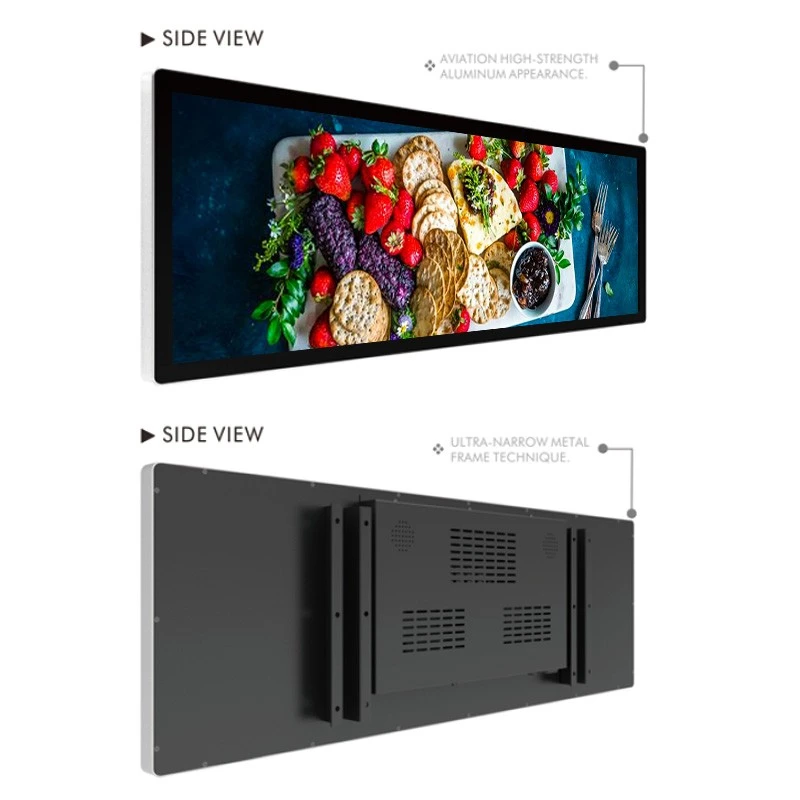
Review the existing GS495 unit images for the front profile, rear housing and edge details. For a double-sided project, request the complete assembly drawing and images of the agreed configuration.
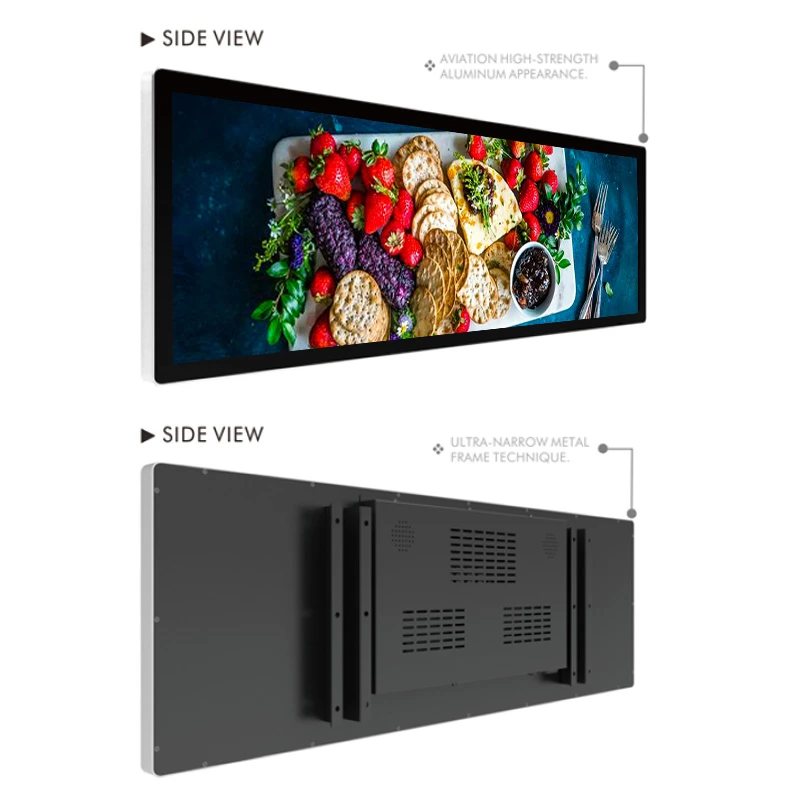
Front Profile and Rear Housing
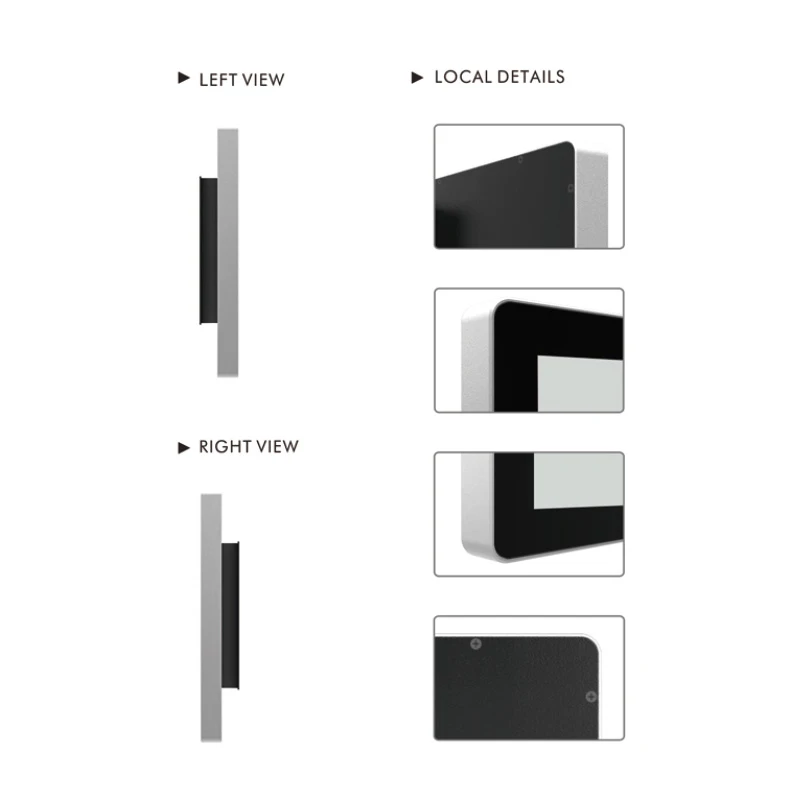
Side Profile and Frame Details
Plan the Message for Each Viewing Direction
A dual-face signage concept begins with two audiences. Decide what customers approaching from each direction need to see, then specify the hardware and playback system around that content plan.
Face A: Attract and Introduce
Use the main approach to introduce a seasonal campaign, product launch or category identity. Give one headline visual priority and support it with a clear product image or short benefit statement.
Face B: Guide and Reinforce
Consider a return-direction message, a related product suggestion or an aisle destination. Where a single campaign serves both directions, matching artwork can create a consistent brand presentation.
Matching content, separate playlists and synchronized playback are different control requirements. Confirm the selected mode, signal routing and output orientation before finalizing the dual-face system.
Applications Across Retail and Commercial Spaces
Supermarkets and Grocery Aisles
Place a panoramic promotion above an aisle or category fixture. Combine a product family with a short offer message, keeping dates and conditions readable. Explore related supermarket display solutions.
Fashion and Accessory Stores
Present a collection identity, outfit story or accessory range above merchandise. Coordinate the screen with fixture colors and campaign graphics. See more fashion store display ideas.
Cosmetics and Beauty Counters
Introduce a beauty range, shade collection or launch campaign across a horizontal counter header. Keep product names and key benefits prominent. Browse our cosmetics store solutions.
Convenience Stores and Counters
Use compact messages for new arrivals, featured snacks or service information. Position the screen around the queue and customer sightline. Review complementary convenience store displays.
Showrooms and Exhibition Fixtures
Add a product introduction or brand sequence to a long display header. For visitors approaching from opposite directions, develop a dual-face concept with clear access for setup and maintenance.
Shopping Malls and Indoor Guidance
Consider panoramic tenant highlights, department names or event directions at an indoor junction. Keep arrows and destinations consistent with the direction from which each face is viewed.
Create Content for the 1920 × 540 Canvas
Design at the native resolution whenever possible. The GS495 canvas is wider in proportion than a conventional 16:9 image, so simply stretching standard artwork can distort products, logos and people.
A Clear Starting Layout
- Lead with one short headline and one main visual.
- Reserve a clear area for brand identity and supporting details.
- Use strong text contrast against the actual background.
- Leave space around important content near the screen edges.
Check the Finished Playback
- Preview cropping, scaling and image proportions.
- Test text from the intended viewing distance.
- Allow enough reading time for each message.
- Verify orientation and content assignment on each installed face.
For existing video or campaign artwork, recompose the layout for 32:9 or agree a suitable crop. Confirm supported file formats, encoding and output settings with the selected playback hardware.
Sizing, Mounting and Service Access
Separate the visible image area from the enclosure size when planning the fixture. The listed 1209.6 × 340.3 mm active area is the image region; the 1239.6 × 370.8 × 55 mm outline describes the reference unit.
Measure the Installation Opening
Share the available width, height and depth, surrounding fixture details and intended viewing height. Include photographs or drawings showing nearby shelving, lighting and obstructions.
Define the Complete Assembly
For dual-face use, confirm overall depth, total weight, mounting positions and the supporting structure on the final drawing. Brackets, connection space and cable bends also need room.
Keep the System Accessible
Plan power and signal entry, ventilation clearance and access to the controller and connections. Agree a practical service route before the screen becomes part of a finished retail fixture.
Playback Hardware and System Integration
Choose the playback arrangement around your content workflow. A local demonstration, a managed store network and two independently scheduled screen faces can require different hardware and software.
| Project Requirement | Define Before Ordering |
|---|---|
| Content source | Existing player, proposed integrated controller or another agreed source; required physical interfaces. |
| Dual-face operation | Matching or separate content, Face A / Face B output mapping and any synchronization requirement. |
| Updating and scheduling | Local or network workflow, existing content platform, access requirements and software licensing. |
| Playback validation | Native output, supported media, orientation, startup behavior and recovery after a power interruption. |
Share the name and version of an existing content system if you need compatibility reviewed. Interfaces, operating systems and remote-management functions depend on the agreed configuration.
Mechanical Integration Reference
For fixture manufacturers and system integrators, the GS495 documentation lists the following maximum board dimensions. Use them as a starting reference when discussing electronics placement.
| Component Envelope | Listed Maximum Size |
|---|---|
| Mainboard | 150 × 90 mm |
| Single power board | 180 × 85 mm |
| Combined power plate | 187 × 120 mm |
These values describe mechanical board envelopes. Confirm the selected electronics, connector clearance, electrical ratings and final assembly layout separately.
Customization and Project Preparation
Build the specification around the installation rather than selecting the screen in isolation. Discuss enclosure color, external styling, fixture integration, branding and packaging requirements during the project review. Custom dimensions or materials require a feasibility check and an approved drawing.
01. Share the Use Case
Provide the quantity, store or venue type, installation photographs, available space, viewing directions and rollout destination. Include your planned content and existing system details.
02. Agree the Configuration
Define the screen-face arrangement, brightness requirement, enclosure, mounting method, controller and interfaces. Review the complete dimensions and proposed cable route.
03. Review Artwork and Playback
Test representative 1920 × 540 artwork using the proposed player. For dual-face projects, verify both output assignments, image orientation and the required content relationship.
04. Confirm the Delivery Scope
Agree the drawings, included hardware, accessories, software scope, packaging and acceptance requirements. Request the project quotation and delivery schedule for the selected configuration.
Frequently Asked Questions
Compare Related Display Formats
Choosing a format begins with the installation space and how the audience approaches it. Compare the 49.5-inch bar display digital signage, review the 43.9-inch double-face LCD screen, or explore the 49-inch LCD bar display with light box for a different presentation concept.
For a broader fixture proposal, view our bar-shaped LCD screen solutions and POP display solutions.
Plan Your GS495 Signage Installation
Send Legoyo your fixture dimensions, viewing directions, quantity and content requirements. Request a configuration review and project quotation covering the display assembly, playback hardware, mounting details and delivery scope.
Request a Project Quotation Contact Our TeamHot Tags: 49.5 inch stretched LCD display, GS495 bar LCD screen, Legoyo LCD display, 32:9 digital signage, retail bar display, shelf header LCD display, panoramic commercial display


