


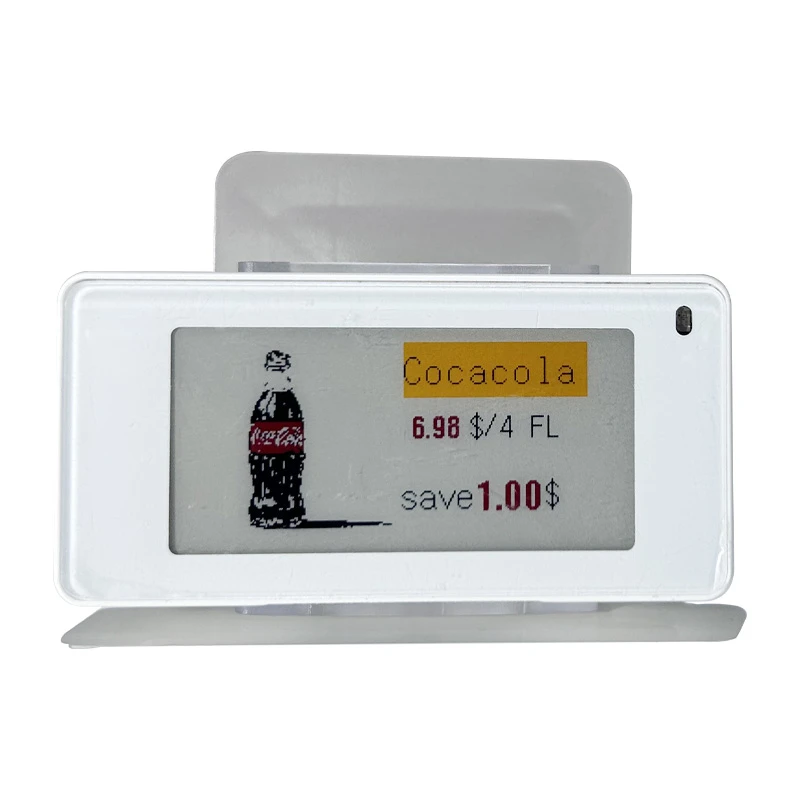
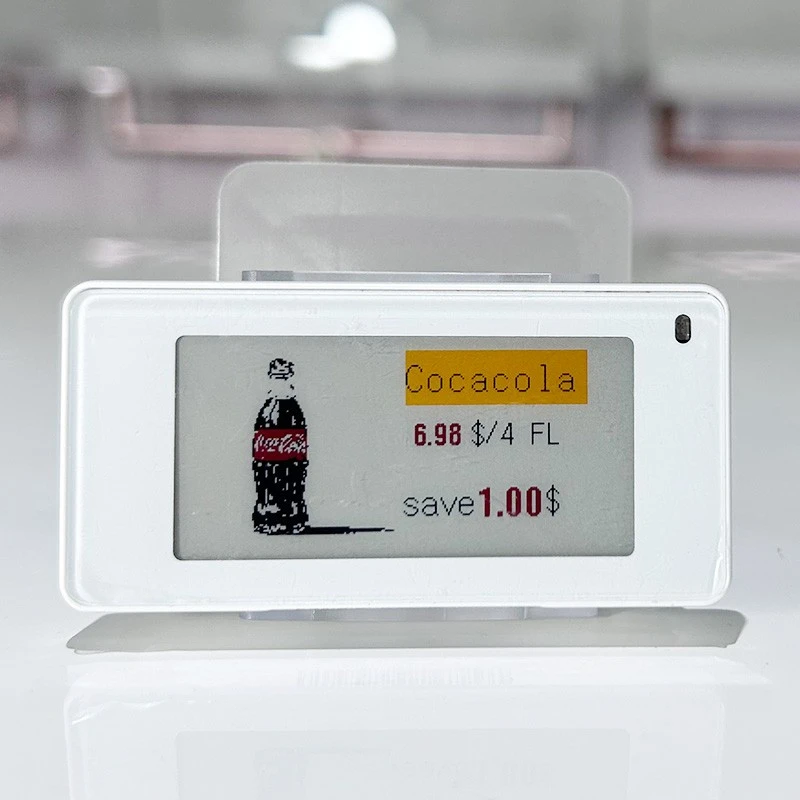
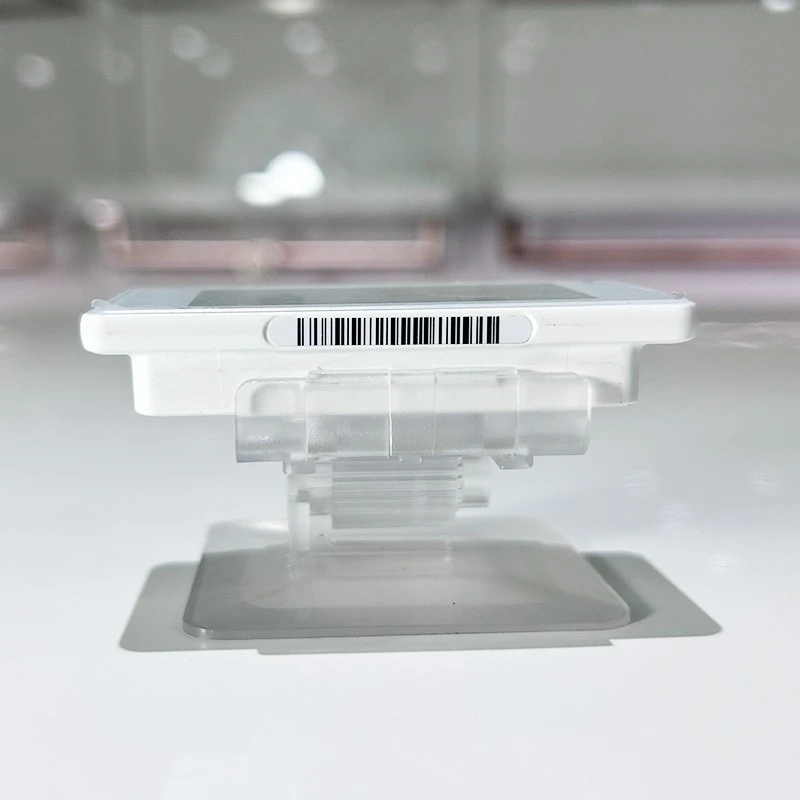
2.6-INCH RETAIL DISPLAY · EPD-E4E26Q-M
Electronic Shelf Label with Display Holder
Present prices and product information beside the merchandise with a compact electronic shelf label and a dedicated display holder. This 2.6-inch format brings digital pricing to shelf surfaces, counters and promotional displays where the label needs its own support.
The EPD-E4E26Q-M label configuration combines a 152 × 296-pixel display, NFC support, a seven-color LED indicator and 2.4 GHz wireless frequency-hopping communication. The holder positions the label at the point of sale; the electronic label provides the display and communication functions.
Plan the tag, holder and software together. Browse our electronic shelf labels or explore the complete electronic shelf label solution for a wider retail deployment.
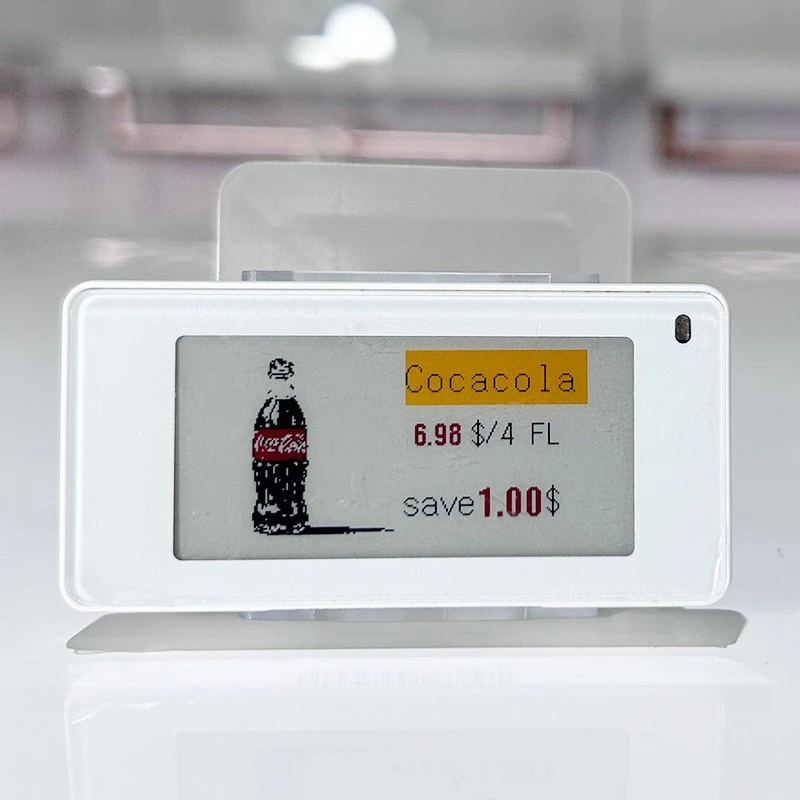
152 × 296 px
Electronic label resolution
60 × 31 mm
Label display window
NFC + 2.4 GHz
NFC support and wireless communication
2 × CR2450
Electronic label power supply
A Practical Display for Prices and Product Information
A useful price display needs a readable layout, the right position and a mounting method that matches the fixture. This label-and-holder format allows those elements to be planned together.
Place information beside the product
Position the label beside a product group, sample or promotional item so shoppers can connect the displayed price with the correct merchandise.
Organize essential information
Use a consistent template for the product name, selling price, unit and promotion. Keep the most important information prominent within the compact display window.
Support changing layouts
A stand-based presentation can be considered for counter displays and changing product arrangements. Check its footprint, attachment and stability on the intended surface.
Coordinate digital updates
Combine the label with the compatible communication and management system to maintain product information across a planned retail deployment.
Product Views and Holder Structure
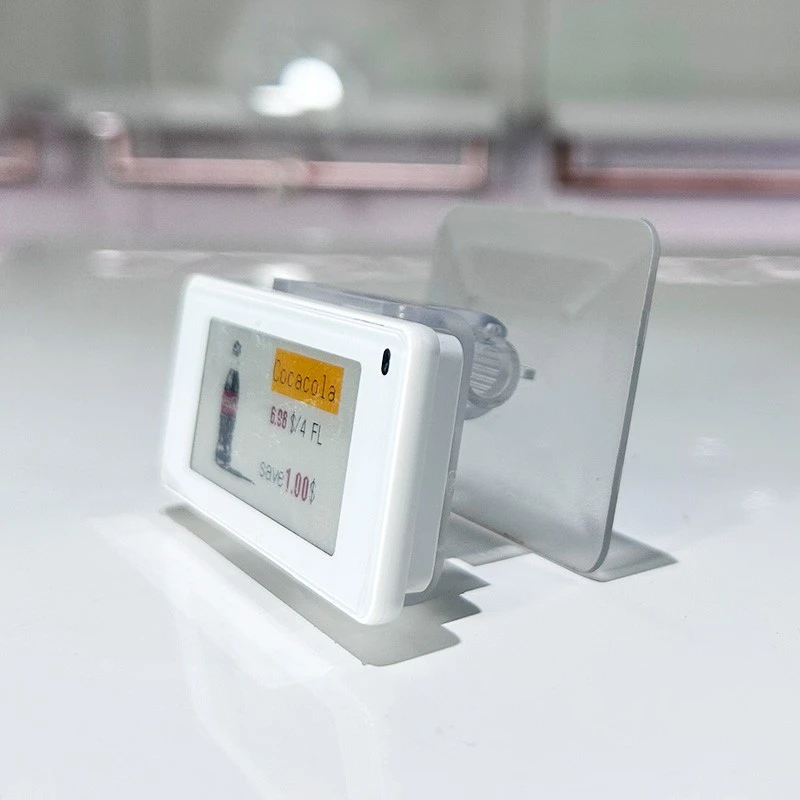
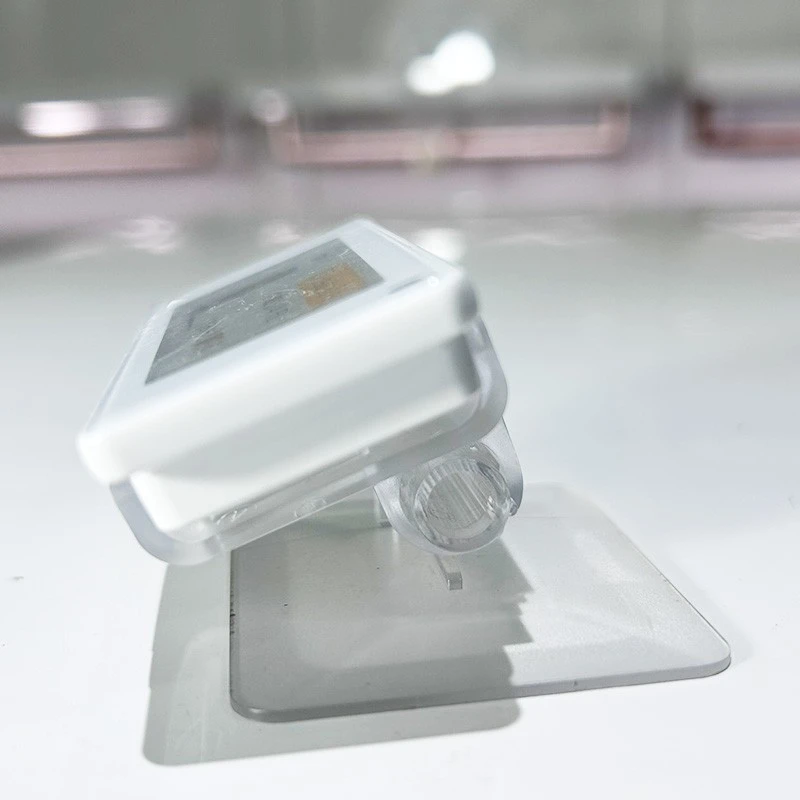
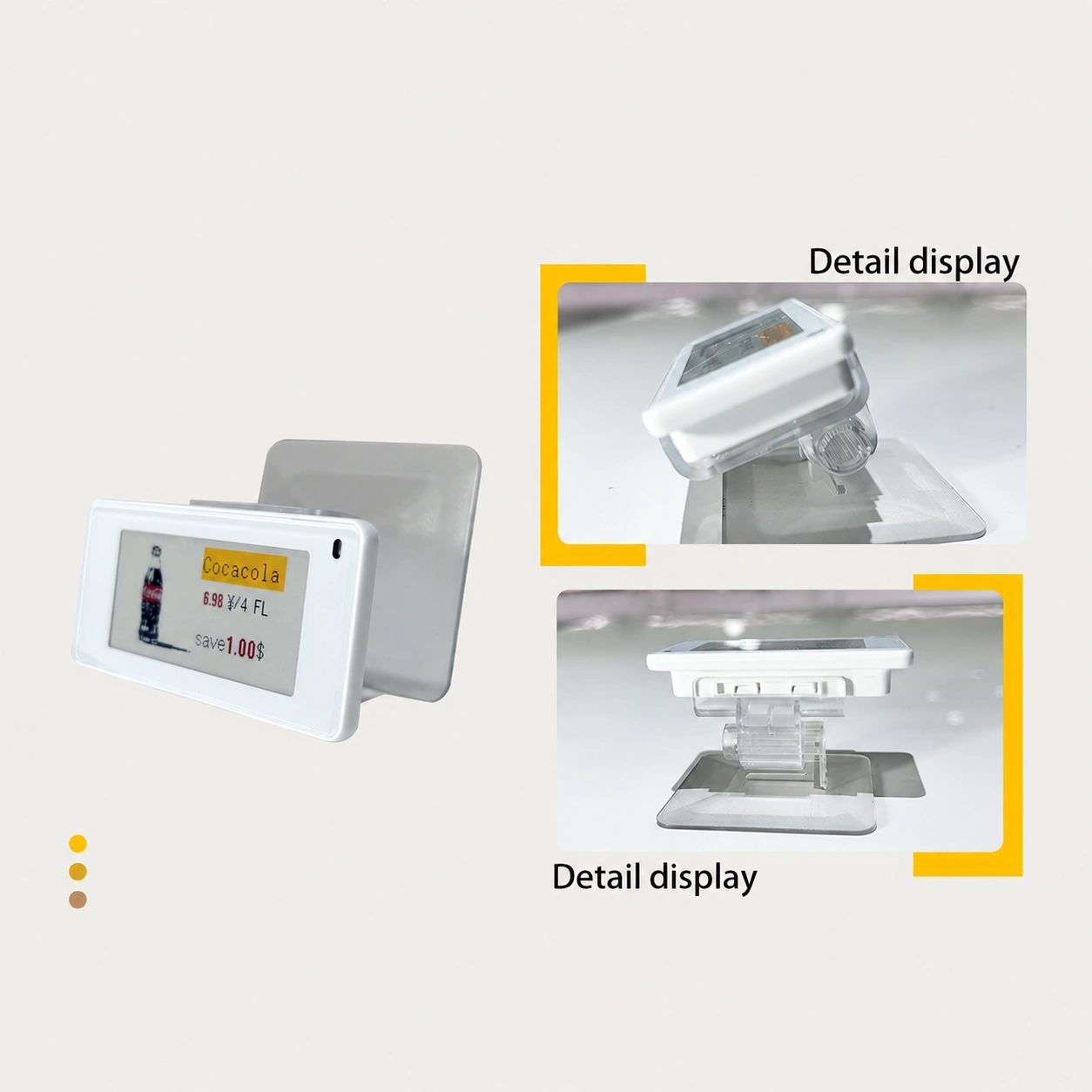
Review the label housing, support connection and base before selecting the installation position. The photographs show the displayed sample from different angles.
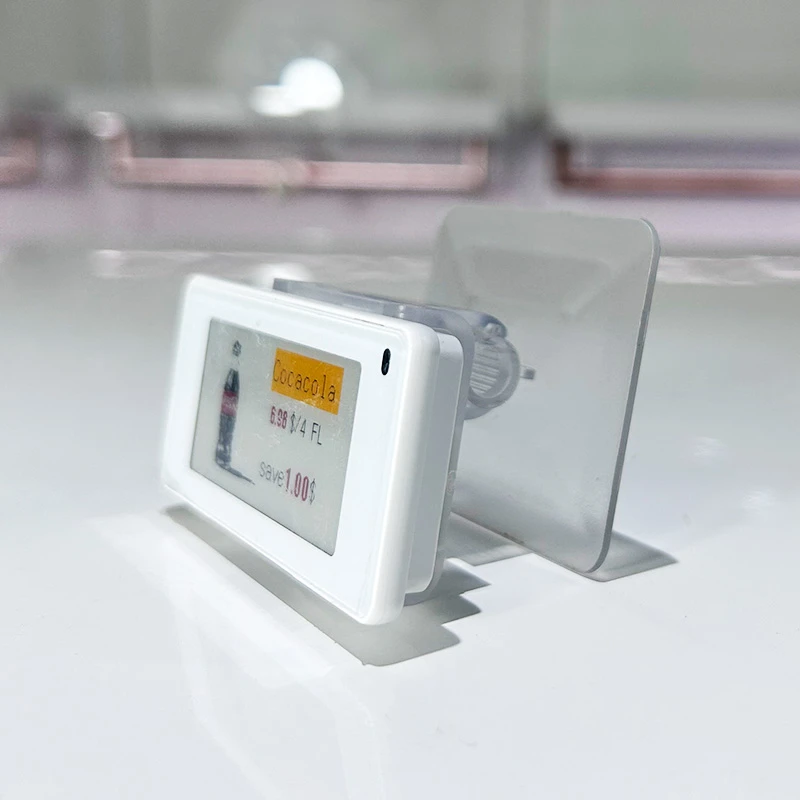
Label and support connection. Inspect the housing engagement and the space behind the label when matching the holder to your installation.
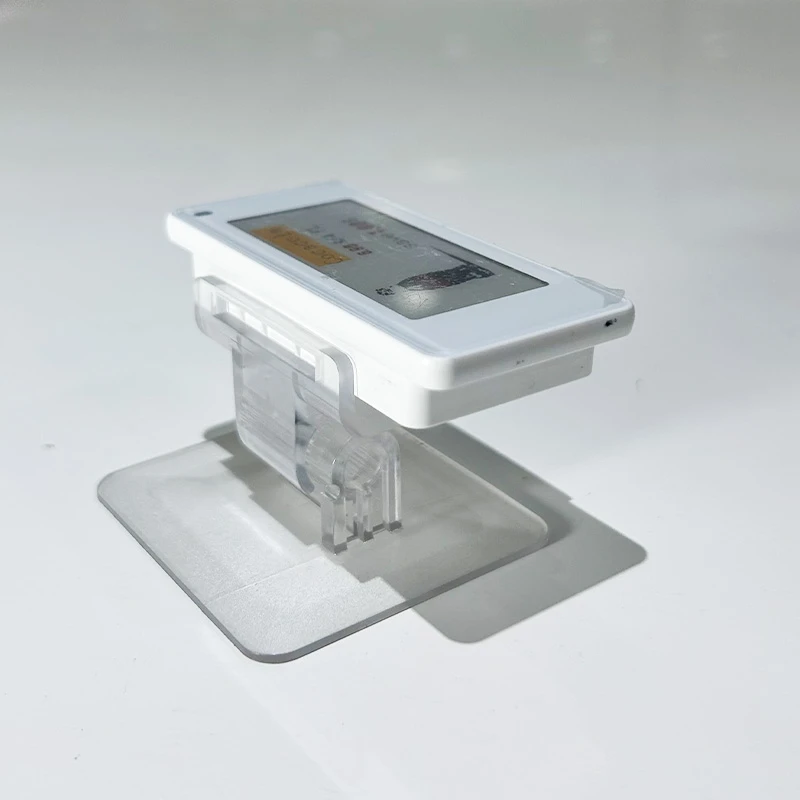
Rear connection and base. Check attachment geometry, service access and the complete holder footprint rather than relying on the screen diagonal alone.
EPD-E4E26Q-M Electronic Label Specifications
The following specifications describe the electronic label. Holder dimensions, base footprint and the ordered mounting configuration should be confirmed separately.
| Parameter | Electronic label configuration |
|---|---|
| Model | EPD-E4E26Q-M |
| Nominal display size | 2.6-inch |
| Label dimensions | 83.2 × 41.7 × 12.6 mm |
| Resolution | 152 × 296 pixels |
| Display window | 60 × 31 mm |
| Equipment net weight | 39 g |
| LED indicator | Supports seven colors |
| Operating temperature | 0°C to 40°C |
| Power supply | 2 × CR2450 batteries |
| NFC | Supported |
| Communication | 2.4 GHz wireless frequency hopping |
Display color and LED color are different. The seven-color specification refers to the LED indicator. Confirm the screen color configuration, holder material and items included in your order when selecting the final version.
Choose the Right Holder for Your Fixture
The best mounting arrangement depends on the label housing and the retail fixture. A matching diagonal size does not establish mechanical compatibility with another label model or brand.
Match the housing
Confirm the exact ESL model, rear connection, housing thickness and locking points. Use a drawing or sample when adapting an existing tag.
Check the supporting surface
Measure shelf depth or counter space and check whether the complete base can sit securely without projecting into customer or replenishment routes.
Confirm viewing position
Place a sample at the intended height and check readability from the customer approach. Agree the required viewing angle and available holder adjustment.
Allow access
Keep the display window and LED visible. Leave practical access for label identification, battery service and the intended NFC interaction.
Support Details That Matter in Daily Use
The sample photographs show a separate label connection and support assembly. Review the complete assembly from the side and rear to understand how it will sit beside your merchandise.
Before selecting a holder: confirm the required material and finish, the base footprint, the connection to the label and how the label can be removed for service. The electronic label dimensions are not the overall stand dimensions.
For an existing fixture, provide photographs and measurements of the mounting location. A sample fit check is useful before repeating the installation across multiple counters or stores.

Flexible Price Tag Template Editing
Prepare price labels around the information your store needs. The template editor includes editable text, prices, units, promotional information, images, barcode generation and immediate layout preview.
Edit the information hierarchy
Arrange product names, prices, units and promotional messages so the selling price is easy to find and supporting information remains readable.
Add images and barcodes
Use image insertion and barcode-generation controls to add visual identification or operational information within the available layout space.
Preview before deployment
Review changes immediately in the editor, then verify the completed design on the physical tag for text size, cropping and barcode readability.
Start from a template library
Choose from categorized designs for retail environments including supermarkets, pharmacies and clothing stores. The described library supports template downloads.
Build a Readable 2.6-Inch Price Label
| Content area | Suggested treatment |
|---|---|
| Product identification | Use a short product name and the variant information needed to distinguish similar items. |
| Selling price | Make the price the clearest element. Keep the currency and decimal formatting consistent. |
| Unit or pack information | Place the relevant selling unit or pack size close to the price to reduce ambiguity. |
| Promotion | Keep promotional messages concise and coordinate the layout with the selected screen color configuration. |
| Barcode or supporting image | Reserve enough space for the chosen element. Test the actual barcode with the intended reader. |
Plan the Label, Wireless System and Store Data Together
The holder supplies physical support. A working digital-pricing deployment also needs compatible management software, the appropriate communication equipment and a defined link between products and labels.
1. Define the data source. Identify where product names, prices, units and promotional information originate, and agree how approved information will enter the label-management workflow.
2. Confirm compatible communication equipment. Match the EPD-E4E26Q-M configuration to the supported wireless equipment and management software. Sharing the 2.4 GHz band alone does not establish compatibility.
3. Associate each tag with the correct product. Establish a clear mapping between the physical label, the product record and its position in the store.
4. Test a representative update. Check the displayed product, price and layout at the actual installation point before extending the setup to more locations.
NFC planning: NFC is listed as a supported label feature. Confirm the intended NFC operation and compatible device or software workflow before using it as part of store operations.
Retail Applications
Consider this format where a compact, supported price display suits the merchandise arrangement. Choose the final label layout and holder position around the store environment.
Supermarkets and grocery displays
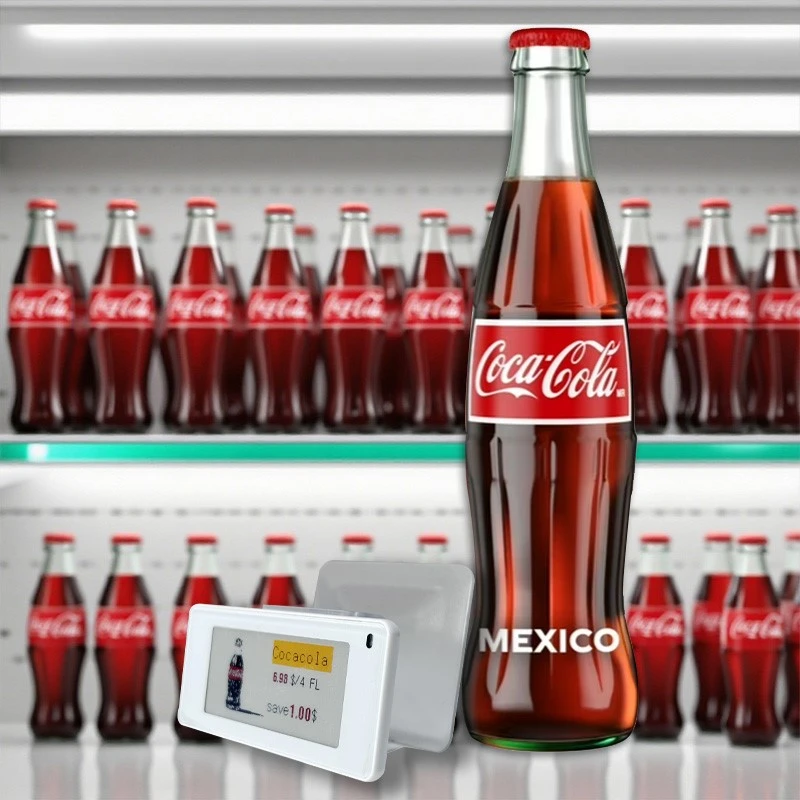
Display the product name, price, selling unit and promotion beside packaged goods or featured product groups. Explore supermarket display applications.
Convenience and promotional counters
Position compact price information beside countertop goods and small promotional arrangements. See convenience store solutions.
Pharmacy and personal care
Identify product variants and pack sizes clearly beside boxed goods. Review the required label fields for your pharmacy display.
Fashion, beauty and gift displays
Keep price and product identity close to samples, accessories and gift items. Explore cosmetics store display ideas.
Stand, Shelf Clip or Rail: Select by Installation
| Mounting approach | When to consider it | What to check |
|---|---|---|
| Display stand or holder | A counter, display surface or product arrangement needing an independently supported tag. | Base footprint, stability, viewing angle and exact label connection. |
| Shelf clip | A fixture with a suitable edge or attachment position. | Fixture profile, edge thickness and the supported label housing. |
| Rail or mounting channel | A continuous shelf edge carrying a series of electronic labels. | Rail profile, shelf attachment, label spacing and locking arrangement. |
For other formats, review the 2.13-inch shelf clip holder, 2.13-inch rail mounting channel and 4.2-inch acrylic shelf holder. These are alternative product formats; confirm fit for each label and fixture.
Installation and Initial Setup
1. Confirm the order configuration. Check the label model, display version, holder specification and supplied components against the approved order.
2. Check mechanical fit. Follow the supplied mounting instructions. Confirm that the label engages with the holder and that the assembled unit sits securely in its intended position.
3. Set the viewing position. Check visibility from the customer side, keep product handling routes clear and ensure that the screen and LED are unobstructed.
4. Assign and test the label. Use the compatible management workflow to associate the label with its product. Send a test layout and compare the physical display with the intended information.
5. Approve a pilot location. Review readability, wireless operation, mounting stability and routine staff access before repeating the setup elsewhere.
Customization and Ordering Checklist
Share the installation requirements so the electronic label and support arrangement can be reviewed together. For a custom holder, provide drawings or a physical sample wherever possible.
| Requirement | Information to provide |
|---|---|
| Supply scope | State whether the request covers the holder, electronic label, a combined package or a wider ESL system. |
| Label and display | Exact model, screen color configuration and required template content. |
| Holder and finish | Required material, finish, base size, viewing position and attachment details for evaluation. |
| Fixture and environment | Counter or shelf photographs, available space, installation temperature and expected handling. |
| Software and communication | Existing equipment, management platform, store data source and intended NFC workflow. |
| Project quantity and packing | Pilot and rollout quantities, destination, packing requirements and requested project schedule. |
Frequently Asked Questions
Specify Your 2.6-Inch ESL and Holder Configuration
Send the EPD-E4E26Q-M model reference, desired screen configuration, fixture photographs, holder requirements and quantity. Include your existing software or communication setup if this is an expansion project.
```
Hot Tags: 2.6 inch electronic shelf label, electronic shelf label with holder, ESL display holder, digital price tag, electronic price label, retail price display


