


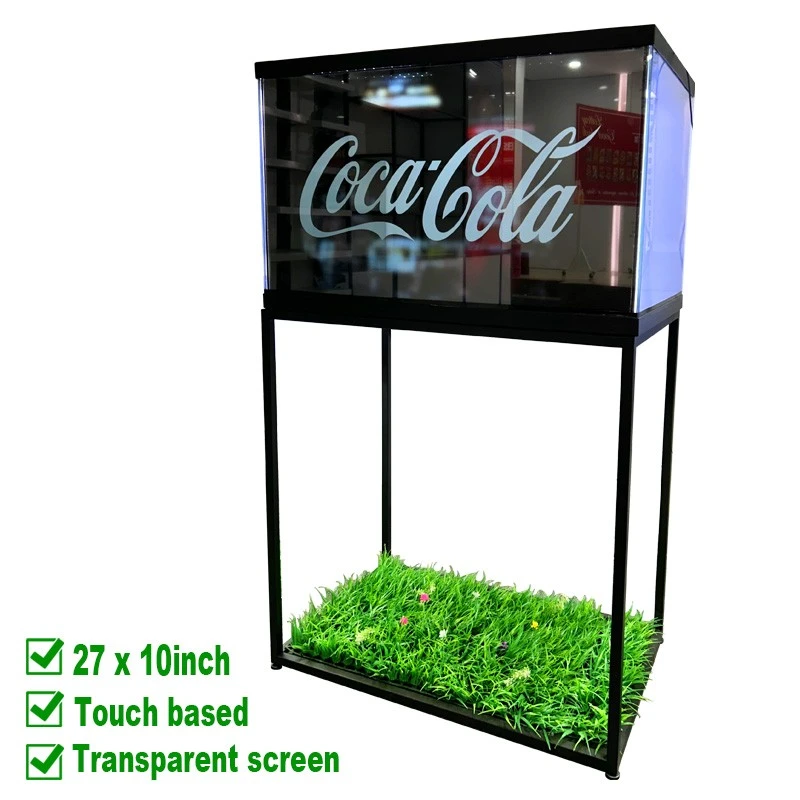
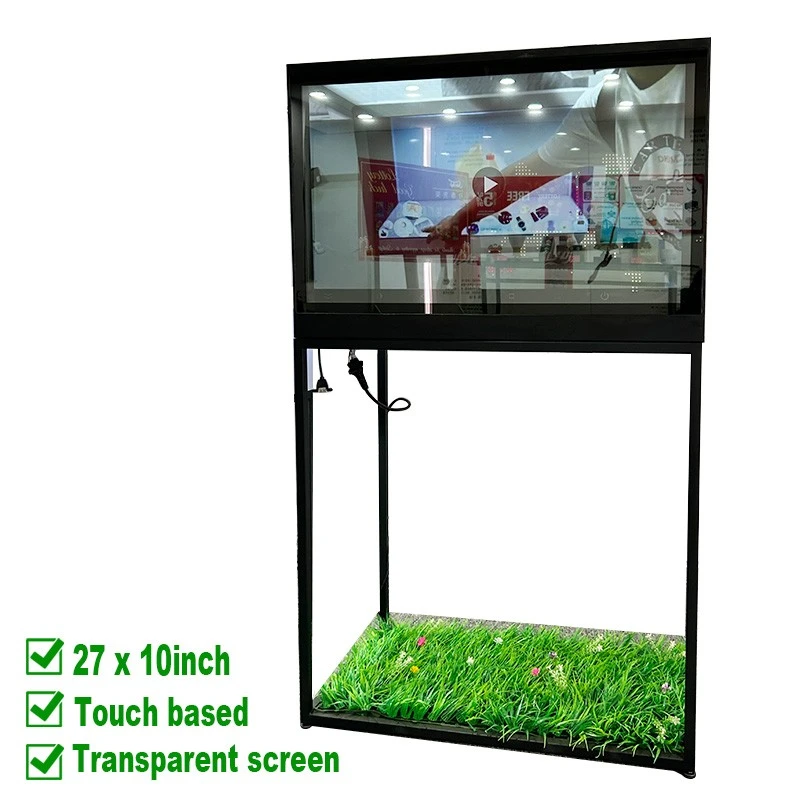
An independent display point for your product story
Place digital information where customers approach the product. A transparent screen keeps the physical item in the presentation, while touch-enabled content can help visitors explore features at their own pace.
1920 × 1080
Full HD resolution
43%
Light transmittance
18 kg
Floor stand assembly weight
Review the installation dimensions and technical specifications before choosing your configuration.
01 / CUSTOMER EXPERIENCE
Turn a display point into a product conversation
Create a clear next step for the visitor: notice the product, understand its value, then explore the information that matters.
ATTRACT
Show the object and its story
Use a short visual sequence to introduce the product while keeping the real item part of the viewing experience. This is useful when appearance, packaging or physical detail matters.
ENGAGE
Let visitors choose the detail
Build a touch journey around the questions customers ask: product features, available versions, operating guidance or a step-by-step demonstration. Match the interface to the selected system.
REFRESH
Update the message for each campaign
Replace video and image content as the product range or promotion changes. Agree on the playback hardware, file formats and update process for the configuration you order.
02 / SPACE & INSTALLATION
Plan the footprint before you place the display
Check the available floor space, the visitor approach and the route for power and service access.
|
Assembly dimensions & weight |
|
|
Overall width |
Approx. 29.53" |
|
Overall height |
Approx. 49.21" |
|
Overall depth |
Approx. 17.32" |
|
Assembly weight |
18 kg |
|
Screen weight |
1.5 kg (screen only) |
|
Structure |
Metal floor stand with LCD display |
Leave space for use, access and service
Viewing & touch access
Position the screen where visitors can read the content and use the touch interface without blocking the main walking route.
Power & cable routing
Plan an accessible power connection and a protected cable path. Include space to reach the enclosure and the selected playback equipment.
Object & lighting space
Confirm the usable display area, product clearance and lighting arrangement. Overall external dimensions do not define the internal space available for merchandise.
The dimensions and 18 kg weight describe the pictured floor stand assembly. The 1.5 kg specification describes the screen. Confirm final dimensions, installation requirements, product load and packing weight for the selected build.
03 / APPLICATION MATCH
Choose the presentation around the buying moment
|
Where to use it |
What to present |
|
Retail product islands |
Introduce a featured item, then let shoppers open supporting images, product details or a short demonstration. Keep the content focused on one clear purchasing question. |
|
Showrooms & product launches |
Use the real product as the centrepiece. Add a guided visual explanation for features that are difficult to communicate through a static label alone. |
|
Exhibitions & brand events |
Create a defined demonstration point with a short introduction and an optional touch journey. Plan content duration around the visitor flow and available staff. |
For projects built into an existing fixture, compare the glass cabinet integration version before deciding on a freestanding layout.
04 / DISPLAY & OPERATION
Design the content and the enclosure as one experience
A useful digital layer, with the product still in view
Transparent presentation works best when the message, product position and lighting support each other. Use readable text, clear imagery and enough open visual space to keep the object behind the screen meaningful.
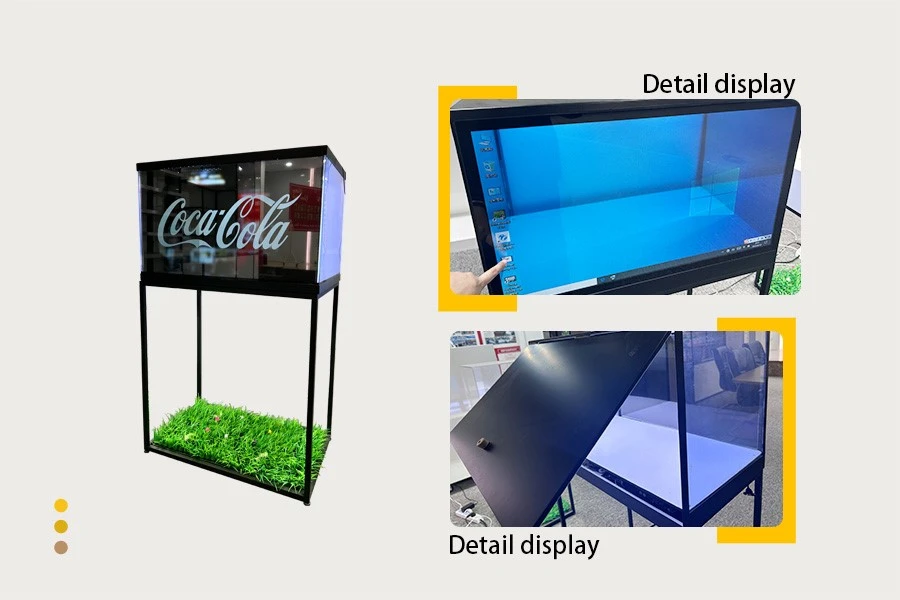
The photographs show a touch demonstration and enclosure access. Discuss the touch controller, playback source, cable connections and access arrangement for your installation.
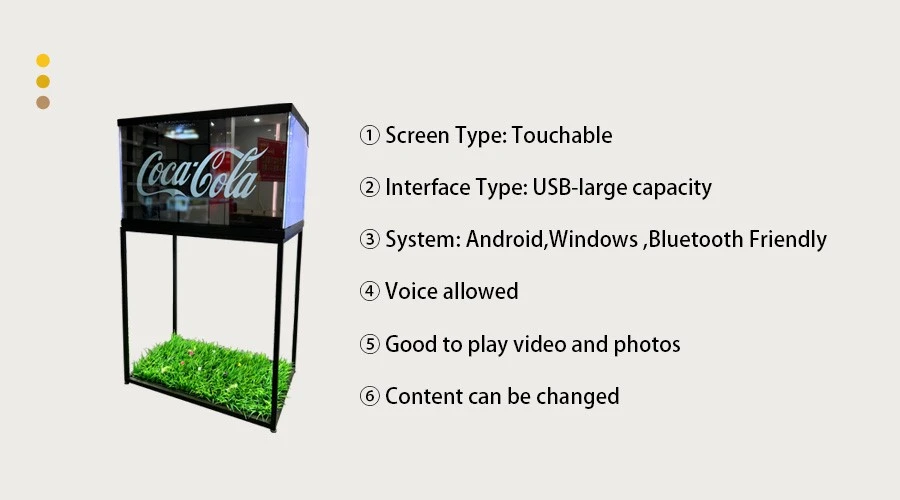
USB media access, Android or Windows compatibility, Bluetooth and audio should be specified for the required configuration. Confirm which hardware and software are supplied together.
05 / TECHNICAL EVALUATION
Review the display and operating requirements
Use the same specification and supply scope when comparing display proposals.
|
Display & optical performance |
|
|
Screen size / designation |
27" × 10" |
|
Panel technology |
Transparent display panel |
|
Lighting technology |
Backlight |
|
Resolution |
1920 × 1080 (FHD) |
|
Brightness |
200 cd/m² at APL 100% |
|
Contrast ratio |
1500:1 |
|
Color |
10bit (R), 1.07B |
|
Light transmittance |
43% |
|
Operation, environment & power |
|
|
Response time |
1 ms (G to G); 8 ms (MPRT) |
|
Refresh rate |
60 Hz |
|
Panel orientation |
Vertical & horizontal |
|
Operating temperature |
5°C to 45°C |
|
Operating humidity |
30% to 80% |
|
Operating elevation |
0 to 5000 m |
|
Input voltage |
100 V to 220 V AC |
|
Rated power consumption |
≤180 W |
APL = Average Picture Level. The two brightness values apply to different APL conditions. The listed panel orientation does not mean the pictured stand can be rotated; confirm the mounting arrangement for the final assembly.
Confirm the active display area, overall panel dimensions and controller specification against the final configuration.
06 / CUSTOMIZATION & SUPPLY SCOPE
Make the quotation match the installation
Shape the display around your project
Discuss the required size, frame style, material, color and packaging. Share a floor plan or fixture reference so the appearance and structure can be reviewed together.
For a rollout across several locations, identify which dimensions, finishes, cable positions and content elements should remain consistent. Review feasibility before fixing the project specification.
Explore transparent display case solutions for related enclosure and merchandising concepts.
|
What should your quotation include? |
|
|
Display & touch |
Panel, touch technology, controller and required interaction |
|
Playback & connections |
Playback device, operating system, ports, media update method and audio |
|
Structure & lighting |
Metal stand, enclosure, interior lighting and access arrangement |
|
Installation & accessories |
Mounting requirements, cables, power connection and assembly scope |
|
Packing & project terms |
Packing method, shipment size and weight, quantity, delivery schedule and support terms |
07 / PROJECT PLANNING
Move from an idea to a defined specification
A clear specification helps purchasing, design and installation teams work from the same information.
01
Define the application
Share the product to be displayed, installation location, quantity and target schedule. Include reference photographs or drawings and the intended visitor interaction.
02
Evaluate a representative setup
If a sample evaluation is agreed, use your own content and a realistic product position. Review visibility, touch operation, lighting and access under conditions close to the final site.
03
Confirm the final build
Agree on dimensions, finish, playback and touch configuration, included components and packaging. Use the same approved details when discussing a repeat order or a wider rollout.
Evaluation priorities: can visitors see the message and the physical product clearly; does touch work with the chosen software; can the installation team reach power, cables and service points?
08 / BUYER QUESTIONS
Resolve the details before ordering
09 / OTHER PROJECT ROUTES
Compare the format before you commit
EXISTING FIXTURE
Glass cabinet integration
Planning around a cabinet already specified by your team? Explore the glass cabinet integration display .
PANEL-BASED PROJECT
Display with media player
Prefer to define the surrounding structure separately? Review the transparent touch screen with media player .
MORE FORMATS
Transparent screen range
Compare related display sizes and project formats in the transparent LCD screen range .
Tell us what the display needs to do.
Send the project details below so we can discuss a floor stand display configuration around your space, product and content.
Installation: location, available space and reference photos
Display: product dimensions, quantity, touch and playback needs
Project: finish, packaging, destination and target schedule
Hot Tags: transparent LCD touch display, transparent screen with floor stand, freestanding transparent display, 27x10 transparent touch screen, retail interactive display


