



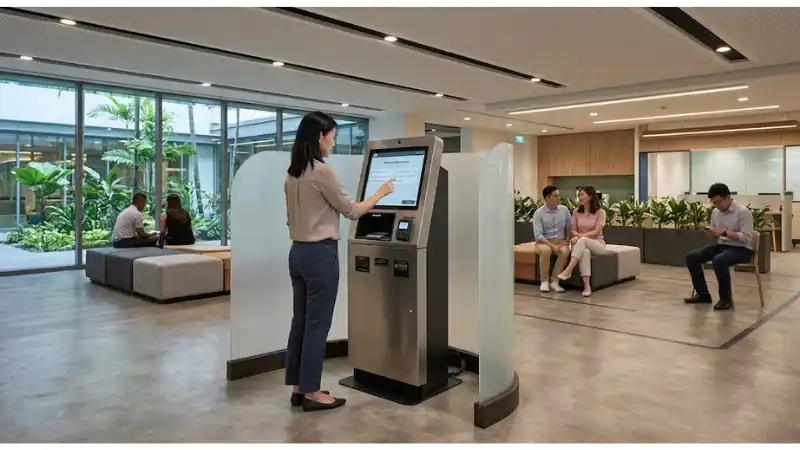
Kiosk Privacy by Design: Screen Angles, Data Masking, Receipts, and Shoulder-Surfing Controls addresses a narrow but consequential engineering and operations question: How can a public kiosk reduce casual exposure of personal or transaction data without making the interface inaccessible or difficult to use? The intended readers are self-service product owners, security teams, UX designers, and integrators. The goal is not to turn one feature into a universal specification. It is to define the installed conditions, identify the interfaces that can fail, and convert the requirement into evidence that a buyer, integrator, operations team, and supplier can review together. For LEGOYO projects, the useful boundary is physical and interface privacy controls in public self-service environments. That boundary matters because many display or kiosk failures are system failures: a capable component can still underperform when the fixture, enclosure, cabling, software, store workflow, environment, or maintenance procedure is wrong.
Treat this guide as a requirements and acceptance framework. Exact limits such as voltage, temperature, optical performance, connector rating, chemical compatibility, mounting load, or environmental protection must come from the exact production model and the applicable project documentation. Where a standard, regulation, safety rule, accessibility rule, or local disposal requirement applies, confirm it for the installation market rather than copying a value from an unrelated product. The most defensible project record connects every important requirement to an owner, a test method, a pass condition, and a retest trigger.
Start with the relevant LEGOYO Kiosk Display and Self-Service Terminal pages if you need the product or solution boundary before applying this engineering workflow.
Define the decision before selecting hardware
A strong kiosk privacy design requirement begins with a decision statement, not a shopping list. Write down the site type, user task, operating hours, environmental conditions, expected service model, and the failure consequence. Then state what will count as acceptable evidence. For this topic, the minimum system map should include screen placement and sight lines, privacy filters only where compatible with accessibility and viewing needs, and on-screen masking and progressive disclosure. The remaining controls-session timeout and post-session clearing, receipt collection and abandoned-document handling, camera and microphone indicators if present, and operator access to logs-should be assigned to named owners instead of being left as assumptions between the buyer and integrator.
This framing also prevents keyword-level thinking from becoming design-level thinking. A phrase such as "secure," "reliable," "easy to maintain," or "bright enough" is not a test criterion. Rewrite it as an observable condition. Specify where it is observed, by whom, with what production configuration, during which operating state, and what response is required when the condition is not met. That produces a procurement artifact that survives supplier changes and a test plan that can be repeated during rollout.
Use the broader Products and Solutions pages to keep this requirement connected to the complete hardware and solution scope rather than treating it as an isolated accessory decision.
Map the installed system and interfaces
For kiosk privacy design, the installed system should be drawn from source or user action through the device and onward to the operational result. The relevant control points include screen placement and sight lines, privacy filters only where compatible with accessibility and viewing needs, on-screen masking and progressive disclosure, session timeout and post-session clearing, receipt collection and abandoned-document handling, camera and microphone indicators if present, and operator access to logs. A diagram is useful internally, but the acceptance record should remain textual and traceable: component or process, expected state, evidence source, owner, failure response, and change trigger. This prevents a passed bench demonstration from being mistaken for proof of field suitability.
Pay special attention to boundaries between teams. Mechanical design may determine access and physical alignment; electrical design may determine power and grounding; software may determine state recovery; store operations may determine inspection frequency; facilities may change lighting, cleaning, cooling, or power after commissioning. A failure often appears at the device even when the root cause is outside the device. The project therefore needs a shared configuration record rather than separate discipline checklists that never reconcile.
Minimum configuration record
- Exact production model and hardware revision relevant to kiosk privacy design
- Fixture, enclosure, mounting, cable, power, player, network, or accessory revision as applicable
- Software/firmware/application version where it can change behavior
- Site environmental assumptions and operating schedule
- Named owner for normal operation, exceptions, service, and approval
- Retest triggers for supplier substitution, layout change, firmware change, new cleaning process, new peripheral, or revised operating condition
For adjacent deployment context, Supermarket Solutions can help connect the technical requirement to a real retail operating environment.
Design controls that deserve explicit requirements
Screen Placement And Sight Lines
Treat screen placement and sight lines as a controlled design input. Define what condition can change it, what downstream function depends on it, and how a technician or auditor can verify it without dismantling unrelated parts of the system. For kiosk privacy design, this control should be reviewed using the production-equivalent fixture, enclosure, cabling, software, content, and operating workflow whenever those elements can affect the result. A supplier statement is useful for defining a boundary, but local evidence is still required for the installed configuration.
Privacy Filters Only Where Compatible With Accessibility And Viewing Needs
Treat privacy filters only where compatible with accessibility and viewing needs as a controlled design input. Define what condition can change it, what downstream function depends on it, and how a technician or auditor can verify it without dismantling unrelated parts of the system. For kiosk privacy design, this control should be reviewed using the production-equivalent fixture, enclosure, cabling, software, content, and operating workflow whenever those elements can affect the result. A supplier statement is useful for defining a boundary, but local evidence is still required for the installed configuration.
Also record the exception path. A resilient design does not assume every event succeeds on the first attempt. It detects the abnormal state, avoids making the situation worse, preserves enough evidence for diagnosis, and gives store or service staff a safe recovery step. If an operator cannot tell whether the system is healthy, partially degraded, or waiting for intervention, the control is incomplete.
On-Screen Masking And Progressive Disclosure
Treat on-screen masking and progressive disclosure as a controlled design input. Define what condition can change it, what downstream function depends on it, and how a technician or auditor can verify it without dismantling unrelated parts of the system. For kiosk privacy design, this control should be reviewed using the production-equivalent fixture, enclosure, cabling, software, content, and operating workflow whenever those elements can affect the result. A supplier statement is useful for defining a boundary, but local evidence is still required for the installed configuration.
Session Timeout And Post-Session Clearing
Treat session timeout and post-session clearing as a controlled design input. Define what condition can change it, what downstream function depends on it, and how a technician or auditor can verify it without dismantling unrelated parts of the system. For kiosk privacy design, this control should be reviewed using the production-equivalent fixture, enclosure, cabling, software, content, and operating workflow whenever those elements can affect the result. A supplier statement is useful for defining a boundary, but local evidence is still required for the installed configuration.
Receipt Collection And Abandoned-Document Handling
Treat receipt collection and abandoned-document handling as a controlled design input. Define what condition can change it, what downstream function depends on it, and how a technician or auditor can verify it without dismantling unrelated parts of the system. For kiosk privacy design, this control should be reviewed using the production-equivalent fixture, enclosure, cabling, software, content, and operating workflow whenever those elements can affect the result. A supplier statement is useful for defining a boundary, but local evidence is still required for the installed configuration.
Also record the exception path. A resilient design does not assume every event succeeds on the first attempt. It detects the abnormal state, avoids making the situation worse, preserves enough evidence for diagnosis, and gives store or service staff a safe recovery step. If an operator cannot tell whether the system is healthy, partially degraded, or waiting for intervention, the control is incomplete.
Camera And Microphone Indicators If Present
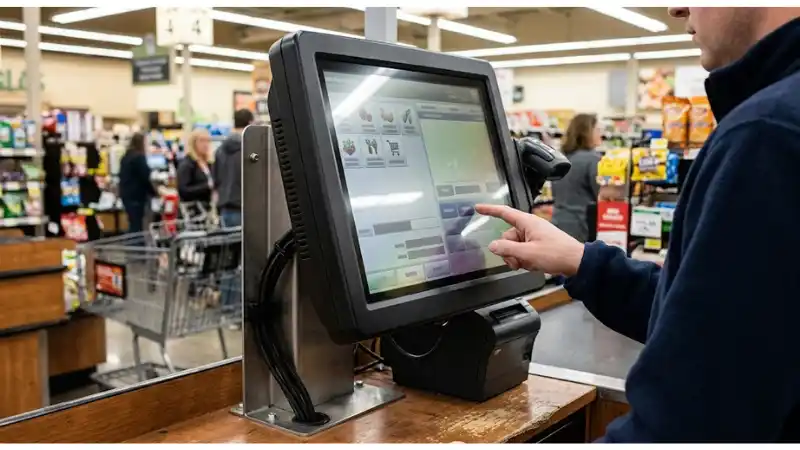
Treat camera and microphone indicators if present as a controlled design input. Define what condition can change it, what downstream function depends on it, and how a technician or auditor can verify it without dismantling unrelated parts of the system. For kiosk privacy design, this control should be reviewed using the production-equivalent fixture, enclosure, cabling, software, content, and operating workflow whenever those elements can affect the result. A supplier statement is useful for defining a boundary, but local evidence is still required for the installed configuration.
Common failure modes and how to design them out
Failure-mode review is most useful before the prototype is frozen. The purpose is not to predict every possible fault; it is to expose foreseeable conditions that a normal showroom demonstration will not reveal. The following cases should be translated into project-specific tests or design checks.
| Failure mode | Design objective | Required response |
|---|---|---|
| sensitive values stay visible after a user walks away | Detect the condition before rollout or make it visible in operation | Assign a corrective action, owner, and retest requirement |
| angled queues can read the active screen | Detect the condition before rollout or make it visible in operation | Assign a corrective action, owner, and retest requirement |
| a privacy filter makes the screen unreadable for wheelchair users | Detect the condition before rollout or make it visible in operation | Assign a corrective action, owner, and retest requirement |
| printed receipts remain in the output slot | Detect the condition before rollout or make it visible in operation | Assign a corrective action, owner, and retest requirement |
| service screens expose customer data or credentials | Detect the condition before rollout or make it visible in operation | Assign a corrective action, owner, and retest requirement |
Do not accept a mitigation simply because it sounds plausible. Confirm that it does not create a second problem such as blocked service access, reduced readability, unsafe heat, new cable stress, inaccessible controls, inconsistent data, or a recovery step that store staff cannot execute. This is especially important when an accessory or enclosure change is made late in the project.
Build an acceptance test that represents the field
Acceptance for kiosk privacy design should move from normal operation to edge conditions and then to recovery. Start with a known-good production configuration, record the baseline, introduce one controlled variation at a time, and retain the observation. The core test set for this article is:
- observe the screen from realistic queue and side positions
- test masking and timeout on every sensitive workflow
- verify accessibility from seated and standing use positions
- leave a receipt intentionally and test operator procedure
- restart or crash the app and confirm sensitive content is not restored
For every test, capture the exact configuration, precondition, action, expected result, actual result, evidence file, defect owner, and disposition. If a test fails, close the defect and rerun the affected test plus any neighboring tests that the change could influence. Avoid averaging away important failures. One severe fault in a safety-critical, privacy-sensitive, transaction-critical, or store-wide dependency can matter more than a high overall pass percentage.
FAT, SAT, and pilot roles
Factory acceptance testing is useful for controlled configuration checks and repeatable failure injection. Site acceptance testing is where real mounting, lighting, power, network, cleaning, temperature, acoustics, user behavior, and service access become visible. A pilot adds operating duration, staff handoffs, peak periods, replenishment or cleaning cycles, and real exception ownership. These stages should reuse the same requirement IDs so evidence can be compared instead of rewritten in three different formats.
Procurement questions that expose hidden scope
A good RFQ asks suppliers to state assumptions and evidence, not simply to tick "supported." The following questions make scope visible before quotation comparison:
- How does the proposed exact model address data-field classification for the application?
- How does the proposed exact model address display viewing-angle requirements?
- How does the proposed exact model address privacy-filter optical tradeoffs if used?
- How does the proposed exact model address receipt retention/collection procedure?
- How does the proposed exact model address session cleanup and logging requirements?
Ask which items are standard, optional, supplied by the integrator, or expected from the buyer. Request drawings or documentation that match the quoted revision. If a response depends on site conditions, require the supplier to list those conditions. This makes quote normalization more meaningful and reduces the risk that the lowest initial price excludes the fixtures, accessories, software, commissioning work, spares, or service documentation needed for a complete installation.
Buyers comparing configurations can use the LCD Display Screen route once requirements and acceptance evidence are defined.
Operational controls after handover
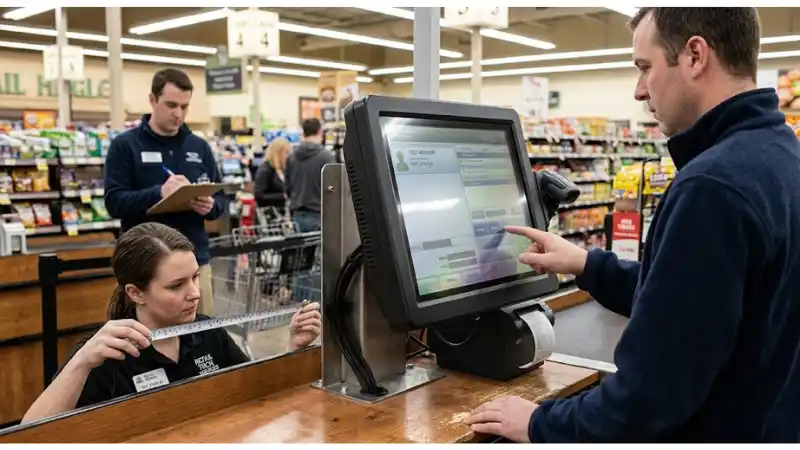
A passed installation can drift. Store layout changes, cable replacements, new software versions, revised cleaning chemicals, different lighting, a new fixture, changed network policy, replacement panels, or hurried service work can invalidate the original evidence. For kiosk privacy design, the handover package should therefore include the approved configuration, photographs or drawings, relevant test records, fault symptoms, safe recovery steps, spare or replacement rules, and the conditions that require reapproval.
Use routine operations to generate evidence. Record exceptions with a category and time, not just free-text notes. Trend repeated symptoms by site, hardware revision, workflow, and service action. A recurring "random" fault often becomes understandable once configuration and environment are included in the incident record. This feedback loop is more valuable than relying on a single launch-day acceptance report for the full service life.
Change-control triggers
- Production model, panel, controller, power supply, scanner, cable, holder, glass, coating, adhesive, or enclosure revision changes
- Firmware, OS, player, application, API, or configuration changes that can alter the tested behavior
- Store layout, lighting, network, power, cooling, cleaning, or fixture conditions change
- A new failure pattern appears in more than one site or after a service action
- A substitute part is introduced because the original part reaches end of life
Keep the handover connected to Blog for related technical guidance and to Request a Quote when a project-specific configuration needs supplier review.
Decision table for project approval
| Decision layer | Required artifact | Approval condition |
|---|---|---|
| Scope | Site, workflow, users, environment, exact configuration | Boundary is explicit and reviewable |
| Design | Interfaces and controls from this guide | No critical assumption is ownerless |
| Evidence | Production-equivalent test records | Pass/fail is reproducible |
| Recovery | Detection, safe fallback, service step | Abnormal states are visible and actionable |
| Lifecycle | Spares, revisions, maintenance, retest triggers | Approved state can be maintained after handover |
The decision should be go, revise, or stop-not "looks acceptable." Residual risks should be named with an owner and due date. If a requirement cannot be verified before rollout, document why, define the temporary control, and state exactly when evidence will be collected. This prevents unresolved assumptions from silently becoming permanent operating conditions.
FAQ
Q: Can one supplier specification prove kiosk privacy design is suitable?
A: No. A model specification can define important boundaries, but suitability depends on the complete installed system and the site conditions. Use the exact model documentation as an input and verify the interactions that matter to the project.
Q: Should every site use the same acceptance thresholds?
A: Not automatically. Common definitions are valuable, but risk, environment, user behavior, fixture design, operating hours, and local requirements can change the appropriate threshold. Keep the method consistent and justify any site-specific limit.
Q: Is a successful pilot enough for full rollout?
A: A pilot is strong evidence only for the conditions it actually represents. Before scale-up, identify what changes by store format, geography, fixture family, traffic, climate, network, maintenance model, and supplier revision, then add tests for those differences.
Q: What evidence should procurement retain?
A: Retain the approved requirement set, quoted configuration, relevant supplier documents, drawings, test results, defect closure records, change approvals, and the final handover package. The exact evidence depends on the risk and project scope.
Q: When should the system be retested?
A: Retest when a change can affect the original pass condition: hardware revision, substitute component, software or firmware change, mounting change, site-environment change, new cleaning or maintenance process, or a repeated field failure that challenges the original assumption.
Final recommendation
For kiosk privacy design, choose the design that produces the strongest evidence across the actual installation, not the option with the longest feature list. Lock the configuration, test realistic normal and abnormal conditions, keep recovery observable, and carry the approved state into maintenance and change control. If you are defining a new LEGOYO display or self-service project, prepare the site conditions, required interfaces, expected user workflow, and acceptance evidence before requesting a configuration. That makes the technical discussion faster and the quotation easier to compare.
Explore About LEGOYO for company context or return to the Home page to navigate the wider product portfolio.





