


After 23 years supplying display solutions across 10,000+ retail projects, our team at LEGOYO has watched procurement cycles succeed and fail for reasons that rarely appear in vendor spec sheets. The gap between "we bought kiosks" and "kiosks actually moved the needle" comes down to decisions made months before any hardware ships.
This piece walks through what those decisions look like when procurement teams evaluate touchscreen monitor kiosk options for interactive retail environments.
The ROI Problem Nobody Talks About
Industry research puts first-year ROI for interactive kiosk deployments between 20% and 50%, with payback periods ranging from six to twenty-four months depending on foot traffic. (kioskindustry.org)
Frankly, those brackets are so wide they're useless for actual budgeting.
The spread exists because published ROI figures almost always measure only labor hours displaced and average ticket lift from upsell prompts. Restaurant chain case studies showing payback in under seven weeks? Those come from high-volume QSR environments where transaction frequency hits hundreds per day.
When our sales team runs ROI projections for LEGOYO kiosk display customers, we start with a different question: what's your peak-hour transaction count at each location? A specialty retailer running forty transactions daily produces a payback timeline closer to three years. We've declined projects where the math didn't work-a failed deployment damages both parties.

Hidden Costs That Blow Up Your Budget
Hardware pricing for a mid-range interactive shopping kiosk runs $5,000 to $12,000 per unit when payment terminals and receipt printers are included. Outdoor units with sunlight-readable displays add 30% to 50% to that baseline. We quote 1,000 nits minimum for shaded installations, 2,000+ nits for direct sun exposure.
Those figures appear in most supplier quotes. What rarely appears:
PCI and EMV certification fees for payment processing. ADA compliance modifications if your floor plan wasn't designed with kiosk placement in mind. Network and electrical infrastructure work at each location. Spare parts inventory for multi-site rollouts.
One cost catches even experienced buyers-warranty periods start from delivery date, not go-live date. A kiosk sitting in storage for three months while site prep drags on burns warranty coverage without processing a single transaction. Our logistics team won't release units until site readiness is confirmed. That policy has saved customers real money on service contracts.

PCAP vs. Resistive: It Depends on Your Environment
Projected capacitive touchscreens dominate current kiosk deployments because they deliver the smartphone-like responsiveness customers expect. But PCAP panels fail in specific conditions.
Gloved operation is the clearest example. PCAP requires conductive contact; resistive panels respond to pressure alone. This makes resistive reliable for warehouse kiosks, cold-storage retail, or any environment where staff wear work gloves. PCAP "glove mode" exists but performance depends heavily on glove thickness and material. (eagle-touch.com)
Water creates another edge case. High signal-to-noise ratio PCAP controllers can filter out water droplet interference, but this capability varies by manufacturer and adds cost. Resistive panels ignore surface moisture entirely-activation requires physical pressure. For outdoor deployments or food-service environments with frequent screen cleaning, this distinction matters.
PCAP is the right choice for approximately 80% of retail kiosk applications. The exceptions-cold environments, outdoor exposure without climate enclosures, heavy-glove industrial use-justify resistive panels despite their lower optical clarity. Our engineering team makes recommendations based on deployment environment rather than margin optimization. A mismatched panel costs more in service calls than it saves in hardware.
Manufacturers vs. Resellers: How to Tell the Difference
The interactive kiosk market includes genuine manufacturers with in-house sheet metal fabrication, and it includes resellers applying branding to commodity hardware. Both types respond to RFQs.
The difference becomes obvious when you need mid-deployment modifications.
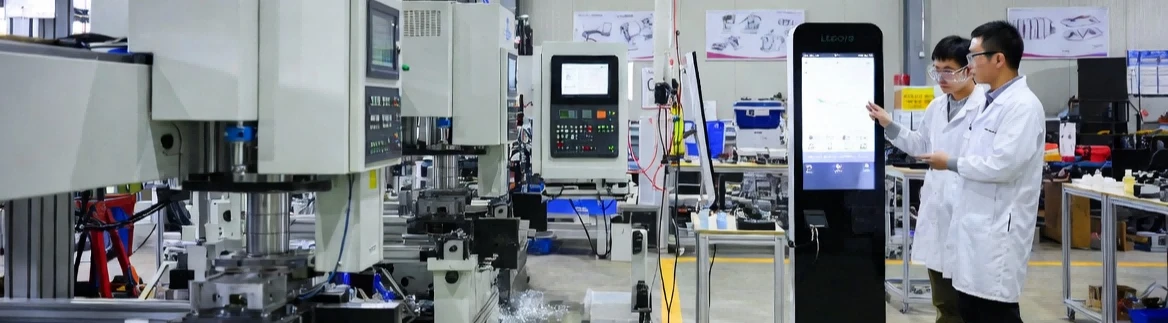
LEGOYO operates its own production facility in Xiamen with 40+ R&D engineers on staff. We run CNC and laser cutting equipment in-house, produce engineering prototypes without third-party coordination, and hold ISO 9001 and 14001 certifications for our own facilities. A bracket adjustment for a payment terminal that wasn't in the original spec takes weeks, not months.
For bulk touchscreen monitor kiosk orders exceeding fifty units, request a facility tour or virtual walkthrough from any supplier you're evaluating. Manufacturers confident in their production capability accommodate this without hesitation. Resellers coordinating with overseas fabricators find reasons to decline.
Why Kiosks Fail (Hint: It's Rarely the Hardware)
The most common reason kiosk projects underperform isn't hardware or software. Customers simply don't use the kiosks.
Post-deployment adoption rates below 40% happen more often than vendors acknowledge. (olea.com)
Contributing factors: poor placement relative to customer flow, interfaces designed for desktop browsers rather than touch interaction, absence of staff encouragement during the transition period. A kiosk positioned behind the service counter-technically accessible but socially awkward to approach-collects dust regardless of its specifications.
Another failure pattern shows up around the six-month mark. Organizations that treat deployment as a one-time project rather than an ongoing operation see engagement decline after the initial novelty period. LEGOYO provides post-deployment analytics dashboards with our software-enabled kiosk lines: session counts, interaction heatmaps, error rates. But dashboards solve the iteration problem, not the adoption problem. Getting placement and UI right before go-live requires pushing back on site plans that ignore customer traffic patterns.
The Bottom Line
Interactive shopping kiosks generate measurable returns in environments with sufficient transaction volume and organizational commitment to ongoing optimization. The median payback period for well-executed retail deployments falls between eight and fourteen months-considerably narrower than the broad ranges in market research suggest.
Start by documenting peak-hour transaction volume at your target locations. That single number determines whether touchscreen kiosk investment makes sense for your operation. Then request quotes from suppliers who ask about that number before discussing hardware.
LEGOYO's kiosk and display solutions team offers ROI assessments based on your actual transaction data. Forty-eight hours from data submission to payback projection. Contact our team with your location count and we'll start there.





