What's a Menu Board Really Worth?
If you're still using printed PVC menu boards-dealing with the ad shop every time you change a price, waiting two or three days, dropping a couple hundred bucks-you've probably never really thought about this question. But when your competitor is doubling the size of their signature dish photos during lunch rush, auto-switching prices to combo deals, and making sold-out items vanish from the screen in three seconds flat? That's when it hits you: that screen isn't decoration. It's an extension of the cash register.
We've seen way too many restaurant owners drop tens of thousands on a digital display setup, only to find their staff still manually updating content a year later-basically an expensive projector running PowerPoint. We've also seen the ones who actually figured it out-same foot traffic, but their average ticket is consistently 8% to 12% higher.
This article breaks down exactly where that gap comes from.
What Does "Smart" Actually Mean? Most People Get This Wrong
Let's tackle a question that trips up a lot of folks: Does having digital screens make me a "smart restaurant"?
Nope.
Here's the thing-a standalone digital screen is basically just an expensive TV. Sure, it looks better than a paper menu and swapping images is easier, but that's a million miles from "smart."
So what is real smart?
It's when your systems talk to each other.
Here's a concrete example: Your kitchen just reported that you only have enough ingredients for 15 more orders of Kung Pao Chicken. Within three seconds, that info hits the menu board in the front-the screen automatically bumps Kung Pao from the featured spot and swaps in General Tso's. At the same time, your POS knows inventory is tight and starts prompting servers to recommend alternatives. When it finally sells out? The dish just disappears from the screen. Customers never order something only to hear "sorry, we're out."
The whole process happens without anyone lifting a finger.
Another example: It's 4 PM, and the system detects it's Friday. Based on the past three months of data, Friday evening beer sales run about 40% higher than usual. So the screen automatically switches to a "TGIF Happy Hour" theme, pushing beer and appetizer combos to the most visible spots. By 9 PM, it's already shifted to the late-night menu layout.
That's smart-it's not a feature. It's a nervous system.
When we visit restaurants in the field, we find that 90% of what owners call "digital signage" is actually just an "offline island."
Real-world case: A hot pot chain ran into an embarrassing situation. Corporate ran a promotion and updated all the prices on the digital screens from headquarters. Problem was, the system wasn't synced with their POS terminals, so cashiers were still charging the old prices. By the end of one lunch rush, they'd racked up over 30 customer complaints and had to comp entire meals. The losses far exceeded whatever they'd saved on printing costs.
Our litmus test is simple: In a truly smart system, updates should be a "one-and-done" action. The moment you hit "sold out" at the register, the menu board, the self-order kiosk images, even the electronic shelf labels (ESL) at the table-everything should sync within 10 seconds. If someone still has to climb a ladder to plug in a USB stick, or open a separate webpage to change a graphic? That's not smart. That's just more work for your staff.
To hit this level, a system needs to connect at least these pieces:
- POS data - knows what's selling, what's hot, and when it's selling
- Inventory info - knows what's left and what's running low
- Scheduling system - knows if the kitchen can actually handle the load today
- Loyalty data - knows what this customer ordered last time and what they like
- Even weather forecasts - auto-push cold drinks on hot days, hot soup when it's raining
If your current "digital menu" requires staff to log into a backend and manually make changes, it's just a powered-up bulletin board. That's the difference, plain and simple.
Does This Thing Actually Make Money? Let's Look at the Numbers
Before we dive into the tech, let's answer the question every owner cares about most: Can I make back what I put in?
No fluff-straight to the data.
Digital Menu Board Impact on Revenue

What do these numbers actually mean?
Say you're running a fast-casual spot doing 500 tickets a day at a $12 average. An 8% bump is an extra 96 cents per order-that's $480 more per day, $14,400 per month. If your equipment investment runs $15K-$25K, you're basically looking at a two-month payback.
Why does this work? The mechanics aren't complicated:
Dynamic images grab more attention than static menus-customers notice what you want to push
Combo suggestions pop up at exactly the right moment during ordering, not whenever the server remembers to mention it
Limited-time offers create urgency-something a plastic sign can never do
But let's keep it real: these are industry averages. Your actual results depend on your menu structure, customer base, and how well you execute. Some places hit 10%+ lifts; others install the system, never update the content, don't integrate their systems, and see mediocre results.
The tool's there. Whether you use it well is another story.
The Labor Savings Might Be Worth More Than the Extra Sales
Done talking about making more money. Let's talk about saving it.
A typical fast-casual restaurant spends roughly this much time on menu maintenance each week:

Printing new promo posters and menu stickers: 1-2 hours
Coordinating breakfast/lunch/dinner menu switchovers: 15 min/day × 7 days = 1.75 hours
Handling price changes and 86'd items: ~1 hour
Back-and-forth with the print shop on design, proofing, revisions: 2+ hours scattered throughout
Add it up: 6-8 hours a week. In wages, at $15/hour, that's $90-$120 weekly. Doesn't sound like much? Let's do the math for a year: $4,680-$6,240. Got 10 locations? That's close to $60K in labor costs.
With a digital system, all of that becomes: log in → pick a template → one-click publish to all locations. Ten minutes, done.
And that's not even counting a hidden cost: pricing errors.
Menu board says $12, register charges $14-customer complains, you apologize and refund the difference. Or flip it: menu says $14, register charges $12-you're losing $2 on every sale and don't even know it.
This kind of error is way too common with manual updates. When your menu screens pull prices directly from your POS? There's no such thing as "inconsistent"-they're using the same data.
A lot of people overlook the "dynamic pricing" capability hiding behind digital signage.
Actual labor savings we measured: We ran the numbers for a bubble tea chain with 50 locations. Using traditional lightbox inserts, every seasonal menu launch meant shipping materials from corporate plus in-store labor to swap them out-about $200 per store. Four seasonal updates a year across 50 stores? That's $40,000 annually.
More importantly, digital systems let you do micro-adjustments in pricing. Tuesday afternoon sales are slow? One click to launch a "Buy One Get One" or "50% Off Second Drink" limited-time promo graphic. That kind of real-time responsiveness drives inventory turnover improvements that paper menus simply can't measure-it's invisible cost savings you'd never be able to calculate otherwise.
Different Scenarios, Different Screens
Market's crowded with display options-prices range from a few hundred to tens of thousands. Pick wrong and you get weak results or dead hardware in months. Here's what works where.
Fast-Casual Menu Wall - Commercial LCD Displays
This is the most common setup: 3-5 screens mounted above the counter, looping through menus, combos, and promos.
Key specs:
Brightness: at least 500 nits - consumer TVs run 250-350 nits, which looks washed out under restaurant lighting
Commercial-grade lifespan: 50,000+ hours - at 16 hours/day operation, that's 8+ years; consumer TVs won't last two
Temperature tolerance - drive-thru windows need equipment rated for -4°F to 122°F operation
Price reference: A 3-screen setup (screens, media players, mounting hardware) in commercial-grade runs roughly $2,500-$5,000.
I've seen owners try to save money by hanging consumer TVs. Within a year, problems start. The screen is the first thing customers see when they walk in-it's not where you cut corners.
Street-Facing Windows - Transparent LED
If your shop has large glass storefronts, this is prime real estate. Traditional approach is posters and lightboxes-blocks the view in, pain to change out.
Transparent LED can display dynamic content without blocking natural light or sightlines. During the day, people outside can clearly see your interior while your promos and signature dishes stay visible on the screen.
These cost 2-3x more than standard LED, but for locations dependent on foot traffic, the "first impression" value of that window is hard to replace any other way.
Best for: Bubble tea shops, dessert spots, street-facing hot pot restaurants
Buffet/Grab-and-Go Sections - Electronic Shelf Labels (ESL)
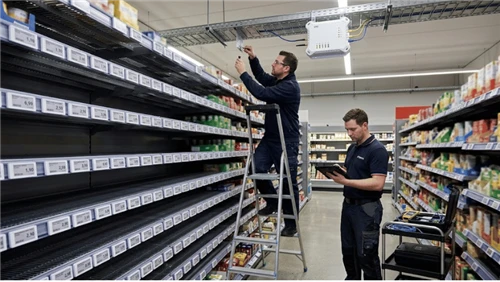
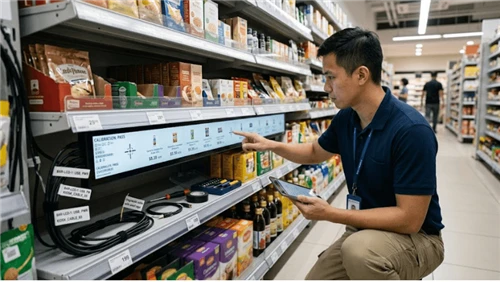
You've probably seen those little e-ink screens in grocery stores displaying prices. They work great in foodservice too, especially:
Buffet food stations
Grab-and-go prepared food shelves
Bakery display cases
ESL advantages: ultra-low power consumption (one battery lasts 5-7 years), crystal clear in any lighting, completely wireless updates. When the central system changes a price, every label syncs within seconds.
For scenarios requiring allergen info, calorie counts, etc., this beats handwriting or printing by a mile.
Back of House - Kitchen Display Systems (KDS)
This doesn't face customers directly, but has massive impact on ticket times.
Problems with traditional ticket printers:
Paper gets wet, greasy, unreadable
Peak hours = mountain of tickets at the printer, new orders buried under old ones
No way to track cook times per dish
Kitchen displays show orders electronically-cook finishes a dish, taps "done," system auto-timestamps and queues up the next ticket. Managers can see average completion times per dish in the backend, immediately spotting where bottlenecks happen.
Selection criteria for these screens: IP65 protection rating-must handle grease, steam, high heat. Interface recommendation: physical bump bars over touchscreens, since cooks' hands are constantly wet or covered in ingredients.
We constantly get asked: "Why can't I just buy a cheap TV from Best Buy and mount it?"
Real-world survival guide:
Restaurant environments are brutal on electronics.
Grease and heat dissipation: Consumer TV vents typically face upward. Grease vapor enters, condenses when the unit cools, shorts out the motherboard. Commercial displays (like our Kiosk series) use industrial-grade sealed designs and high-temp rated capacitors.
Color accuracy and blue light: Consumer TVs over-saturate colors to look "vivid" in showrooms-your beef ends up looking like pork on screen, seriously hurting appetite appeal. Commercial displays support precise color calibration so what you see is what you get.
Duty cycle: Consumer TVs are designed for 4-6 hours daily use. Restaurants run 12-16 hours of heavy operation. We've seen too many burn-in and shadow damage cases from consumer units. The total cost of buying twice ends up being more than just going commercial from the start.
From Decision to Go-Live: A Realistic Timeline
A lot of people underestimate the complexity of digital signage projects. This isn't "buy some screens and hang them up"-network, electrical, content, training-any of these can slow things down.
For a typical chain brand with 5-10 locations, here's how the timeline usually breaks down:
Weeks 1-3: Site Surveys
Can each location's electrical panel handle the load? Older stores may need panel upgrades
What's the network coverage like? Screens need stable upstream bandwidth
Do the mounting locations allow drilling? Some malls have restrictions
Environmental factors: direct sunlight? High-heat zones?
Weeks 4-7: Solution Design
Content strategy: What goes on each screen? Rotation schedule?
Hardware selection: Which screen models based on environment?
System integration: How does this connect to your existing POS?
Content creation: Templates, assets, animation production
Weeks 8-13: Procurement & Testing
Equipment ordering and shipping (commercial displays typically have 2-4 week lead times)
Internal testing: Simulate store environment in-office, run through full workflow
Pilot deployment: Install in 1-2 locations first, observe for issues
Weeks 14-17: Full Rollout
Scheduled batch installation (1-2 days per location)
Staff training: How to use the backend? What does daily maintenance look like?
Support handoff: Who do you call when something breaks?
Week 18+: Continuous Optimization
A/B testing different content layouts
Analyzing sales data, adjusting recommendation strategies
Updating content library for seasons and promotions
Where do projects most commonly go sideways?
Electrical issues - Many older locations were wired for their original load. Add a few screens and you might blow the circuit. Miss this in pre-work and you're looking at two extra weeks for electrical upgrades.
Unstable network - If you're using the store's shared WiFi, screens might drop connection during customer rushes. Recommend running dedicated hardwired ethernet for the signage system.
Content gaps - Hardware goes up, but there's not enough material ready to display. Stuck showing default screens while you wait. Content production should run parallel to hardware procurement, not after installation.
Where Does the Money Go? One Table Breaks It Down
When looking at quotes, a lot of people only see hardware prices and think "that's expensive?" or "this one's cheaper." But hardware is just the tip of the iceberg.
Let's break down the complete cost for a typical fast-casual location (3 menu screens + 2 kitchen displays + 1 promo screen):
Year One Investment
|
Item |
Cost Range |
Notes |
|
Commercial displays (6 units) |
$5,000 - $10,000 |
Brand, brightness, size affect pricing |
|
Media players |
$600 - $1,200 |
One per screen, commercial-grade |
|
Installation |
$1,500 - $3,000 |
Includes mounts, cabling, setup |
|
Network equipment upgrades |
$500 - $1,000 |
If needed |
|
Hardware Subtotal |
$7,600 - $15,200 |
|
|
CMS software annual license |
$1,200 - $4,800 |
Per-screen pricing, $15-65/screen/month |
|
POS integration fee |
$2,000 - $6,000 |
One-time, varies by complexity |
|
Content design & production |
$3,000 - $10,000 |
Templates, animations, initial assets |
|
Software/Services Subtotal |
$6,200 - $20,800 |
|
|
Year One Total |
$13,800 - $36,000 |

Ongoing Annual Costs
|
Item |
Cost Range |
|
CMS software license |
$1,200 - $4,800 |
|
Content update services |
$2,000 - $8,000 |
|
Maintenance & spare parts budget |
$600 - $1,500 |
|
Annual Operations Total |
$3,800 - $14,300 |
To put it in perspective: Year one investment is roughly equivalent to 2-4 months of a full-time employee. Annual ongoing costs after that? About one month's salary.
The returns-8%-12% average ticket increase-if your monthly revenue is $100K+, that's $8K-$12K extra per month. You're looking at a 2-4 month payback period.
Full Picture for a 10-Location Chain
At 6 screens per location, year one total investment runs approximately $130K-$180K, with ongoing annual operations around $38K-$65K.
The upside? If each location averages $5K daily revenue, an 8% lift means $400/location/day. Across 10 locations for a year, that's $1.46 million in additional revenue.
Even cut that in half-you're still looking at $700K+ against an investment of well under $200K. The math works.
What's Next? Trends Worth Watching
The digital signage space is evolving fast. A few directions are already moving from lab to real-world deployment:
AI-Powered Content Optimization
No more guessing "is this layout working?" or "does this image attract people?" The system runs A/B tests itself-dozens of variations per day-then automatically keeps whatever drives the best sales numbers.
This is already deployed at some major chain brands. For smaller independents, affordable solutions will probably be 1-2 years out.
Computer Vision + Dynamic Content
Cameras identify who's in line-group of young people? Family with kids? Couple on a date?-then auto-adjust what's displayed on screen. Not science fiction-the tech is mature. The challenge is privacy compliance. Most current solutions only do "foot traffic counting" and "general demographic estimation" without storing facial data.
Voice Ordering + Screen Integration
Customer speaks into a mic, screen shows recognition results and suggested pairings in real-time. Already piloting in drive-thru scenarios, significantly cutting order times and reducing miscommunication.
Facing all the shiny new tech options, our advice is: focus on "cost reduction and efficiency" before "wow factor."
What's most worth investing in right now is "end-to-end digitization." A lot of owners think electronic shelf labels (ESL) are just for supermarkets, but they're actually the most mature "hidden gem" for buffets and bakeries. They don't just show prices-they can display remaining portions in real-time, allergen warnings, and customers can even scan a QR code to watch sourcing videos about the dish. This kind of closed loop from display screen to endpoint is what's going to actually win you more tickets in the next three years.
Final Thoughts
Digital signage isn't some high-tech magic trick. It's a tool.
Use it well, and it saves you time, lifts your tickets, cuts down errors, and makes your operations smarter. Use it poorly, and it's just an expense-more equipment to maintain.
What makes the difference? Not how expensive your screens are. It's whether that screen is actually connected to your business-connected to your POS, connected to your inventory, connected to your customer's decision-making moment.
If you're still running static menus, reprinting every time you change a price-
You're leaving that 8% on the table. Every single day.
Data sources: QSR Magazine Digital Signage Report 2023, National Restaurant Association Technology Research 2024, Digital Signage Federation Restaurant Industry Analysis 2024. Actual results vary based on restaurant type, execution quality, and market conditions.