


This guide works through those questions in sequence - definitions, hardware, terminal types, documented benefits, real-world industry use cases, and a structured evaluation framework - so your deployment decisions are driven by requirements, not vendor defaults.
What Is a Self-Service Terminal?
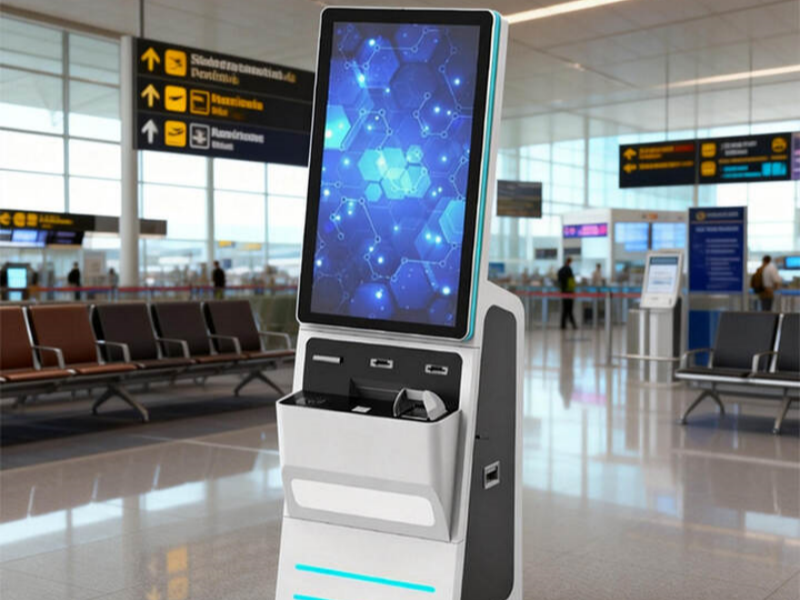
A self-service terminal is an interactive, standalone device that allows users to complete service transactions without staff involvement. The user engages directly with the terminal - typically via a touchscreen - to browse options, input data, process a payment, or receive a printed or digital output.
The category is intentionally broad. An ATM, a supermarket self-checkout, an airport check-in kiosk, and a hospital registration station are all self-service terminals. What they share is the same underlying logic: the customer drives the transaction from start to finish.
In most business contexts, self-service terminal and self-service kiosk are interchangeable. If a technical distinction exists at all, it's subtle: terminal tends to emphasize transactional functions (payment, identity verification, document retrieval), while kiosk more often implies information display or browsing. A single device frequently performs both roles, so the distinction rarely matters in purchasing decisions.
How a Self-Service Terminal Works
Every transaction follows the same four-step loop regardless of industry or terminal type:
- Presentation - the terminal displays an interface with available options or prompts
- Input - the user makes selections, scans items, enters data, or taps through choices
- Processing - the system validates input against connected databases or payment gateways
- Output - the terminal delivers a result: a receipt, boarding pass, room key, or confirmation screen
That loop is powered by tightly integrated hardware and software. The hardware provides the physical interface and peripherals; the software orchestrates the workflow, enforces security, and connects to back-end systems in real time. In practice, hardware specifications between comparable vendors have converged significantly - software integration quality is where deployments succeed or fail.
Types of Self-Service Terminals
Using the wrong terminal category for your context typically means either paying for features you won't use or missing critical functionality. Here are the main types and where each genuinely earns its place:
- ATM - Cash withdrawal, balance enquiry, and increasingly account management. Still the largest deployed category of self-service terminal worldwide, with modern units extending well beyond dispensing cash to cover statement printing and loan intake.
- Self-Checkout Terminal - Scan, weigh, bag, and pay without a cashier. Standard in grocery chains and pharmacies globally. Theft risk is the primary operational challenge; effective deployments combine weight verification with camera monitoring rather than fully unattended operation.
- Ticketing Kiosk - Purchase or collect tickets at cinemas, transit stations, and event venues. The self-service ticketing kiosk format handles volume spikes that no staffed counter roster could absorb economically.
- Check-in Kiosk - Identity verification and boarding pass or room key issuance. Airports and hotels are the dominant deployments. For hotel front desks specifically, the self-service reception kiosk allows guests to bypass queues entirely and receive digital keys.
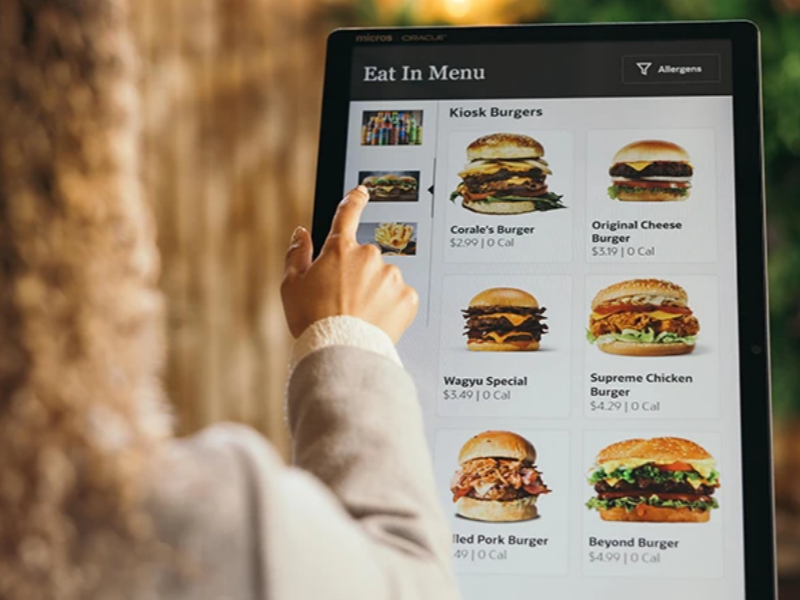
- Food Ordering Kiosk - Browse, customize, and pay at quick-service restaurants and food courts. Multiple QSR operators have reported average order value increases of 15–30% compared to counter ordering, attributed to upsell prompts and the absence of social pressure to "keep it simple." For a full deployment breakdown, see our restaurant self-service kiosk guide.
- Healthcare Registration Terminal - Appointment check-in, insurance updates, intake forms, and co-payment processing before patients reach clinical staff. Reduced transcription errors are a documented secondary benefit with genuine clinical importance.
- Government Service Terminal - Fee payments, form submission, permit issuance, and appointment scheduling at municipal offices and licensing agencies. These deployments carry the most stringent accessibility compliance requirements.
- Information / Wayfinding Kiosk - Maps, directories, and service listings in hospitals, campuses, and malls. Often the entry point for organizations new to self-service deployment because integration requirements are comparatively simple.
Documented Benefits
Operational impact for businesses
Labor redeployment, not just cost reduction. Terminals handle multiple users simultaneously - something a staffed counter inherently cannot. In most successful deployments, the outcome isn't a smaller headcount but staff shifted toward higher-value interactions: complex enquiries, complaint resolution, relationship management.
Peak-period throughput. Queuing bottlenecks at staffed counters are a direct function of staffing limits. A deployment of five terminals effectively multiplies processing capacity fivefold during rush periods - without overtime arrangements or scheduling constraints.
Structured data capture. Every terminal interaction generates usable operational data: peak usage windows, most-selected options, abandoned sessions, average transaction time. This feeds directly into staffing decisions, product placement, and promotional planning.
Around-the-clock availability. For operations with extended or 24-hour service requirements, terminals don't require shift coverage or break relief - a structural advantage over staffed counters.
What users actually prefer
According to the Kiosk Marketplace 2024 Consumer Survey, the majority of American consumers report positive attitudes toward self-service kiosks, with most saying they would choose a kiosk over a staffed checkout when both are available. That preference is particularly strong among users under 45 who have grown up with self-service digital interfaces as a default expectation - not an alternative.
Beyond speed, users consistently cite two other reasons for kiosk preference: privacy (patients completing health intake, customers making financial queries) and accuracy (entering their own details rather than having staff transcribe spoken information). For healthcare and financial settings especially, that second point has measurable downstream impact.
Where Self-Service Terminals Deliver Real Value: 6 Industry Contexts
Retail
Self-checkout is now standard in grocery chains, pharmacies, and convenience stores globally. Beyond the checkout lane, retailers deploy touchscreen kiosks for price verification, product location, and loyalty program enrollment. The consistent implementation failure in retail is deploying terminals without adequate oversight - weight verification systems and camera monitoring aren't optional for high-traffic environments.
Banking & Financial Services
ATMs remain the largest deployed category worldwide, but modern banking terminals now cover account management, document submission, and loan application intake. Lobby-deployed units handle high-volume routine enquiries so staff can focus on advice-driven conversations. Financial terminals face the highest security requirements of any deployment context: hardware tamper detection, encrypted PIN pads, and regular software patching are non-negotiable baseline requirements.
Transportation
Airport check-in kiosks measurably reduce counter congestion during peak travel periods. Train and bus ticketing terminals handle volume spikes that staffed rosters couldn't absorb at comparable cost. In transportation specifically, downtime isn't an inconvenience - it creates cascading service failures. Redundancy planning and fast-response maintenance SLAs belong in the specification document, not the afterthought conversation.
Healthcare
Patient registration terminals streamline the check-in process and substantially reduce front-desk administrative load. Patients confirm appointments, update insurance details, complete intake questionnaires, and process co-payments before reaching clinical staff. Healthcare deployments must comply with HIPAA in the US and GDPR in the EU - verify compliance architecture with your legal team before procurement, not after. The HHS HIPAA guidelines specify how patient data must be captured, transmitted, and stored.
Food Service & Hospitality
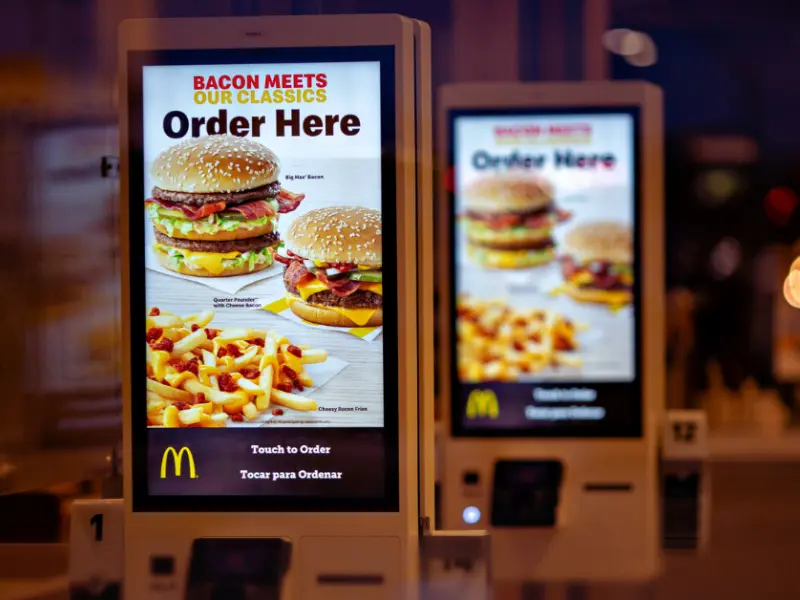
QSR ordering kiosks have redefined the fast-food experience at scale. The kiosk surface also doubles as a commercial tool - surfacing add-ons, upgrades, and loyalty enrollment at the moment of highest purchase intent. For hospitality, front-desk bypass has become a genuine guest expectation at mid-range and above-market hotels. The UX design challenge is specific: a slow or confusing customization interface at a busy lunch counter creates a different kind of queue problem, not eliminates one.
Government & Public Services
Tax offices, licensing agencies, and municipal service centers use self-service terminals for fee payments, form submission, appointment scheduling, and permit issuance. Government deployments carry the most stringent accessibility compliance requirements. In the US, ADA standards mandate specific hardware and software specifications - adjustable height, tactile keypads, audio output, and screen reader support. Non-compliance creates legal liability; verify applicable requirements before specifying hardware, not after signing a purchase order.
How to Evaluate and Choose a Self-Service Terminal
These are the decisions that separate successful deployments from ones that stall or generate unexpected costs.
Step 1: Write out the transaction workflow before talking to vendors
"Accept payments and print receipts" is not a specification. "Read EMV chip card, process against Stripe gateway, print 80mm thermal receipt, and trigger email confirmation" is. The clearer your workflow document, the easier it is to evaluate vendor fit and prevent scope creep driven by what a vendor's platform happens to do well.
Step 2: Assess the physical environment honestly
Indoor or outdoor? Controlled climate or variable temperature? Supervised lobby or unsupervised public space? These factors drive hardware specifications in ways that meaningfully affect both unit cost and long-term reliability. An indoor retail terminal specification will not survive an outdoor transit environment. For deployments in exposed or high-traffic locations, review our breakdown of durable outdoor touch screen kiosks and their environmental ratings.
Step 3: Map every system integration
List every back-end system the terminal needs to connect to: POS, ERP, booking platform, payment gateway, inventory system. Request integration documentation from vendors early in the process. Undisclosed integration complexity is the single most common source of deployment cost overruns - not hardware, not installation, not training.
Step 4: Evaluate the device management platform
For a single unit, manual management may be acceptable. For anything larger - multi-location, multi-unit - you need a platform that supports remote content updates, health monitoring, and fault alerting. A terminal network without a management layer becomes operationally unmanageable within months. Evaluate this as critically as the hardware itself. For a broader view of the display hardware options that underpin these systems, the kiosk display category covers the main specifications and formats.
Step 5: Verify accessibility compliance for your jurisdiction
ADA-compliant hardware includes wheelchair-accessible installation heights, tactile keypads, audio output with headphone jack, and screen reader compatibility. Missing these requirements creates both accessibility gaps and legal exposure. Government deployments are the most heavily scrutinized, but retail and healthcare deployments face compliance requirements as well.
Step 6: Calculate total cost of ownership, not just hardware cost
A terminal that appears affordable at the point of purchase frequently carries substantial ongoing costs that change the economics of deployment. Before signing, understand: hardware purchase or lease terms; software licensing model (per-device, per-transaction, or subscription); installation and integration fees; maintenance contract terms and SLA response times; connectivity costs. For outdoor deployments specifically, see our analysis of what it actually costs to run an outdoor kiosk over a full deployment lifecycle.
Questions to ask vendors before committing
- What is your integration documentation for [our specific POS/ERP system], and can we test it in a staging environment before go-live?
- What are your SLA response times for hardware failures, and who absorbs parts costs for different failure types?
- What does your device management platform support - remote updates, health alerts, usage analytics?
- How is software licensed, and what happens to pricing as we scale from 5 units to 50?
- Which accessibility certifications does this unit carry for our deployment jurisdiction?
- Can you provide references from deployments of similar scale and transaction type to ours?
Common Implementation Failures
Low adoption at launch. Users unfamiliar with self-service interfaces often default to staffed channels out of habit, not preference. Good UX, clear instructional signage, and staff available for guided first use consistently improve adoption rates. The hardware does not sell itself.
Integration failures post-deployment. A terminal that can't communicate reliably with existing systems creates manual reconciliation work that erodes the efficiency gains. Always validate integrations in a staging environment before go-live. This is the step most often skipped under schedule pressure, and it accounts for the majority of post-launch problems we've seen in high-volume retail and hospitality contexts.
Underestimating maintenance burden. Terminals in high-traffic environments accumulate significant wear: screen damage, printer jams, peripheral failures, software crashes. Understand exactly what maintenance support looks like - response times, escalation paths, spare parts availability - before signing.
Accessibility gaps. Terminals designed for the average user frequently create barriers for elderly users, users with visual or motor impairments, and users with lower digital literacy. In most regulated industries, inclusive design is both the right approach and a legal requirement.
Frequently Asked Questions
How much does a self-service terminal cost?
Hardware costs vary considerably by type and specification. Entry-level information kiosks typically start in the $2,000–$5,000 range based on current vendor quotes; full-featured payment terminals with biometric capability can exceed $20,000 per unit. Software licensing, integration work, installation, and ongoing maintenance add substantially to total cost of ownership. These figures are general market ranges - obtain current quotes directly from vendors for your specific use case, and factor in the full ownership period, not just the purchase price.
What's the difference between a self-service terminal and a vending machine?
A vending machine is a mechanical device designed to dispense a specific physical product through a predefined process. A self-service terminal is a fully interactive digital system configurable for a wide range of transaction types - payments, information retrieval, data entry, document output. The key distinction is flexibility: a vending machine does one thing; a terminal can be configured for many, and that configuration can change without replacing the hardware.
Can a self-service terminal operate without internet connectivity?
Static information display and pre-loaded content can run offline. Most transactional functions - payment processing, real-time inventory lookup, booking confirmation, email receipts - require a live network connection. If continuous operation is business-critical, plan for connectivity redundancy from the start, not as a retrofit.
How long does a typical deployment take?
A single-unit deployment using off-the-shelf software can go live within days. Multi-location rollouts with custom system integrations typically run four to twelve weeks from specification sign-off to go-live, depending on integration complexity and procurement timelines. The variable that most often extends this timeline is integration testing - particularly when connecting to legacy ERP or POS systems.
Which industries get the strongest return from self-service terminals?
The strongest documented returns come from environments with high transaction volume, predictable transaction types, and significant peak-period demand: retail, fast food, airports, banking, and healthcare registration. For niche contexts - trade shows, car washes, specialized payment environments - the return depends heavily on transaction frequency. See our guides on interactive trade show kiosk displays and the car wash payment kiosk for deployment-specific analysis.
Next Steps
Self-service terminals are well-established infrastructure, not emerging technology. The global market continues to grow steadily, reflecting sustained adoption across retail, banking, healthcare, transportation, food service, and government contexts.
The difference between a deployment that delivers its business case and one that doesn't almost always comes down to pre-deployment precision: a clear transaction workflow, an honest assessment of the physical environment, well-mapped integration requirements, and a realistic total cost of ownership calculation.
If you're at the evaluation stage, start with the workflow document - not the vendor conversation. For organizations sourcing hardware, our digital kiosk display B2B manufacturing guide and custom touch screen kiosk options cover specifications, customization options, and what to look for when evaluating suppliers. You can also explore the full Android smart service touchscreen display range for mid-range deployments where flexibility and cost control are equally important.
Ready to discuss your specific deployment requirements? Contact our team or submit an enquiry with your use case details.





