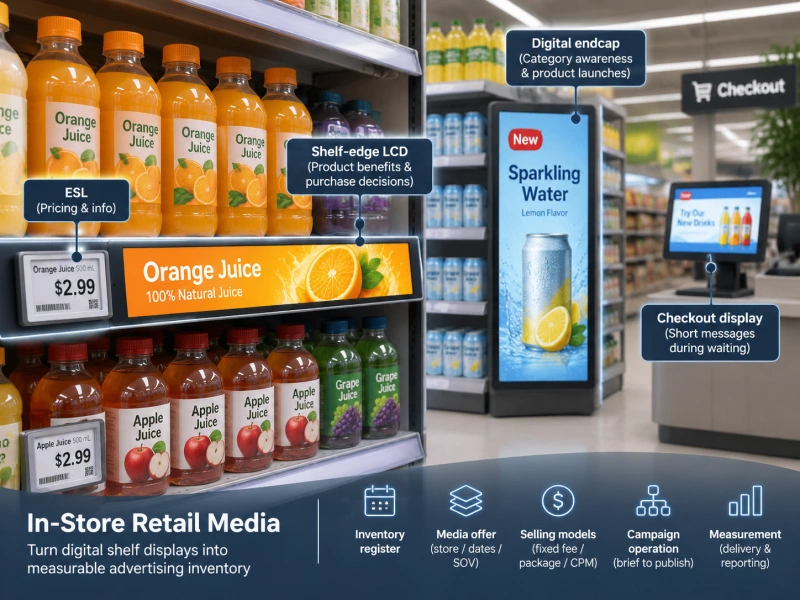
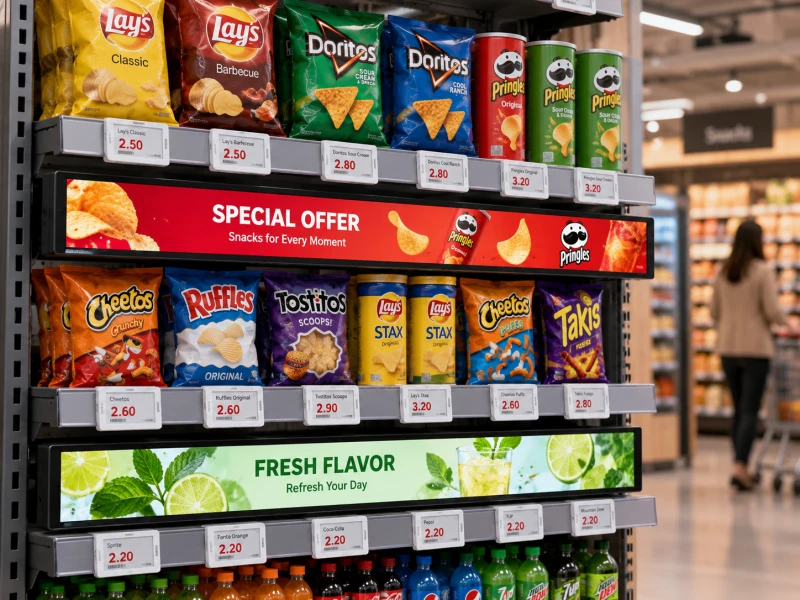
That is why a practical digital shelf solution is usually built as a layered system rather than an "ESL vs. LCD" choice. Electronic shelf labels form the SKU-level operational layer, while shelf-edge LCD displays add richer communication where the extra power, content and installation effort can be justified.
This direction is already visible across the retail technology market. Hanshow distinguishes e-paper ESLs for scalable shelf information from LCD formats for richer graphics and video, while Vusion describes full-store infrastructure built from a hybrid mix of E-Paper and LCD formats. Pricer is also positioning the shelf edge as a controlled communication channel rather than a price-only surface.

The Right Starting Point Is the Shelf Job, Not the Screen
Before selecting hardware, define what each shelf position needs to communicate. In most stores, the requirements fall into three layers.
1. SKU-Level Information
Everyday product positions usually need price, unit price, SKU information, barcodes or QR codes, promotional status and sometimes operational data. These are high-volume, low-motion requirements, which is why E-Ink ESLs work well as the foundation.
If the project is still at the technology-selection stage, the existing guide to LCD vs. E-Ink shelf labels explains the technical differences. In a hybrid deployment, however, the objective is not to choose one and eliminate the other.
2. Promotional Emphasis
Some products need to stand out without playing video. Loyalty pricing, new arrivals, organic ranges, clearance items and seasonal offers may only need an additional color cue. A multi-color electronic shelf label can provide that middle layer while keeping the same basic SKU-level operating model.
3. Rich Media and Product Storytelling
Selected zones may need a very different type of communication: demonstrations, comparison graphics, motion, brand campaigns or rotating promotional content. Those are stronger use cases for shelf-edge LCD or larger commercial displays.
A simple rule is useful:
- Standard E-Ink ESL: accurate SKU-level information.
- Multi-color ESL: SKU-level information plus visual emphasis.
- Shelf-edge LCD: rich media, product education and higher-impact merchandising.
Where Should Each Display Type Go?
The best display mix depends on the store format, but the decision becomes easier when the store is divided by function instead of by hardware brand.
| Store Zone | Best-Fit Display Role | Why |
|---|---|---|
| Standard grocery or pharmacy shelf | E-Ink ESL | High SKU density, concise information, frequent price updates |
| Promotional SKU | Multi-color ESL | Needs stronger shelf visibility without video |
| Premium product bay | ESL + shelf-edge LCD | Price accuracy plus richer explanation or branding |
| Electronics comparison zone | ESL + LCD | Specifications, demonstrations and model comparisons matter |
| Category header | Bar LCD | Longer viewing distance and category-level communication |
| Endcap or feature bay | LCD + product-level ESLs | Campaign visibility plus accurate individual pricing |
This is also why endcaps deserve their own plan. The large screen can carry campaign creative or product demonstrations, while the ESLs below keep individual SKU prices accurate. The same logic is explored in the guide to digital endcap displays.

Use a Decision Matrix Before Adding LCD to a Shelf
"Premium area" is too vague to be a deployment rule. A more useful method is to score the location against practical conditions.
- Content need: Does the shopper need motion, comparison or demonstration?
- Viewing distance: Is the message read at the shelf edge or from several meters away?
- SKU density: Does one screen support one product, a group of products or a whole category?
- Promotion value: Is this a high-priority campaign or a routine price update?
- Content frequency: Will marketing actually refresh the material often enough to justify LCD?
- Power availability: Can the fixture support continuous power and clean cable routing?
- Service access: Can staff replace or inspect the screen without dismantling the fixture?
If a location scores low on rich-content need but high on SKU density, an ESL is usually the cleaner choice. If a zone has strong visual storytelling needs and available power, LCD becomes easier to justify.
The Hard Part Is Keeping Pricing and Media in Sync
A hybrid digital shelf introduces two content paths. Pricing may originate in ERP, POS or a pricing platform, while video and campaign creative may be controlled through a content management system.
A typical architecture can look like this:
POS / ERP / PIM → pricing and product data → ESL platform → electronic shelf labels
Campaign system / CMS → media player or display platform → shelf-edge LCD
The systems do not need to be identical, but shared fields need clear ownership. Price, SKU identity, campaign start time, campaign end time and store eligibility should not be edited independently in several places.
This is particularly important when an LCD advertises a promotion beside an ESL. A promotional graphic showing $19.99 while the ESL shows $21.99 is worse than a paper sign because the inconsistency now looks automated. Retailers planning this data layer should define the rules described in ESL integration with POS and ERP systems.
Content Governance Matters as Much as Hardware
One practical way to prevent conflicts is to assign ownership before deployment:
- Price: pricing or POS system.
- Product identity and attributes: ERP or PIM.
- Promotion dates and eligibility: promotion engine or approved campaign system.
- Video, images and branded creative: marketing CMS.
- Store-level overrides: controlled operational workflow, not ad hoc local editing.
The LCD workflow also needs publishing rules: who approves content, when playlists change, what happens when a campaign expires and what the screen displays when new media is unavailable. Stores using bar displays at scale can explore these issues further in bar LCD CMS integration and content publishing.
Physical Design Can Decide Whether the Hybrid Shelf Works
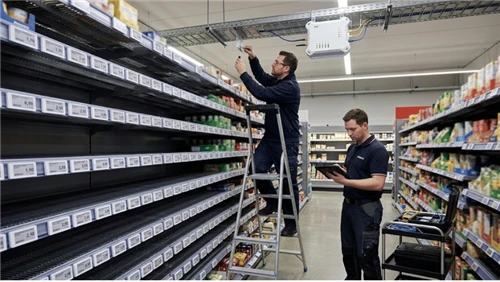
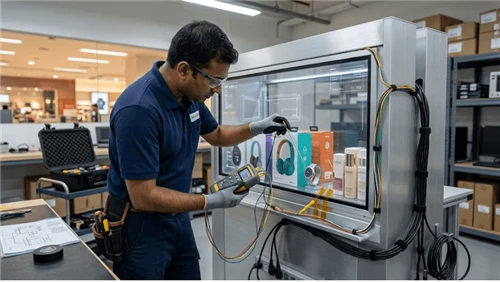
ESLs and LCDs create different installation demands. Battery-powered E-Ink labels can usually be distributed across compatible rails without bringing power to every facing. LCD displays require continuous power and may also need media players, network access, cable routing, thermal clearance and service space.
For ESLs, rail geometry and fixture compatibility should be checked before mass installation. The guide to ESL mounting rails and shelf compatibility covers that part of planning.
For LCD, screen dimensions should be matched to shelf width, content layout and viewing distance rather than chosen only by diagonal size. The article on bar LCD aspect ratio and resolution is useful when the display must fit a long shelf run.
Content should also be designed for the physical location. Text that works on a desktop mockup may be unreadable when the shopper is walking past. Shelf-edge creative therefore needs different spacing and hierarchy from conventional wall-mounted signage, as explained in the shelf-edge LCD content design guide.
Example: A Hybrid Grocery Aisle
Consider a grocery aisle with hundreds of ordinary products, several weekly promotions and one branded feature bay. The most practical design is not to install LCD under every SKU.
Standard products can use compact E-Ink ESLs for price and basic information. Promotional items can use multi-color ESLs for stronger visibility. The branded bay can add a powered shelf-edge LCD for campaign video or product education, while keeping ESLs under each SKU so the price remains tied to the product record.
The same principle scales differently by store format. A supermarket may be heavily ESL-led, while a consumer electronics store may justify more LCD around high-consideration products. A convenience store may need only a few rich-media zones because space, staff and content resources are more limited.
Start With a Pilot, Not a Full-Store Media Rollout
A useful pilot should test three different conditions: one normal ESL-heavy shelf, one premium or comparison bay with shelf-edge LCD, and one endcap or promotional zone.
Measure more than whether the screens look good. Useful KPIs include:
- price and promotion consistency;
- content publishing success rate;
- device uptime;
- time required to update a campaign;
- staff interventions or manual corrections;
- shopper engagement where measurement is available;
- maintenance effort and service calls.
The broader electronic shelf label pilot checklist can support the ESL side of the test. Avoid assuming that a visually impressive LCD zone automatically improves performance; the pilot should confirm whether the added content, power and maintenance are justified in that location.
Common Hybrid Digital Shelf Mistakes
Installing LCD Before a Content Plan Exists
A screen without a publishing workflow often becomes a static poster with higher hardware cost. Confirm who will create, approve and refresh content before rollout.
Letting Price and Promotion Data Drift Apart
ESL and LCD can use separate platforms, but they should not maintain competing versions of the same price or campaign dates.
Ignoring Power and Service Access
Adding powered displays after fixtures are finished can create exposed cables, awkward adapters and difficult maintenance.
Using Rich Media Where Simple Information Would Work Better
Movement is not automatically better. Routine SKU pricing usually benefits more from clarity and consistency than from animation.
Build the Shelf as One System
The strongest hybrid digital shelf is not the one with the most screens. It is the one where each display has a clear job.
E-Ink ESLs provide the scalable SKU-level layer. Multi-color ESLs add selective emphasis. Shelf-edge LCD displays deliver richer media at product bays, feature zones and other locations where visual communication matters. Larger LCD formats can extend the same strategy to category headers and endcaps.
Retailers should plan these layers together: store zoning, product data, pricing ownership, CMS workflows, power, mounting and service access all affect the final result. LEGOYO provides both ESL and LCD display options for retail projects. Contact LEGOYO to discuss store layout, display mix, integration requirements and pilot planning.
FAQ
Can ESLs and shelf-edge LCD displays be used in the same store?
Yes. ESLs are well suited to large-scale SKU-level information, while LCD displays can be added where full-color graphics, animation, video or richer product education is required.
Should every promotional product use an LCD?
No. Many promotions only need clearer visual emphasis, which may be handled by multi-color ESLs. LCD makes more sense when the content itself needs motion, branding or explanation.
What is a hybrid digital shelf?
It is a shelf architecture that combines different connected display formats, such as E-Ink ESLs, multi-color electronic labels and LCD displays, according to the communication and operational needs of each store zone.
How do retailers prevent price conflicts between ESL and LCD?
Define one approved source for price data and use shared SKU and promotion identifiers across systems. Media platforms can remain separate, but price ownership and campaign timing should not be maintained independently.
Where should shelf-edge LCD be installed first?
Good pilot locations include premium product bays, comparison-heavy categories, branded fixtures and endcaps where rich media provides more value than a simple price label.