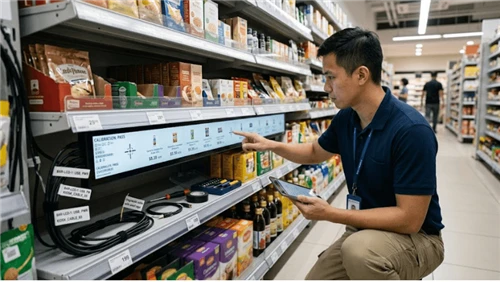
A Texas-based QSR operator with 12 locations came to us after their first kiosk vendor delivered hardware that couldn't talk to their 2019-era POS system. Integration ran three weeks over timeline because their IT team disclosed a custom discount module in week six of an eight-week project. We got them live-17% ticket lift, 11-month payback-but that $8,000 in unplanned development could have been zero if the API documentation review had happened before the contract was signed. That project is why we now refuse to quote integration timelines until we've seen the POS technical spec.
The difference between kiosk deployments that hit ROI targets and ones that drain budget for eighteen months rarely comes down to screen resolution or enclosure finish. It comes down to whether the manufacturer treats deployment as a system problem or a box-shipping transaction. If you're sourcing premium touch screen kiosks with OEM customization from Kiosk Etag Screen or any other supplier, the real question isn't which end of the $2,000–$50,000 price range you'll land on. It's how much integration risk your manufacturer absorbs versus how much they pass to you.

What Three-Year Deployment Actually Costs (And Where the Estimates Go Wrong)
A mid-complexity kiosk deployment runs $16,000–$25,000 per unit over three years when you factor in software licensing, cellular connectivity, and maintenance contracts. That number is nearly useless for actual budgeting-three variables can push your real cost 40% in either direction, and most RFQ comparisons miss at least one of them.
Vertical is the first variable. Floor-standing self-order kiosks for QSR land in the $4,000–$7,500 range all-in, while bank transaction kiosks with cash recyclers start at $30,000 and climb past $50,000 for full-service configurations. If you're comparing quotes across these categories, you're not comparing anything.
The second variable is environment, and this is where we've watched clients burn money trying to save it. Outdoor deployment adds 35–60% to hardware cost-not for exotic materials, but for IP-rated sealing, thermal management, and certification that indoor units never require. One hospitality client placed indoor-spec kiosks under a hotel canopy, assuming the overhang provided adequate protection. Eighteen months of condensation damage to payment modules and accelerated panel degradation later, the service calls exceeded the original cost difference. Our standard position: if there's any possibility of direct weather exposure, spec for outdoor from day one. The retrofit path costs more and takes longer.

Integration scope is the third variable, and it's where budget estimates fail most often. Hardware represents 45–55% of three-year TCO. Software subscriptions ($30–$300/month/unit), remote management platforms, maintenance at 10–20% of hardware cost annually, and peripheral consumables make up the rest. But when your interactive kiosk display needs to sync with a legacy POS, a loyalty platform, and a kitchen display system simultaneously, integration consulting can double your software-side costs in year one. We've seen this happen three times in the past eighteen months-always with clients who assumed "API available" meant "API ready."
Volume pricing follows predictable breakpoints: 10+ units unlock 15–25% discounts from most touch screen kiosk suppliers; 50+ units can reach 30–40% reductions; phased rollouts negotiated upfront often secure 5–40% across the entire project. The leverage exists, but only if you're comparing quotes with identical integration scope.
The Real Meaning of "OEM Services" (Not the Marketing Version)
Every self-service kiosk manufacturer advertises OEM capabilities. The term gets stretched to cover everything from logo printing to ground-up industrial design. When we scope customization projects at Kiosk Etag Screen, we've stopped using tier classifications and started asking three questions-because the tier language confused more clients than it helped.
Are you modifying appearance or function? Brand colors, logo placement, maybe a different screen size-but the underlying enclosure and peripheral configuration stay standard. This is what most buyers actually need. Lead time: 2–4 weeks beyond standard. Cost premium: minimal.
Do your peripherals or mounting requirements fall outside our standard designs? This means structural changes to the enclosure while using existing tooling where possible. Expect 8–12 weeks and engineering review fees from $2,000 to $8,000, depending less on what you want and more on how far it deviates from configurations we've already solved.
Does your deployment require a form factor that doesn't exist in the market? New sheet metal tooling starts at $5,000 for thermoforming; injection molds run $50,000 and up. This tier makes economic sense at volumes above 200–500 units. Timeline: 18–24 weeks from design freeze to first production units.

Chinese OEM kiosk manufacturers quote faster timelines-15-day standard, 6–12 weeks for custom-but "custom" in export contexts often means cosmetic changes on existing tooling, not true enclosure development. The engineering depth exists in Shenzhen; that's where much of the world's commercial kiosk production happens. But IP protection posture and post-deployment support require different due diligence than domestic sourcing. We maintain manufacturing partnerships in both regions because the right answer depends on project requirements, not geography preference.
The 32-Inch Decision and What Goes Wrong When You Ignore It
The cost crossover between projected capacitive (PCAP) and infrared (IR) touch happens around 32 inches-PCAP requires electrode films across the entire panel surface, while IR only needs edge-mounted emitter/detector arrays. But cost isn't the whole calculation, and we've watched clients make the "economical" choice and request panel swaps within six months.
One retail client insisted on 43-inch PCAP because their marketing team wanted "smartphone-like responsiveness." The touch controller alone consumed the budget they'd allocated for custom enclosure work. Three months post-deployment, they asked us to swap to IR-not because PCAP failed technically, but because the incremental responsiveness wasn't worth the maintenance premium. The lesson: touch technology decisions need to follow use case analysis, not spec-sheet aesthetics.
Our standard recommendation for digital kiosk touch screen selection: PCAP below 32 inches for premium indoor applications where multi-touch gestures matter. IR above 32 inches, in glove-required environments, or where cost optimization outweighs touch precision. PCAP with wet-finger rejection for outdoor or food-service contexts.

Brightness economics run parallel. Indoor panels need 300–500 nits. Semi-outdoor installations under glass require 700–1,500 nits. True outdoor with direct sun exposure demands 1,500–2,500 nits minimum-and here's the constraint most specs don't mention: power consumption scales nearly linearly with brightness. A 2,500-nit panel draws 2–3× the wattage of a 700-nit unit, which determines whether your enclosure needs active cooling (fans fail more than any other kiosk component), passive heat sinks, or air conditioning. Each thermal management choice cascades into service access requirements and IP rating compatibility.
One point that separates informed buyers from everyone else: IP67 is not "better" than IP66 for most outdoor kiosk installations. IP67 certifies temporary submersion-1 meter, 30 minutes. IP66 certifies resistance to high-pressure water jets. A kiosk exposed to driving rain benefits more from IP66's jet resistance than IP67's submersion rating, which tests a scenario that rarely occurs in actual deployments. We've specified IP65 for the majority of outdoor self-service terminal projects over the past three years. Manufacturers who default to IP67 regardless of site conditions are either upselling or haven't thought through actual environmental exposure.
ROI That Your CFO Will Actually Believe
Forrester's "30% labor cost reduction" figure for self-service technology gets cited constantly. We've never seen it in our actual deployments. What we observe is 20–25% of counter hours being released-but those hours typically don't disappear from payroll. They get reallocated to food prep, table service, or customer experience roles. If your CFO is modeling with the 30% number, we'd recommend building the business case at 15–18% and letting actual data revise it upward.
McDonald's 130,000+ global kiosks and Shake Shack's CFO calling self-order their "largest and most profitable channel"-this is real data, disclosed to investors, subject to SEC scrutiny. It's also not useful for most of our clients. You're not McDonald's. Your CFO knows you're not McDonald's.
Here's what we can show from projects where we tracked post-deployment metrics:
The Texas QSR client mentioned earlier-12 locations, 2019 POS architecture, integration that ran over timeline. Average ticket increase once live: 17%. Labor reallocation: one counter position per shift moved to food prep. Payback period: 11 months on $6,200/unit all-in deployment cost. That's not a press release number. It's what their POS data showed during our 90-day review, and it includes the $8,000 integration overage in the denominator.
The mechanism behind upsell lift is algorithmic suggestion timing, not hardware capability. McDonald's "meal upgrade" prompts convert above 40% when triggered at optimal decision points-that's a UI/UX achievement built on years of A/B testing, not a feature you get by buying their kiosk vendor. If your manufacturer can't connect you with a software partner who's actually optimized suggestion algorithms for your vertical, you're buying a screen, not a revenue tool. Kiosk Etag Screen maintains integration partnerships specifically because we've learned this the hard way.
The failure mode we see most often isn't unrealistic ROI assumptions-it's underestimating integration complexity. Projects hit revenue targets but blow budgets because POS integration required three times the consulting hours anyone estimated. Our policy now: if we haven't deployed with your specific POS platform before, we add 30% to the software-side budget estimate and explain why. Clients appreciate the honesty more than they'd appreciate a surprise change order in month four.
Compliance Timelines You're Probably Behind On
ADA requirements for public-facing kiosks tighten substantially in 2026. May 2026 marks the major compliance deadline for healthcare kiosks under updated DOJ guidance. Most procurement teams we talk to know about the deadline but underestimate what it means: wheelchair-accessible reach ranges, operation without grip/pinch/twist motions, audio guidance, tactile controls. Last quarter we had two projects where equipment arrived and failed ADA review-one required $43,000 in retrofit work. Retrofitting non-compliant deployments runs 40–60% more expensive than specifying correctly upfront, which is why we now include ADA assessment as a standard line item in project scoping, not an optional add-on.

The legal standard has shifted in a way that catches people off guard. "Refer the user to a staff member" no longer constitutes adequate accommodation when accessible technology is reasonably available. If you're deploying public-facing kiosks in 2025 or 2026, accessibility isn't a nice-to-have-it's litigation exposure.
UL certification requires $10,000+ in testing fees plus factory audits and annual inspections. Here's what we've learned matters: many commercial kiosk suppliers advertise "UL-certified" but actually use UL-listed components without product-level certification. That distinction affects liability coverage, insurance requirements, and code compliance in regulated environments. When we quote projects requiring full UL certification, we build testing timeline and cost into the initial proposal. Surprises after design freeze create the kind of delay that makes everyone's quarter worse.
PCI DSS 4.0 enforcement began March 31, 2025. Unattended payment terminals now require PCI-approved PTS POI/UPT devices with EMV and NFC capability. Generic mag-stripe readers mounted in custom enclosures no longer qualify-a fact that surprised several clients mid-project last year. If you're running pre-4.0 payment hardware, the compliance clock is already ticking.
How to Evaluate Manufacturers Without Getting Burned
We get asked for supplier evaluation frameworks constantly. Here's the version we actually use internally when vetting our own component suppliers-including the questions we know clients should ask us.
Three signals that should end the conversation:
- The manufacturer cannot provide a reference deployment in your vertical with contact information you can actually use. Not "we've done retail"-a specific client, a specific project, someone who will take your call. If they won't give you this, either they don't have it or the reference would say something they don't want you to hear. When clients ask us for references, we provide direct contacts and expect them to call.
- They can't articulate ADA, PCI, or HIPAA compliance requirements for your use case without looking it up. Compliance isn't optional knowledge for a kiosk system integrator. If they're learning alongside you, you're funding their education.
- Pricing runs 40% below market without credible explanation. Consumer-grade components cost less initially but fail faster in commercial duty cycles. The reason shows up around month eight-usually as a service call pattern that nobody budgeted for.
Questions worth asking any manufacturer, including us:
- What's the all-inclusive three-year TCO including hardware, software, installation, and maintenance? If they can only give you hardware cost, they haven't thought through your actual deployment.
- Which reference customers operate in my specific vertical and deployment environment? Ask to speak with them directly. A manufacturer confident in their work facilitates this conversation.
- How does integration work with my existing POS/CRM/ERP stack, and who owns that interface? This is where projects blow budgets. Pin down responsibility before signing anything.
- What does "support" mean after deployment-response times, escalation paths, parts availability? Get it in the contract, not in a sales conversation.
- How do you structure pilots? A touchscreen kiosk manufacturer unwilling to prove the solution at small scale before full rollout has learned something from their previous projects that they'd rather not share.
What We Learned From the Projects That Almost Failed
Sodexo's kiosk rollout, discussed at an ICX Summit session, captures the gap between equipment procurement and operational success. Their technology director said kitchen throughput became the binding constraint-kiosk orders flooded in faster than the line could execute. Payment integration required multiple vendor cycles before stabilizing. Customer adoption needed constant recalibration.
The deployments we reference most in internal training aren't the ones where everything went smoothly. They're the ones where we identified these risks during scoping-throughput modeling, integration architecture review, user education sequencing-before the first unit shipped. That's what "OEM kiosk manufacturing services" should actually mean: not just building to spec, but helping clients spec what will actually work in their operating environment.
If you're evaluating premium touch screen kiosk manufacturers, weight three factors above component specifications: demonstrated vertical expertise (deployments in environments comparable to yours), integration architecture (who owns the POS/payment/backend interfaces and what does support look like at 2 AM on a Saturday), and compliance posture (not just current certifications but awareness of ADA 2026, PCI 4.0, and whatever mandate comes next).
to Canada inJuly,2024.The rated power of the pole mounted transformer is 50 KVA, the primary voltage is 34.5 kV and secondary voltage is 0.48v/0.277 KV.
The kiosk that performs best is rarely the one with the highest-resolution display or the most aggressive pricing. It's the one backed by a manufacturer who understood the deployment context before the first enclosure shipped-and who will still answer the phone when something breaks at scale.
FAQ
Q: How much does a commercial touch screen kiosk cost?
A: Indoor entry-level units start at $2,000–$5,000; mid-range with payment and printing run $5,000–$15,000; enterprise outdoor deployments reach $30,000–$50,000+. Three-year TCO lands at $16,000–$25,000 including software and maintenance-but variance is high enough that this range only works as a sanity check. The three cost drivers that actually determine your number are covered in the deployment cost section above.
Q: What's the typical ROI timeline for self-service kiosks?
A: QSR deployments commonly hit payback in 6–12 months; retail and hospitality range 6–18 months; banking and healthcare extend to 12–24 months due to higher hardware costs and integration complexity. The specific number depends more on suggestion-algorithm quality and POS integration cleanliness than on hardware choice-which is why we track post-deployment metrics rather than relying on industry averages.
Q: How long does custom kiosk manufacturing take?
A: Cosmetic customization adds 2–4 weeks. Structural modifications with existing tooling run 8–12 weeks. True custom development with new tooling takes 18–24 weeks from design freeze to production. The timeline compression opportunities are in the scoping phase, not the manufacturing phase.
Q: Do I need UL certification for commercial kiosks?
A: Depends on deployment context, local codes, and insurance requirements. Many jurisdictions accept UL-listed components without product-level certification, but regulated environments often mandate full certification. The distinction worth asking about: does the manufacturer hold product-level UL certification, or are they using certified components in a non-certified assembly?
Q: What's the difference between IP65, IP66, and IP67 for outdoor kiosks?
A: IP65 handles low-pressure water jets; IP66 handles high-pressure jets; IP67 certifies temporary submersion. For rain exposure without submersion risk, IP66 often outperforms IP67 in practice. IP65 remains the cost-effective baseline when driving rain isn't the primary environmental threat-which describes most of the outdoor projects we deploy.
Ready to scope a deployment that accounts for the integration complexity most quotes ignore?
We run 30-minute project assessment calls-no obligation, no pitch deck. Bring your site requirements, POS documentation status, and timeline constraints. We'll tell you whether our capabilities match your project, where the likely friction points are, and what a realistic budget range looks like. If we're not the right fit, we'll say so and point you toward manufacturers who might be.