What Makes a Display "IoT-Ready"
A screen that works fine on a desk doesn't automatically work in the field. An IoT display generally needs to satisfy three conditions that consumer screens rarely have to deal with:
- Low power draw, often low enough to run on a coin-cell or small battery for one to several years without service.
- Lightweight connectivity, meaning it can receive updates over constrained networks such as BLE or sub-GHz radio, not just Wi-Fi.
- Environmental tolerance, including resistance to temperature swings, humidity, and in many cases water or dust exposure.
If a display can't meet all three for your specific deployment, it's not really suited to IoT use - it's a screen that happens to be connected.
The Display Technologies You're Actually Choosing Between
E-ink (electronic paper) holds an image by physically repositioning charged particles rather than running continuous current. Once the image is set, it needs almost no power to keep displaying it - power is only spent during the moment the image changes. That's why it dominates low-frequency applications like price tags and status badges, and why comparisons between e-ink and OLED usually come down to update frequency rather than image quality alone.
Memory LCD sits between e-ink and standard LCD. Each pixel holds its own state in a small memory cell, so the screen doesn't need constant redrawing, yet it can still refresh fast enough for moving data. This is the usual choice for wearables and continuous monitors that need changing data without draining a small battery - and it explains why refresh rate differences between display types matter more than they first appear.
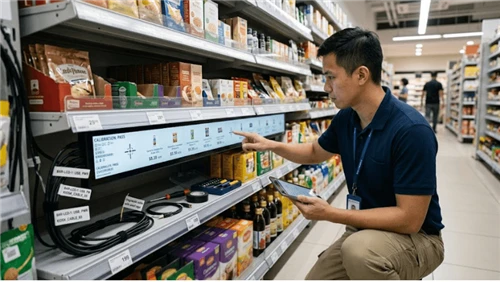
Transflective and standard TFT LCDs offer full color and fast refresh, which is why they're common in commercial signage and bar-style displays. A standard TFT washes out in direct sunlight; a transflective design uses ambient light to boost contrast outdoors instead of fighting it, which is the reasoning behind most outdoor-rated bar-shaped LCD screens used in retail aisles and storefronts.
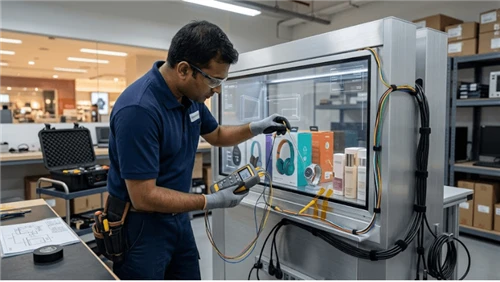
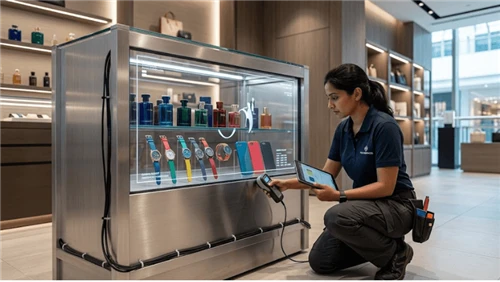
OLED produces deep blacks and vivid color because each pixel emits its own light. It looks excellent indoors, which is why it shows up in premium signage and transparent display cases for retail showcases. The trade-off is continuous power draw and a tendency toward burn-in when the same static content stays on screen for long, uninterrupted periods - a real concern for dashboards, less so for content that changes regularly.
Segmented LCDs are the simple, fixed-pattern displays seen on basic meters and clocks. They can't render arbitrary graphics, but they need almost no processing power, which makes them the standard choice for simple status indicators rather than information-rich screens.
Matching the Display to Your Deployment
Technology selection usually goes faster once you start from the scenario instead of the spec sheet.
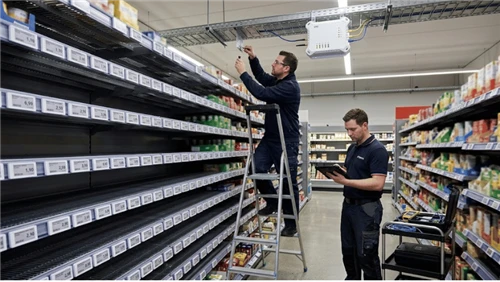
For retail pricing and shelf information updated a few times a day across thousands of units, electronic shelf labels built on e-ink are the practical default - battery life and unit cost both depend on it.
For factory dashboards or warehouse status boards showing the same layout for hours at a time, avoid emissive OLED panels; a transflective or segmented LCD tolerates static content and harsh ambient lighting far better.
For outdoor or high-traffic public terminals, an interactive self-service terminal needs a sunlight-readable, ruggedized panel rather than a consumer-grade tablet screen.
For storefront windows and premium indoor signage where visual impact matters more than battery independence, a transparent LED screen or OLED panel is a reasonable fit, since these are typically mains-powered.

Five Factors That Actually Decide Your Choice
Once you know roughly which category fits, run the decision through these checkpoints before locking it in:
- Power source. If the device is hardwired to power, OLED or full-color LCD are both viable. If it runs on battery, that constraint eliminates most emissive options immediately.
- Update frequency. A handful of updates per day points to e-ink. Continuous, fast-changing data points to Memory LCD.
- Light exposure. Direct sunlight favors reflective technologies; a screen optimized for indoor lighting will wash out outdoors regardless of brightness settings.
- Connectivity. Dense indoor deployments work well over Wi-Fi or BLE. Large or outdoor deployments often rely on sub-GHz or proprietary low-power radio instead, and the trade-offs between these options are worth understanding before committing - see this comparison of Bluetooth, Wi-Fi, and sub-GHz protocols for ESL-style deployments.
- Environmental rating. Outdoor or washdown environments typically need at least IP65 or IP67 protection, based on the official IEC 60529 ingress protection standard. Skipping this check is one of the more common causes of early field failures.
What This Really Costs Over Time
Comparing displays purely on unit price is misleading for any deployment beyond a handful of units. The more useful way to think about it is in three cost buckets: the hardware itself, the infrastructure needed to connect it, and the ongoing cost of keeping it running - mainly battery replacement and site visits.
A rough way to frame this: total cost over the deployment's lifetime roughly equals upfront hardware and infrastructure cost, plus the number of expected maintenance visits multiplied by what each visit costs to carry out. A display that needs frequent battery swaps can look cheaper at purchase but cost more once technician visits are factored in over a multi-year deployment. This is the same logic behind tools like an ESL ROI calculator, and it applies just as directly to ongoing kiosk operating costs as it does to shelf labels. If e-ink is part of the comparison, it's worth checking current e-ink display pricing rather than relying on older figures, since component costs shift from year to year.
Common Mistakes Worth Avoiding
- Choosing on visual appeal alone. A high-resolution color screen impresses in a demo but can quietly undermine battery life at scale.
- Locking in the environmental rating too late. IP rating and temperature range need to be decided during design, not discovered after a field failure.
- Assuming a low-power network can carry full images. Constrained radio protocols typically allow only small payloads per message, so a design that assumes frequent full-image updates over them is a common and expensive oversight.
- Ignoring the cost of memory and processing. A more complex display usually demands more memory and a more capable processor to drive it, which adds cost and power draw beyond the screen itself.
- Treating display failures as random. Many field issues follow predictable patterns - connectivity drops, battery depletion, or firmware mismatches - and reviewing common causes of labels not updating before deployment can save a lot of troubleshooting later.
Questions to Ask Your Display Vendor
Before committing to a supplier, it helps to ask directly:
- What's the expected battery life under our specific update frequency, not a generic lab condition?
- What IP rating and operating temperature range is the unit actually certified for, and is documentation available?
- What connectivity protocols are supported, and what's the realistic payload limit per update?
- What does lead time and customization look like for our volume?
It's also worth reviewing how different electronic shelf label manufacturers compare on these points before narrowing down a shortlist, and walking through a structured retail ESL selection process if pricing displays specifically are part of the project.
Validate Before You Scale
Lab specs and field conditions don't always match. Before rolling out hundreds or thousands of units, it's worth running a small pilot - typically 20 to 50 units - in the actual deployment environment for at least a few weeks. Focus on three things during the pilot: whether battery drain matches the expected estimate under real update frequency, whether the screen stays readable across the lighting conditions it will actually face, and whether connectivity holds up at the edges of coverage, not just near the gateway. Issues that show up in a pilot are inexpensive to fix; the same issues discovered after a full rollout are not.
FAQ
Q: What is an IoT display?
A: It's a screen built to operate with limited power, intermittent connectivity, and often a demanding physical environment, as opposed to a standard screen that assumes regular charging and stable indoor conditions.
Q: Is e-ink better than LCD for battery life?
A: For low-frequency updates, yes - e-ink consumes power mainly when the image changes. For applications needing continuous or fast-changing data, a Memory LCD typically offers a better balance of speed and power efficiency.
Q: What IP rating does an outdoor display need?
A: It depends on the environment, but outdoor or washdown deployments commonly require at least IP65 or IP67, based on the IEC 60529 standard referenced above.
Q: Can a low-power network update a display image directly?
A: Not in the way Wi-Fi can. Constrained radio protocols generally restrict how much data can be sent per message, so displays on these networks usually rely on small, partial updates rather than transmitting a full image each time.
Q: How long should a pilot run before a full rollout?
A: A few weeks is usually enough to surface battery, readability, and connectivity issues, provided the pilot units are placed in conditions that genuinely match the final deployment environment.
Final Thoughts
There's no single right display - only the closest match between a technology's strengths and your power budget, environment, and update frequency. Starting from the deployment scenario, checking the five decision factors, and validating with a small pilot before scaling will catch most of the issues that otherwise surface months into a rollout. If you're working through a specific deployment and want help narrowing down the right display and connectivity combination, you can get in touch with our team or submit a project inquiry with your requirements.