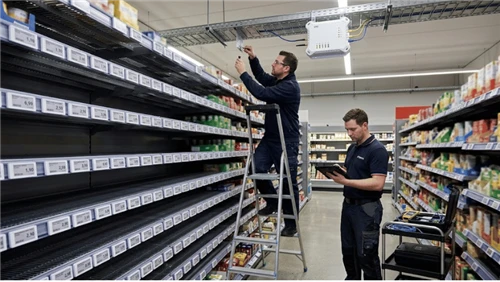
This guide covers the design decisions that actually matter: typography hierarchy, color strategy, information priority, psychological pricing display, and how those same principles apply when working with paper labels or electronic shelf labels. Where relevant, it includes specific numbers, tool references, and the cases where the general rule works against you.

Typography: Build a Hierarchy That Guides the Eye
Font choice is the most consequential decision in price tag design - and the most frequently mishandled. The goal isn't visual appeal in isolation; it's getting the customer's eye to the price before anything else registers.
Two typefaces maximum. One for the primary price and product name; a second (optionally) for supporting information like unit price or SKU. More than two creates visual noise without adding useful information.
Set a size ratio, not just a size. When showing a promotional price alongside an original, a ratio that holds up in practice: sale price at 100%, original strikethrough price at 50–60% of that size. When both prices appear at the same scale, customers have to figure out which is current - that extra moment of confusion is friction you created with the design.
Sans-serif typefaces outperform decorative ones at small sizes. Script and display fonts degrade at the point sizes required for shelf-edge labels. A geometric or humanist sans-serif remains legible at 14pt and below in variable store lighting. Always test your font printed at actual label size - not viewed on screen at 100%.
For electronic shelf label systems, the constraint tightens further: e-paper renders at fixed pixel resolution, and thin-stroked typefaces break up at smaller sizes. Bold-weight, low-contrast-stroke fonts perform more reliably on e-paper displays.
Color: Use It as a System, Not a Decoration
The reflex is red. Red does communicate urgency - that's consistent in retail consumer behavior. The problem is overuse: when everything is red, nothing stands out and the signal disappears.
Color only functions as communication when it's applied consistently with intent. A practical starting framework:
- Red - time-limited promotions, clearance, flash sales
- Black or dark charcoal - premium product lines, high-margin items
- Green - organic, sustainable, or fresh-category products
- Yellow - value-tier or bulk pricing
- White or neutral - standard baseline pricing across the store
Color associations vary across cultures and markets. The above reflects common patterns in Western retail contexts - validate against your actual customer base before locking in a system.
Contrast is not optional. The WCAG 2.1 accessibility standard sets a minimum 4.5:1 contrast ratio between text and background for standard-size text. That benchmark is equally useful for printed labels: light grey on white fails it, pale blue on mid-blue fails it. You can check any combination in under a minute with the free WebAIM Contrast Checker before sending anything to print.
Consistency matters as much as the individual color choices. If red means clearance in aisle 3, it should mean clearance everywhere. Inconsistent use forces customers to re-learn the system every time they change sections.

Information Hierarchy: Decide the Priority Before You Design
Before touching a layout, decide what order of information actually serves the customer. In most retail contexts, that sequence is:
- Retail price - immediately visible, no searching required
- Product name or brief descriptor - enough context to confirm the right product
- Comparison price - only when there's a promotion or discount
- Unit price - per 100g, per oz, per unit - legally required in many markets
- Secondary data - SKU, barcode, internal codes - small, at the bottom
Unit price is the element most often treated as an afterthought. In many markets - including the EU, UK, and parts of the US - accurate and legible unit pricing is a legal requirement, not a design preference. The consequences of incorrect or missing price displays extend well beyond a single customer complaint, and into regulatory territory.
Leave adequate white space. A practical guideline: at least 8–10% of the label's width as margin on each side. A crowded tag doesn't convey more information - it makes existing information harder to extract.
Size and Viewing Distance: Design for the Shelf, Not the Screen
Font size on a price tag should be calibrated to the distance it will be read from - not to how it looks in your design software at 100%.
- Standard shelf-edge labels (common formats: 2×1 inch or 3×2 inch): read from approximately 60–90 cm. Retail price minimum 18–22pt in a medium-weight font. Unit price minimum 10–12pt.
- End-cap and aisle-header labels: viewed from 1.5–3 meters. The dominant price element should be 36pt or larger.
- Hang tags: held at arm's length, so smaller fonts are acceptable - but the hierarchy still needs to be immediately clear.
The most useful test costs nothing: print the label at full size and walk back to the typical customer viewing distance. It's the step most designers skip because it seems obvious - and it's where most readability problems actually get caught.

Pricing Psychology and Tag Layout
The same price, displayed differently, produces different purchasing behavior. Two techniques worth building into your design system from the start:
Charm pricing display. Prices ending in .99 or .95 are consistently perceived as lower than their rounded equivalents. When displaying charm prices, let the whole-number portion dominate visually - a larger numeral with a smaller superscript for the cents is a common approach that reads naturally while reinforcing the lower-number perception.
Anchor pricing. When showing a discount, the original price serves as a reference point that makes the sale price feel like a gain. Sale price in full color, dominant size. Original price in grey strikethrough at approximately 50–60% of the sale price size. A "You save $X" callout eliminates mental arithmetic. The framing effect in retail pricing explains why this layout works so reliably - the reference point changes what the price feels like, not what it is.
The exception worth knowing: for high-end retail, rounded prices ($280 rather than $279.99) often outperform charm pricing. They signal confidence and intentionality. Match your pricing display approach to your brand positioning - don't apply the general rule in a context where it works against you.
Design Requirements by Retail Environment
Supermarkets and grocery stores prioritize speed. Customers move fast and scan broadly. High contrast, bold typography, and consistent color coding let customers process information without slowing down. Unit price visibility is critical - both for compliance and for comparison-shopping behavior common in grocery aisles. Electronic shelf labels in grocery retail are increasingly adopted to handle the update frequency and label volume that paper-based systems struggle with at scale.
Boutique and specialty retail has more design latitude. Tags may be picked up, examined, and sometimes kept. Material quality signals product quality before the item is touched. Price may be deliberately less prominent - appropriate for premium positioning. The tag is part of the product experience, not just a data point.
Pharmacy and healthcare sits at the intersection of retail and compliance. Regulatory requirements are stricter and information density is higher - dosage form, pack size, and unit price all need to coexist legibly. This is one of the clearest use cases for retail electronic shelf labels, which guarantee pricing accuracy across large product ranges and simplify compliance management.

Designing Templates for Digital Price Tags
Moving to digital price tags shifts the design conversation from physical production to template configuration. The principles remain the same - hierarchy, contrast, clarity - but execution is constrained by screen size and display technology.
A 2.9-inch e-paper label has approximately the face area of a business card. In that space, prioritize: product name (truncated consistently if needed), retail price (dominant), unit price, and barcode or QR code. Adding more fields makes every field harder to read.
Standard two-color e-paper (black and white) requires bold, high-contrast fonts to render cleanly at label resolution. Four-color e-paper - adding red and yellow - recovers most promotional design capability without switching display technology. The practical decision between LCD and e-ink shelf labels involves update frequency, power requirements, and display context, not design preference alone.
Before finalizing any ESL template, populate it with your longest product name and most complex promotional scenario. Problems that aren't visible with short product names become immediately obvious. For the full operational picture, the ESL vs paper label comparison covers cost and workflow factors beyond what design decisions alone can resolve.
Tools for Designing Price Tags
For paper-based labels, the right tool depends on your volume and complexity:
- Canva - free, browser-based; workable for small-scale retail operations with limited design requirements
- Adobe Illustrator - industry standard for precision label design work
- Avery Design & Print - free tool optimized for printing on standard Avery label sheets; practical for common shelf-tag formats
- BarTender or NiceLabel - professional variable-data label software for operations printing high volumes with different product data per label
For digital ESL systems, template design is handled within the vendor's management platform. Template customization options vary significantly between providers - confirm what's available before committing to a system.
For contrast checking before production: the WebAIM Contrast Checker is free, takes under a minute, and removes any guesswork from the 4.5:1 threshold.
Six Common Price Tag Design Mistakes
- Too many typefaces: More than two creates noise without adding information. Fix: define one primary and one supporting font and use them consistently across the store.
- Insufficient contrast: Pale text on pale backgrounds fails in real store lighting. Fix: run every color combination through a contrast checker before going to print.
- Equal-sized original and sale prices: Customers shouldn't have to work out which number is current. Fix: sale price dominant; original price smaller in grey strikethrough.
- Designing at screen scale: A tag that reads clearly on your monitor may be unreadable at shelf distance. Fix: print and test at actual viewing distance before finalizing.
- No design system: Different tag designs across departments create a fragmented experience. Fix: establish a tag system and apply it with intent - deviations should be deliberate, not accidental.
- Overloaded ESL templates: Small screens become unreadable quickly. Fix: identify the five essential fields and cut everything else.
FAQ
Q: What font is best for retail price tags?
A: A clean sans-serif font performs most reliably at the small sizes required for shelf-edge labels. Consistent stroke width holds up in variable lighting; decorative or script typefaces don't. For boutique hang tags read at arm's length, more expressive fonts are workable - but they fail on shelf rails. Whatever you choose, test it printed at actual label size before committing.
Q: What's the best way to display a discount on a price tag?
A: Sale price in a contrasting color (red is common, but must be used consistently), at the dominant size. Original price in grey strikethrough at approximately 50–60% of the sale price size. A "You save $X" callout nearby eliminates the need for mental arithmetic. When both prices appear at the same size, customers have to figure out which is current - that friction is created by the design, not the promotion.
Q: Do electronic shelf labels limit design options?
A: Two-color e-paper constrains you to black and white, which covers standard pricing well. Four-color e-paper (adding red and yellow) handles most promotional needs. LCD-based ESLs support full color. All formats require careful thinking about font weight and hierarchy within a small display area. E-paper price tags offer compensating advantages - low power consumption, excellent outdoor readability, and long battery life - that make the color constraint worthwhile for most shelf-edge applications.
Q: Are there legal requirements for price tag design?
A: Yes, and they vary by market. Unit pricing requirements are in force across the EU, UK, parts of the US, and Australia, among others. Requirements typically cover what information must be displayed, minimum legibility for mandatory fields, and placement relative to the product. Check the regulations for your market before finalizing any design system - the consequences of non-compliance go well beyond aesthetics.
The Bottom Line
Effective price tag design is a system decision, not a one-time project. The choices that matter - font hierarchy, contrast, information priority, consistency - need to be made once and applied reliably at scale. A tag that requires effort to read is actively working against the sale.
If the volume, update frequency, or accuracy requirements of your store have outgrown paper-based pricing, understanding how electronic shelf labels work is a practical next step. The design principles are the same. The execution is faster, more accurate, and more consistent at scale.