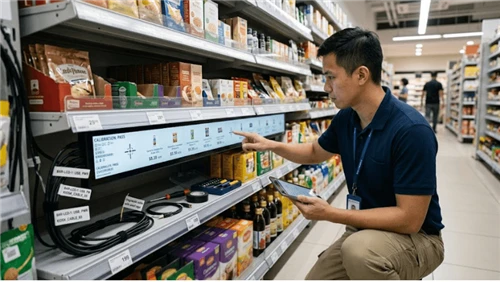
What Is Digital Signage?
Digital signage is any screen-based system that displays managed, dynamic content - menus, promotions, wayfinding, announcements, or live data feeds. It can be a single commercial display at a shop entrance or a network of screens across dozens of locations, all managed from one platform. For a broader look at how these systems are categorized, see this overview of types of digital signage.
A standard digital signage setup has three components: a commercial-grade display (not a consumer TV - commercial panels are built for 16–24 hour continuous operation), a media player that stores and plays content, and a cloud-based CMS (content management system) that lets you schedule and update content remotely. Each screen typically operates independently on its own content schedule. That independence is the practical advantage: a restaurant can show breakfast menus at 8 AM and switch to lunch specials at 11 AM without touching the hardware.
Common environments include retail stores, QSR menu boards, corporate lobbies, healthcare waiting rooms, and transportation hubs. If your primary goal is delivering relevant information across multiple locations or touchpoints, digital signage solutions are almost always the right starting point.

What Is a Video Wall?
A video wall is a multi-panel display system where screens are tiled together to form a single unified surface. Instead of each screen showing its own content, a video wall processor synchronizes all panels so they act as one large canvas - whether showing a seamless panoramic image, a split-zone layout, or multiple live data feeds simultaneously.
Video walls come in two main technology types, and the difference matters for both budget and use case:
- LCD video walls use ultra-narrow bezel commercial panels arranged in a grid. Modern bezels run as thin as 1.7–3.5mm, which is barely noticeable beyond 3–4 meters. They're well-suited to controlled indoor environments and medium-distance viewing. For a technical comparison of LCD options, the guide on LCD bar screen vs. LED bar screen covers the core tradeoffs. You can also explore the range of commercial-grade LCD displays used in these configurations.
- Direct-view LED video walls are built from modular LED tiles with no bezel - completely seamless. They can reach 3,000–5,000+ nits of brightness, making them viable in high-ambient-light environments or window-facing locations. They cost significantly more than LCD configurations. For specialty applications, transparent LED screens and transparent OLED screens extend this category into retail window displays and glass partition installations.
One technical term worth understanding before you spec a video wall: pixel pitch. This is the distance in millimeters between LED pixel centers. A common rule of thumb: minimum comfortable viewing distance (in meters) ≈ pixel pitch × 0.5 to 1. So a P2.5 panel is designed for viewing from roughly 2–2.5 meters minimum; a P4 panel is meant for 4+ meters. Choosing a larger pitch to cut costs when your audience will be standing nearby produces a pixelated image - one of the most common and expensive mistakes in video wall procurement.
Video walls are typically installed in corporate headquarters lobbies, retail flagships, operations and command centers, event venues, and large hospitality properties.
Side-by-Side Comparison
| Dimension | Digital Signage | Video Wall |
|---|---|---|
| Configuration | Single screen or distributed network; each screen independent | Multiple panels unified by a processor into one display surface |
| Typical hardware cost | $400–$2,500 per screen | $7,000–$63,000+ per installation |
| Installation complexity | Low - wall mount, power, network | High - professional AV integration, alignment, calibration |
| Content management | Cloud CMS; manageable by non-technical staff | Specialized video wall software; some AV expertise required |
| Scalability | Easy - add screens to the network at any time | LED walls are modular; LCD configurations largely fixed post-install |
| Best use case | Distributed messaging across multiple locations or zones | High-impact single-location installation requiring scale and presence |
| Maintenance | Minimal - swap a failed screen or player unit | Higher - panel calibration, processor maintenance, potential alignment drift |

What You'll Actually Pay: A Realistic Cost Breakdown
Note: All figures below reflect U.S. commercial AV market estimates based on publicly available integrator pricing as of 2025. Costs vary by region, project scope, and vendor. Request formal quotes from at least two AV integrators before budgeting.
Digital Signage
For a single-screen deployment, budget across these categories:
- Commercial display: $400–$2,500 depending on size (43–86 inches). A digital signage display built for commercial use handles continuous operation reliably; consumer TVs are not rated for it and will void warranties in commercial settings.
- Media player: $0–$400. Many commercial displays include a built-in SoC (System on Chip); standalone enterprise players like BrightSign run $150–$400.
- CMS subscription: $10–$50 per screen per month. Annual plans typically cost $120–$600 per screen.
- Installation: $100–$400 per screen for a standard wall mount with conduit cabling.
Realistic Year 1 cost per screen: $700–$4,000. A network of 20 screens across multiple locations typically runs $15,000–$60,000 in Year 1, depending on screen size and CMS tier. For specialty formats like bar-shaped LCD screens used in shelf-edge or narrow-space applications, hardware costs may differ from standard panel pricing.
Video Wall
- LCD 2×2 (four 55-inch ultra-narrow bezel panels): Display panels $3,000–$8,000 + processor $1,500–$5,000 + mounting $500–$1,500 + professional installation and calibration $2,000–$5,000. Total: $7,000–$19,500.
- Direct-view LED (3×2 meters, indoor P2.5): LED tile modules $12,000–$40,000 + control hardware $3,000–$8,000 + installation $5,000–$15,000. Total: $20,000–$63,000+.
3-Year Total Cost of Ownership
| Cost Category | Digital Signage (10 screens) | Video Wall (2×3 LCD) |
|---|---|---|
| Hardware | $8,000–$20,000 | $12,000–$30,000 |
| Installation | $1,500–$4,000 | $4,000–$10,000 |
| CMS (3 years) | $3,600–$18,000 | $1,500–$5,000 |
| Maintenance | $500–$2,000 | $1,500–$5,000 |
| 3-Year TCO estimate | $13,600–$44,000 | $19,000–$50,000 |
The gap narrows over time. Digital signage accumulates CMS fees per screen; video walls have higher upfront costs but lower per-unit software expenses across their lifecycle. Budget line items buyers commonly overlook: content creation (someone has to design and maintain it), structural reinforcement for heavy LED installations, and extended warranties on processors.
How to Choose: A 4-Step Framework
Step 1: Define Your Primary Goal
If your goal is reaching people across multiple locations with timely, relevant content - menus, promotions, wayfinding, internal communications - digital signage is the right tool. If your goal is commanding attention at a single, high-stakes location and the visual scale is part of the value proposition, a video wall fits. If you need both, see the hybrid section below.
Step 2: Assess Your Space and Viewing Distance
The physics of screen visibility should drive hardware choice, not aesthetic preference.
| Viewing Distance | Recommended Display |
|---|---|
| Under 3 meters | Single 43–65 inch commercial display |
| 3–5 meters | Single 75–98 inch commercial display, or small 2×1 LCD wall |
| 5–10 meters | 2×2 or 3×2 LCD video wall; LED P2.5–P4 |
| 10+ meters | Large LED video wall (P4+); high-brightness outdoor-rated panels |
Also factor in ambient light. A south-facing lobby with floor-to-ceiling glass needs displays rated at 1,500+ nits. A dim corporate corridor performs well with a standard 350-nit commercial panel.
Step 3: Build a Realistic Budget Including TCO
The hardware is typically 50–60% of Year 1 spend - and the lowest percentage of 3-year total cost. Factor in installation, software, content creation, and maintenance before committing to a configuration. A common mistake: approving hardware budget without allocating anything for content. A video wall showing a static screensaver is a very expensive screensaver.
Step 4: Evaluate Your Content Management Capability
Before selecting hardware, ask five questions about your content workflow:
- Who owns content creation - in-house team, agency, or vendor-managed?
- How often does content need to change - daily, weekly, or on a fixed schedule?
- Does your team need a simple drag-and-drop interface, or can they handle more complex multi-zone layouts?
- Do you need live data integration (pricing feeds, social walls, real-time metrics)?
- How many locations or screens need centralized management?
Most cloud CMS platforms are designed for non-technical staff and handle standard digital signage well. Video walls with multi-zone dynamic content typically require either a dedicated AV technician or a managed service contract. If your team has no AV capability, a well-managed digital signage network will consistently outperform a complex video wall running on neglected content.

Using Both: The Hybrid Approach
Many organizations find the most effective setup is a combination: a video wall for impact at a primary entrance or focal point, and individual digital signage screens for information delivery throughout the space. The two layers serve different functions - the video wall engages emotionally and visually; the signage network communicates practically.
Consider a mid-size hotel: a 3×2 LED video wall behind the reception desk delivers the brand experience; 43-inch displays at elevator lobbies show the day's event schedule; a kiosk display in the lobby handles wayfinding and concierge queries; and a self-service terminal near the conference center manages room booking check-ins. No single technology covers all four touchpoints. A retail example: a flagship store uses a floor-to-ceiling LED wall at the entrance for seasonal campaign footage, while bar-format shelf-edge screens throughout the floor handle product information and pricing - a setup that pairs brand impact with practical point-of-sale communication. For more ideas on combining display formats in a retail context, see these creative retail display ideas and guidance on how LCD advertising displays fit into larger in-store strategies.
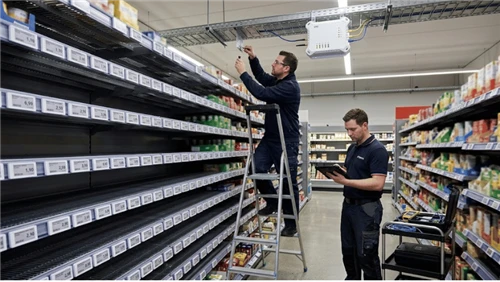
In retail specifically, display decisions often intersect with shelf-level communication strategy. Businesses investing in large-format video walls frequently also evaluate retail electronic shelf labels to complete the in-store experience from the front entrance to the product shelf.
Frequently Asked Questions
Is a video wall the same as digital signage?
A video wall is a category of digital signage - it's a display system showing digital content. The practical distinction is architectural: standard digital signage refers to independently managed screens (one screen, one content stream), while a video wall uses a processor to unify multiple screens into a single display surface. In commercial buying decisions, the two are treated as separate product categories because their cost, complexity, and application profiles are substantially different.
Can I use consumer TVs instead of commercial displays?
Not recommended for commercial deployments. Consumer televisions are not rated for continuous operation - most are designed for 4–6 hours of daily use. Running one 16+ hours a day accelerates panel degradation, voids the warranty, and typically produces insufficient brightness for most retail or lobby environments. Commercial displays are rated for 50,000–100,000 hours of continuous operation and are specified for ambient light levels, viewing angles, and duty cycles that commercial settings demand.
What's the minimum size for a video wall?
A video wall starts at a 2×2 configuration - four panels creating one unified display approximately 110 inches diagonally (for 55-inch panels). Some integrators also build 1×3 or 1×4 horizontal arrays, particularly for retail shelf-edge or wayfinding applications. The defining feature is the video wall processor, not the number of panels.
How long do commercial displays last?
Commercial displays are typically rated for 50,000–100,000 hours - roughly 6 to 11 years of 24/7 continuous operation. Real-world lifespan depends on operating brightness, ambient temperature, and ventilation. Running a display at maximum brightness in a poorly ventilated enclosure will significantly shorten its service life. LED video wall tiles generally have similar or longer rated lifespans, but processor and control hardware may need replacement on a shorter cycle.
Should I start with digital signage and add a video wall later?
For most businesses, yes. A single commercial display with a cloud CMS is a low-risk entry point. It lets you test content strategy, understand how your audience responds, and build a quantifiable case for larger investment. LED-based video walls are modular by design, so a future installation doesn't require removing existing digital signage. The two systems can coexist and complement each other as your deployment scales.
Bottom Line
Digital signage is the right choice when you need to communicate across multiple spaces or locations - it's cost-effective, operationally simple, and scalable. A video wall is the right choice when visual scale and impact at a single, high-value location are part of the strategic objective and the budget supports the investment.
Before specifying any hardware: map your display locations, measure viewing distances, define who manages content and how often it changes, and plan your full 3-year budget - not just the hardware line. The display system with consistently updated, relevant content will outperform the more impressive system running the same loop for two years.
Your next steps:
- Map each display location and measure the minimum and maximum viewing distance
- Identify who owns content creation and how frequently it will need to change
- For video wall projects, get quotes from at least two professional AV integrators - installation cost variation is significant
- For digital signage, most major CMS platforms offer free trials; test content workflow before committing to a per-screen subscription
- Explore the full range of commercial display products to compare configurations before finalizing your specification