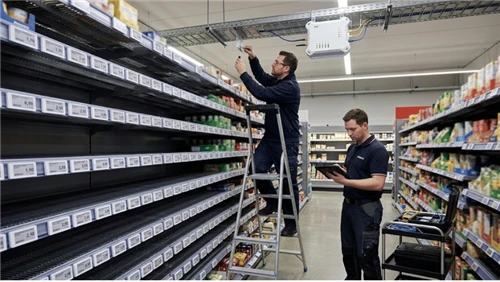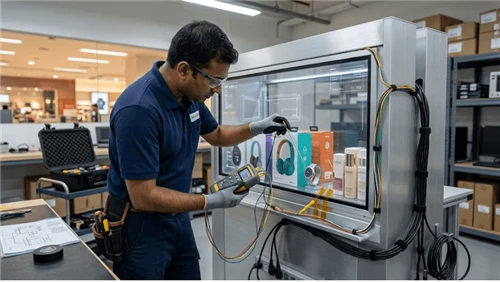
A kiosk can be repaired quickly only when the correct replacement part, compatible configuration, qualified technician, and site access come together. A spare printer sitting in a warehouse is not useful when it does not fit the installed enclosure. A service-level promise is equally fragile if the response clock stops before the kiosk returns to an agreed operating state.
This guide is for kiosk fleet operators, service managers, integrators, and buyers who need a defensible spare-parts plan. It shows how to classify field-replaceable units, choose stocking locations, connect inventory to restoration targets, control revisions and substitutions, and learn from service records. The commercial Kiosk Display range provides product context; exact spare compatibility, quantities, prices, and availability must be confirmed against the released project configuration rather than assumed from a category page.
Start With the Failure That Stops the Customer Task
Do not rank spare parts by purchase price alone. Ask what the kiosk can still do when the item fails. A failed decorative panel and a failed transaction input can have very different operating consequences, even if both are inexpensive. For a site that cannot continue service without a receipt, the printer may be a critical dependency. Another deployment may permit a digital receipt and continue in a restricted state. The service policy-not the generic part name-determines priority.
| Failure consequence | Typical kiosk example | Planning consequence |
|---|---|---|
| Customer task unavailable | Approved payment device, main computer, or required input fails | Define a rapid replacement or a qualified whole-module swap |
| Function degraded but approved alternative works | Optional printer or secondary scanner unavailable | Define restricted-service rules and a different restoration target |
| Safe operation or access compromised | Damaged enclosure lock, power module, or critical door hardware | Isolate the affected kiosk until authorized service restores safe condition |
| Cosmetic defect without immediate task loss | Nonfunctional trim piece | Schedule planned maintenance unless site requirements say otherwise |
The examples are categories, not a claim about any KioskTagScreen model. Classification must be checked for the installed peripherals, transaction design, site requirements, and permitted degraded modes. Record the business consequence, allowed workaround, restoration target, and decision owner for each failure class.
Criticality is a consequence-and-recovery decision, not an ABC price ranking
ABC inventory analysis groups parts by consumption value; a low-cost part can still make the kiosk unusable. A more useful first-pass decision records four variables: customer-task impact, permitted workaround, time to obtain and install an approved replacement, and how widely the same failure can affect the fleet. Assigning all expensive modules to the highest urgency tier ignores service consequences.
| Illustrative failure scenario | Operational policy | Spare-parts implication |
|---|---|---|
| Mandatory input device fails; no approved alternate task path | Out of service until repaired | Prioritize an approved exchange unit at a stock location that can meet the restoration target |
| Paper printer fails but approved digital-receipt route remains available | Restricted service, only where the application and site policy allow it | Replacement priority can differ from a mandatory-receipt site using the same printer |
| Cosmetic panel is scratched with no exposed hazard | Continue service and plan repair | Central stock or scheduled order may be sufficient |
| Lock or electrical enclosure damage compromises safe access | Remove from service and isolate safely | Restoration requires the right part and authorized verification; raw inventory is not the whole solution |
The table is an illustrative classification exercise, not a statement about any specific KioskTagScreen configuration. Repeat it separately for kiosks with different payment, printer, scanner or accessibility dependencies. The decision record should name who may approve a degraded mode; technicians should not invent one during a failure.
Separate Consumables, Field-Replaceable Units, and Depot Repairs
Three stock types require different replenishment rules. Consumables such as paper are depleted by normal activity. Field-replaceable units (FRUs) are service modules intended to be swapped with approved tools and instructions. Depot-repair items are components or assemblies that require specialist test equipment, soldering, calibration, security provisioning, or factory intervention.
The distinction matters because a warehouse may stock a print mechanism that an onsite technician is not authorized to install. Before calling any item an FRU, confirm the supported replacement boundary, power-isolation steps, tool access, firmware or configuration requirements, and any calibration or payment-security process. If the procedure requires factory service, stock a complete approved exchange assembly or state that the repair is depot-only.
- Consumable: replenishment depends on consumption and actual site service routes; include correct media type and packaging.
- Site FRU: held close to the kiosk only if a trained local person can safely and legally replace it.
- Regional exchange module: appropriate when field replacement is feasible but a technician dispatch is required.
- Depot repair unit: tracked as an asset and a return workflow, with a controlled exchange pool where justified.
For printer access and paper-loading geometry, use the adjacent kiosk paper-path and serviceability guide. The present page owns how replacement items are stocked and dispatched, not the mechanical redesign of the printer bay.
Build a Revision-Safe Spare-Parts Register
A part number without an applicability rule is a stockout waiting to happen. The register should identify the installed equipment configuration and the exact approved replacement. A spare described merely as "21-inch touch panel" may differ in controller, interface, glass geometry, harness connector, mounting pattern, or firmware. A nominally identical PC can also require a different OS image or peripheral driver package.
| Register field | Why the field is needed |
|---|---|
| Kiosk family, model, and build revision | Identifies the equipment population that can use the part |
| Approved FRU part number and revision | Distinguishes a tested replacement from a similar-looking item |
| Supplier part number and approved alternative | Supports sourcing without uncontrolled substitution |
| Firmware, OS image, or configuration dependency | Prevents hardware compatibility from being mistaken for system compatibility |
| Failure criticality and approved service level | Drives stock placement and escalation |
| Replacement skill, tools, isolation, and test | Shows whether it is a genuine field service item |
| Supplier lead-time basis and order constraints | Separates demonstrated replenishment behavior from a sales estimate |
| Stock location, owner, condition, and reservation | Makes available-to-use quantity visible |
| Return / repair disposition and EOL status | Closes the loop on failed units and superseded parts |
Make the applicability rule explicit: approved for kiosk build A with controller revision B and image revision C is more actionable than compatible with all kiosks. If a supplier offers a replacement part, request the interchangeability evidence and test conditions before releasing it to field stock. Do not transfer claims from one kiosk family to every model.
Position Inventory Around the Service Promise
The right stock location depends on how long it takes to detect the failure, dispatch a person, obtain entry to the site, replace the unit, run the post-repair check, and release the kiosk to service. Putting a part at a central depot may be economical, but it cannot satisfy an onsite restoration target if transport alone exceeds the available time.
| Stock tier | When it can make sense | Control required |
|---|---|---|
| At-site kit | High-criticality, frequently used item with safe local replacement | Local custody, shelf-life/condition checks, replenishment after use |
| Regional hub | Multiple nearby kiosks share approved FRUs and a field engineer route | Dispatch cutoffs, compatible revision mix, reserved stock visibility |
| Central depot | Slow-moving or costly units that can wait for planned shipment | Actual carrier lead times, alternate-source policy, repair returns |
| Supplier-held pool | Special assemblies with contractual availability commitments | Written allocation, release rights, geography, cutoffs, substitution controls |
A useful planning worksheet combines the expected demand during replenishment lead time with an allowance for uncertainty, then checks the proposed quantity against storage cost, condition constraints, and the required service coverage. The calculation should use fleet-specific records and contractual lead times. There is no universal spare percentage that reliably suits a kiosk fleet with different models, traffic, climates, and supported hours.
Consider a hypothetical fleet that shares a regional display controller but uses two incompatible connector revisions. Treating those controllers as one interchangeable SKU overstates usable stock. Splitting by revision may initially appear to increase inventory, yet it provides an honest count of the units that can actually be installed. Consolidation becomes appropriate only after engineering approves the substitute and service procedure.
Worked stock calculation: from observed replacements to a candidate regional quantity
Consider a hypothetical fleet of 120 kiosks sharing one tested controller revision. Assume the service register recorded 12 controller replacements during the last 12 months and the supplier's effective replenishment lead time is 45 calendar days. For illustration only, assume that replacements arise independently at an approximately steady rate and that the next replenishment resembles the observed period. These are strong assumptions; they must be checked, not copied into a real forecast.
Observed replacement demand is 12 units/year. Expected demand during replenishment is 12 × 45 ÷ 365 = 1.48 units. Under a Poisson demand approximation with mean 1.48, the probability of demand being no greater than a chosen stock quantity can be estimated. This approximates a lead-time demand coverage target, not a guaranteed on-time repair SLA.
| Available approved units when replenishment begins | Approximate probability that demand does not exceed stock over 45 days | Planning interpretation |
|---|---|---|
| 1 | 56% | High modeled risk of another demand before replenishment |
| 2 | 81% | Better coverage but still below an illustrative 95% planning target |
| 3 | 94% | Close but below that illustrative target |
| 4 | 98% | First quantity in this example above the 95% target |
With those hypothetical inputs, four compatible and usable controllers is a reasonable candidate for further testing of a 95% lead-time coverage goal. It is not a recommendation to buy four controllers per store, and it does not prove that a technician, access permission, transportation or software provisioning will be available. The regional location and dispatch route still have to meet the contract.
Calculate the inventory position using all physically on-hand stock minus quarantined/unapproved stock minus reserved units, then add confirmed replenishment orders. Check arrival dates separately; a unit due after the restoration deadline is not usable for an immediate repair. Inbound items that will arrive after the relevant recovery deadline should not be treated as immediately available. Reorder policy should specify the trigger, supplier cutoff, minimum order quantity, emergency route, and who releases a reserve unit.
Where this arithmetic breaks down
Do not apply a steady Poisson model without adjustment when failures are correlated by a bad firmware rollout, identical power events, manufacturing lot defect or unusually harsh site conditions. A small new fleet also yields weak rate estimates. Use scenario ranges and pilot data until the fleet supports a more defensible model; run a separate common-cause reserve or replacement plan where appropriate. Check by revision, region and stocking tier rather than summing physically incompatible modules into one misleading total.

Define an SLA That Measures Restored Service
A support agreement should not blur first response, engineer arrival, provisional workaround, and full restoration. These are separate milestones. For a retail kiosk, "response within four hours" would not necessarily mean a customer can transact within four hours. Any numeric target is contractual and must be chosen for the site; this guide does not assert KioskTagScreen service commitments.
| SLA element | What the contract should state |
|---|---|
| Coverage window | Local hours, holidays, time zones, and planned maintenance exclusions |
| Clock start | Alert timestamp, validated ticket, or customer report, with a clearly defined rule |
| Priority trigger | Task unavailable, safety issue, degraded function, or noncritical defect |
| Response milestone | Named owner acknowledges and begins authorized diagnosis |
| Dispatch and access | Engineer travel, access keys, landlord restrictions, and required site escort |
| Restoration definition | Relevant end-to-end user task passes approved verification after repair |
| Exceptions and evidence | Approved exclusions, escalation, ticket log, part ID, before/after result |
The failure clock should not stop simply because a replacement is installed. If a new payment reader requires pairing, authorization, or a security check, the kiosk is not restored to the specified service state until those required steps pass. For a touch monitor replacement, touch alignment and the normal transaction route may be the relevant checks. Define them in the service instruction, not during a dispute about downtime.
Worked recovery budget: a four-hour promise can fail with a part already in stock
For a hypothetical four-hour restoration objective, the clock includes all time from the agreed fault trigger to successful end-to-end service verification. A plausible scenario budget exposes where the promise is at risk:
| Recovery activity | Illustrative minutes | Can the stock policy change it? |
|---|---|---|
| Detect and register a service-affecting failure | 10 | Usually a monitoring/process dependency |
| Remote triage and confirm authorized replacement | 25 | Stock helps only after the part is correctly diagnosed |
| Dispatch a qualified technician | 15 | Dispatch contract and coverage matter |
| Travel to site | 75 | Regional coverage can change this |
| Gain access and safely isolate equipment | 30 | Keys, escort and site hours can dominate |
| Replace and configure the module | 35 | Correct revision and stocked tools matter |
| Provision/pair a dependent peripheral | 40 | Credentials, software and vendor authority matter |
| Verify and return the customer task to service | 20 | Test is required; it cannot be omitted to claim compliance |
| Total | 250 | 10 minutes over a four-hour target |
The numbers are teaching assumptions, not observed KioskTagScreen service performance. They show why a spare sitting at the regional hub is insufficient evidence for a four-hour SLA. The team must shorten or redesign a real dependency-such as technician routing, access permissions, remote provisioning or replacement method-and retain a margin for variation. A response-time promise, an onsite arrival promise, and a restored-service promise must be negotiated separately.
When the kiosk can legally and operationally use a restricted mode, define that state and its acceptance evidence in the SLA. Do not call a kiosk restored simply because its display turns on if a required payment, ticket or identity task still fails.

Plan a New Fleet Without Inventing Failure Rates
Early in a rollout, a vendor may not have field failure data for the exact installed configuration and use case. A small pilot cannot credibly establish rare annual failures or a universal mean time between failures. Start with the criticality register, known supplier lead times, installed population by revision, parts that cannot be repaired locally, and the most disruptive plausible faults. Mark assumptions as provisional and review them after actual service events.
Useful evidence includes recorded incidents per part and build revision, confirmed failure diagnoses, whether the same part failed after replacement, lead times from issued purchase orders to usable receipt, and time from incident acceptance to customer task restoration. An apparent high failure rate may reflect a site power problem, wrong replacement revision, or a common software image. Keep root cause separate from the part number; otherwise inventory may grow without fixing the cause.
IBM's discussion of spare-parts management describes planning, procuring, storing, tracking, and distributing service parts and the trade-off between stockouts and holding costs. The wider asset-management perspective in ISO 55001:2024 links asset decisions to risk, performance, and expenditure. Neither source supplies a kiosk-specific failure rate or certifies any particular kiosk deployment.
Starting stock when the installed configuration has no field history
For a new fleet, use a decision record rather than a fabricated failure rate. List for each critical FRU: installed units per kiosk, interchangeability group, worst credible external procurement lead time, repair turnaround, technician access, possible common-cause exposure and the restoration deadline. Consider low/base/stress demand scenarios that are explicitly assumptions pending validation. Record what would cause the order quantity to change after the first operating quarter.
For example, a project may keep one tested controller exchange unit at a regional hub during a pilot while securing supplier-backed emergency replenishment, then revise the quantity once replacement events and actual lead-time variation are known. Whether one unit is enough cannot be answered without the fleet distribution and service target. A vendor quote for a "recommended 2% spares kit" is a proposal to evaluate, not a universal engineering rule.
Close the Loop After Every Swap, Return, or Substitution
A replacement request should consume one known inventory item, not just generate a shipping note. Capture the installed kiosk asset ID, removed FRU and revision, installed FRU and revision, cause code, test performed, technician identity, returned condition, and replenishment order if required. Track parts in repair, reserved for an active incident, quarantined pending verification, and physically available. Those statuses are not interchangeable.
If the failed item contains payment or customer data, follow the project-approved handling and secure return process; the spare register does not authorize uncontrolled data extraction or re-use. Keep firmware and software images under the relevant IT/security owner. A physical replacement can be electrically compatible but operationally unusable until approved provisioning is complete.
When a supplier announces end of life or changes a component, review the remaining deployed population, last-time-buy options, validated replacement path, required image or driver change, and any increased service labor. Avoid silent "equivalent" part substitutions. The self-service kiosk RFQ and BOM guide covers how buyers specify those supplier obligations before ordering; this page covers the resulting stock and service operation.
A repair record must reconcile the asset, stock and software state
One replacement should generate a linked transaction, not three disconnected notes. Record work-order ID; site and kiosk serial; failed assembly and exact revision; observed symptom; removed part serial; installed part serial; authorized substitute approval; OS/firmware or security provisioning; test result; start/end timestamps; technician; and return-material authorization status. The removed unit must leave available stock and enter a clear state such as quarantine, depot repair, vendor return, scrap or approved reuse.
If a replacement fixes the symptom only until the next application update, the failure may be configuration-dependent rather than an ordinary part consumption event. Trend repeat replacements against build revision and software baseline before raising stock levels. Otherwise the inventory plan can hide a recurring integration defect and exhaust the repair pool.
Exercise the Spare-Parts Plan Before Fleet Rollout
Run a representative service drill rather than approving a spreadsheet alone. Select a fault that would remove the kiosk's agreed customer function and one that creates an allowed degraded state. Generate the alert, assign the priority, locate a usable spare by exact revision, dispatch the authorized technician, execute the swap, check the interface and software dependencies, restore the function, and record the removed item and replenishment request.
- Can the dispatcher distinguish on hand from available for issue?
- Does the replacement match the kiosk's installed build and connected peripherals?
- Can the technician access and replace the module using the approved method? See the separate maintenance-access guide for door swing and service working space.
- Does the restored kiosk complete the required end-to-end customer task, not only power on?
- Do ticket timestamps and inventory movements support the SLA calculation?
- Are return authorization, repair/reuse decisions, and replenishment owned?
Keep the drill outcome, failure mode, timings, and corrected work instructions as evidence. If it fails because the regional store holds the wrong revision or the technician lacks a necessary tool, revise the stocking and service system-not simply the reporting dashboard.
Use a Small Set of Measures That Explains Downtime
Useful indicators include critical-spare availability by approved revision, stockouts during confirmed demand, actual supplier replenishment lead time, elapsed time to restore service by failure class, repeat repair rates, and inventory that became obsolete through a configuration change. Report the observation window and number of relevant incidents; one rare event should not become a precise forecast for the entire fleet.
Set a review rhythm involving operations, service, engineering, and procurement. Their shared decision is whether stock placement, repair instructions, approved substitutes, or the kiosk design itself should change. A service-level plan is complete only when the physical part, the system configuration, and the operating promise remain aligned as the fleet evolves.
Define metrics by denominator, not by an attractive dashboard label
| Measure | Useful definition | Potential misinterpretation |
|---|---|---|
| Critical-part immediate fill rate | Qualifying demands supplied with the correct approved part from eligible stock ÷ all qualifying demands | Counting an incompatible or reserved unit as filled |
| Restoration-SLA attainment | Eligible incidents restored within their agreed deadline ÷ eligible incidents, with exclusions reported separately | Stopping the clock at acknowledgement or part dispatch |
| Repair turnaround | Time from received failed module to approved reusable/returned disposition | Mixing supplier backlog and technician hands-on time without explanation |
| Repeat replacement rate | Repeat replacements of the same function on the same asset within a defined follow-up window ÷ applicable repairs | Masking software or configuration root causes as independent hardware failures |
Review usable inventory, actual replenishment time, and out-of-service incidents together. An apparently high fill rate from just a few events is a weak statistical basis for long-term stock reduction. The goal is to identify which constraint prevented restoration, not to optimize a single metric in isolation.