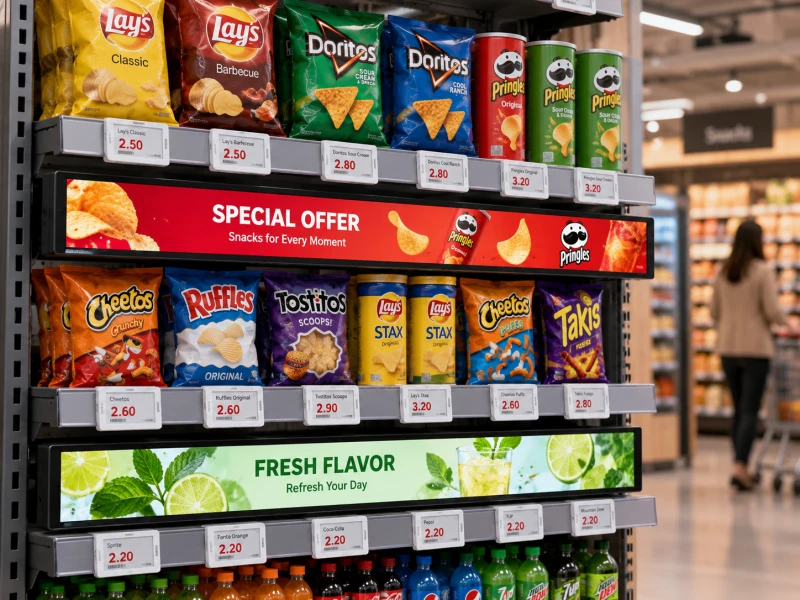
A weekend promotion ends at midnight. The checkout system has already restored regular prices, but several electronic shelf labels still show the discount. Meanwhile, a shelf-edge LCD continues playing an advertisement for an offer that has expired.
Every device may be functioning correctly from a hardware perspective. The problem is that the store's pricing, display content and campaign schedules have not changed together.
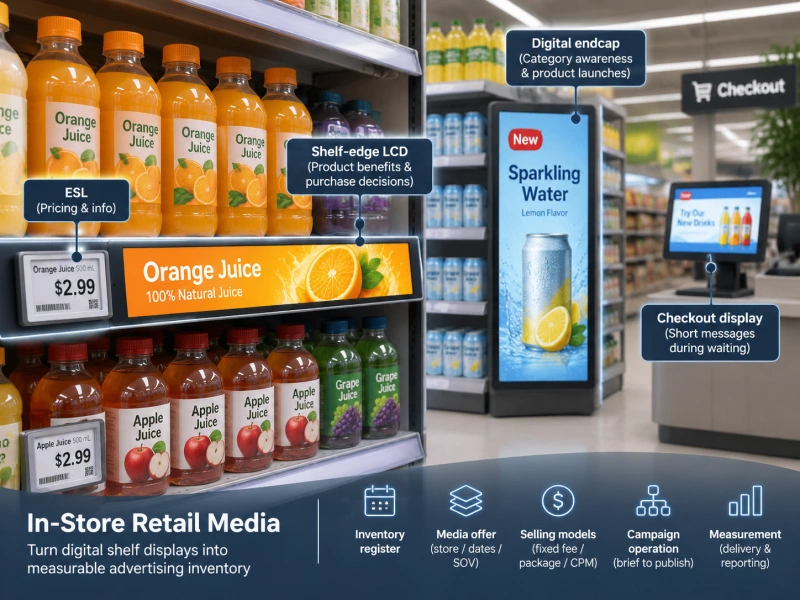
Retail promotion changeovers become more complicated when stores use electronic shelf labels (ESLs), shelf-edge LCD displays, digital signage and centralized pricing systems. Each component may have its own update schedule, data source and operating team. A successful campaign launch therefore depends on more than sending new prices or uploading promotional videos.
The practical solution is to manage each promotion as a controlled changeover: define the offer, identify every affected display, coordinate the activation sequence, verify what customers actually see and prepare a recovery procedure.
This guide provides a step-by-step operating framework for supermarkets, convenience stores, beauty retailers and multi-location businesses. It focuses specifically on campaign execution, rather than comparing display technologies or explaining general system architecture.

1. What Is a Retail Promotion Changeover?
A retail promotion changeover is the coordinated process of activating, modifying or ending a promotional offer across the store's customer-facing and transaction systems.
For a traditional store, the process might involve changing prices in the POS database, printing shelf tickets and replacing promotional signs. Digitally equipped stores can distribute those updates electronically, but the underlying coordination problem remains.
A typical changeover may involve:
- Updating approved promotional prices in the pricing system.
- Delivering the correct prices to checkout terminals.
- Updating electronic shelf labels for affected SKUs.
- Publishing promotional images or videos to LCD displays.
- Changing category or endcap advertising.
- Removing outdated offers from the previous campaign.
- Verifying that displayed information matches the intended offer.
The National Retail Federation's explanation of digital shelf labels emphasizes that the labels communicate prices determined by retailers' existing systems. The displays are not themselves responsible for making pricing decisions.
This distinction matters during promotional changeovers. The pricing system establishes what should be charged; the display systems communicate approved information to shoppers.
The operational objective is to ensure that these messages remain accurate throughout the transition.
2. Why Digital Promotions Still Fail at the Shelf
Digital displays remove some manual work, but they introduce dependencies that printed labels do not have. A campaign may be approved centrally while individual stores are still processing updates, handling failed devices or waiting for new media files.
Different Systems Have Different Update States
A change marked as published in a management dashboard may not yet be visible on every device.
An electronic shelf label update can pass through several stages: the pricing record is approved, sent to the label platform, delivered through the communication network and applied to the physical display.
Similarly, an LCD media file may be uploaded successfully but remain unpublished, undownloaded or scheduled for a later time.
Retailers therefore need to distinguish between a successfully submitted update and a successfully displayed result.
Campaigns May Have Multiple Effective Times
A promotion might begin at the start of a trading day, while an advertising campaign is scheduled to begin earlier. A multi-store retailer may also have different local operating hours and time zones.
Without explicit scheduling rules, one store can show tomorrow's promotion while another is still displaying yesterday's campaign.
Product and Location Information Can Become Outdated
Displays may be working perfectly but assigned to the wrong products or shelf locations.
Examples include an ESL still associated with a discontinued SKU, an LCD showing an advertisement for a product that has moved to another aisle, or a campaign assigned to the wrong store group.
These errors cannot be corrected by improving display quality. They require accurate product records, location assignments and campaign controls.
3. Build a Campaign Changeover Plan Before Publishing
The simplest way to reduce confusion is to create one campaign record that links the promotion's commercial terms with its display requirements.
A promotional changeover should never depend on a collection of unrelated emails, image files and pricing instructions that different teams interpret independently.
Define the Campaign Record
For each promotion, record the following information:
| Field | Information Required | Why It Matters |
|---|---|---|
| Campaign ID | Unique campaign reference | Connects pricing, artwork and verification records |
| Product scope | Approved SKU or product identifiers | Prevents incorrect product assignments |
| Store scope | Participating stores and departments | Limits updates to intended locations |
| Start and end | Approved local effective dates and times | Controls campaign activation and expiration |
| Price information | Regular price, promotional price and conditions | Supports consistent customer communication |
| Content assets | Approved graphics, videos and versions | Prevents outdated advertisements |
| Display scope | Target ESL groups, LCD devices and zones | Connects the offer to physical hardware |
| Owner | Responsible department or named role | Establishes accountability |
| Recovery plan | Approved fallback content and correction process | Allows controlled response to failures |
The campaign ID is especially useful. It can connect a pricing change to its advertising artwork, device targets and approval history without forcing every system to share the same internal database structure.
Separate Price Approval From Advertising Approval
Merchandising or pricing teams should authorize prices and offer conditions. Marketing teams can approve artwork and promotional messaging. Store operations should confirm that the physical shelf layout matches the planned campaign.
For electronic shelf labels, template control is important because labels may contain unit prices, promotional conditions and additional product information. LEGOYO's article on ESL template governance discusses the requirements for managing that information consistently.
A campaign should not be released simply because the artwork looks correct. Its displayed price, product identity, dates and offer restrictions must also be approved.

4. Step-by-Step Retail Promotion Changeover Workflow
The following workflow provides a practical operating sequence. The exact timing should be adapted to the retailer's software, device capabilities and approved pricing policies.
Step 1: Prepare and Validate the Promotion
Begin by confirming the products, stores, promotional conditions and effective period.
Check that each SKU exists in the intended store's product database and that its price information is complete. Remove discontinued products, duplicate assignments and unsupported promotional combinations before release.
For campaigns requiring special product labels, confirm that the selected ESL template can display the necessary information clearly.
If a campaign includes a percentage discount, verify the actual authorized selling price rather than relying on advertising artwork to calculate it independently.
Step 2: Prepare Digital Display Content
LCD content should be approved before the campaign begins. Prepare the correct resolution, aspect ratio, file format and duration for each display group.
For stretched shelf-edge screens, long-format artwork requires particular attention. Text that appears readable on a desktop monitor may be too small when displayed near floor level or across a narrow screen.
Important promotional information should remain visible long enough for shoppers to understand it. Avoid relying entirely on fast animations to communicate prices or conditions.
LEGOYO's guide to shelf-edge LCD content design offers additional considerations for layout and readability.
Content packages should be identified by version. This allows operators to distinguish the approved campaign from earlier drafts and makes rollback less ambiguous.
Step 3: Verify Target Devices and Shelf Locations
Before publishing, reconcile the campaign's product list with the physical display inventory.
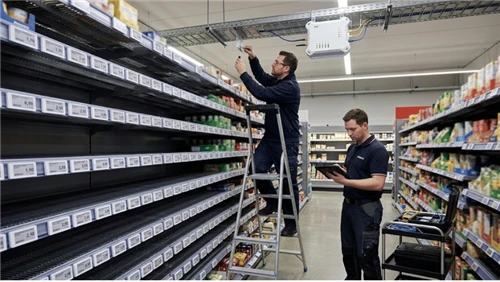
For ESLs, confirm that labels remain associated with the correct products and shelf positions. For LCD displays, confirm the destination store, screen group and promotional zone.
A target list should include enough information to identify the physical device if a problem occurs. Depending on the system, that may include a device identifier, store number, aisle, fixture or shelf position.
When labels have been moved during shelf replenishment or a planogram change, repeat the necessary device-to-product checks. The ESL binding and commissioning workflow provides further guidance.
Step 4: Stage Updates Without Activating Them Prematurely
Where supported, distribute approved LCD media in advance while retaining the existing live campaign until the scheduled changeover.
This reduces the amount of content that must be transferred during the activation window. However, staging is not the same as publishing: each destination should report whether the required content is actually available.
ESL price changes must follow the approved transaction-price process. Do not expose future prices on customer-facing labels before they are authorized to take effect.
The retailer should establish whether its systems support scheduled activation, acknowledgments, delayed updates and failure reporting. These capabilities should be tested rather than assumed.
Step 5: Activate Prices and Promotional Content
At the approved start time, release the promotion according to the retailer's established price activation procedure.
The sequence should be designed to avoid a period in which customers see a promotional price that checkout cannot honor.
If the ESL system and LCD content platform cannot activate simultaneously, use a controlled transition. For instance, a generic product advertisement without a specific offer price may be suitable while a price update is being verified, provided that the message is accurate and approved.
Do not treat an update command's successful transmission as proof that every display has changed. Confirmation must reflect the actual capabilities and reporting limitations of the installed hardware.
Step 6: Reconcile and Inspect
After activation, compare the approved campaign record with the checkout system, ESL update status and LCD content status.
Store staff should physically inspect a representative set of promotional locations, especially high-visibility endcaps, products with conditional offers and displays that reported errors.
If a system supports only delivery acknowledgment rather than visual confirmation, record that limitation and perform an appropriate physical check.
Step 7: Close the Campaign
Campaign expiration needs the same attention as activation.
At the approved end time, restore the authorized regular price or apply the next scheduled price. Remove or replace expired advertising content, verify the changed displays and close the campaign record only after outstanding exceptions are resolved.
Do not assume that a media file's scheduled expiry automatically restores a valid price at checkout or on the shelf. Those are separate operational responsibilities.
5. Create One Campaign Calendar Across Store Systems
Promotional changeovers become easier to manage when all affected teams work from the same effective-date schedule.
A useful calendar includes three stages: preparation, activation and closeout.
| Stage | Typical Work | Responsible Function |
|---|---|---|
| Preparation | Approve offer, validate SKUs, prepare media, check devices | Pricing, marketing and operations |
| Activation | Release prices, publish content, monitor update status | Pricing operations and display administrators |
| Verification | Reconcile systems, inspect shelves and resolve exceptions | Store operations and support |
| Closeout | End the offer, restore content, verify and archive records | Campaign owner and store operations |
For multi-location campaigns, include the local time zone and store trading schedule in the record. A timestamp without a clear time zone may result in an offer activating at the wrong local time.
Also decide how the business handles stores that are temporarily offline during a scheduled change.
Some systems may retain previously displayed information until connectivity returns. Others may support cached content or locally scheduled playback. The actual behavior depends on the platform and configuration.
For more on store-level software scheduling and device control, see LEGOYO's Bar LCD CMS integration guide.

6. How to Handle Failed or Delayed Campaign Updates
A reliable process assumes that occasional failures will occur. The objective is to detect and correct them before inaccurate messages remain visible for an extended period.
Scenario A: Checkout Price Updated, ESL Did Not
First identify the affected SKU, store and label. Compare the displayed value with the approved price and inspect the label's reported update state.
Determine whether the problem involves product mapping, communication, device condition or the underlying data.
Follow the retailer's price-discrepancy procedure while the issue is being corrected. An unresolved mismatch should not simply be marked as a successful update because the central system sent the instruction.
Scenario B: LCD Still Shows an Expired Advertisement
Confirm the campaign's expiration time, content schedule and device status.
If the display supports remote control, publish approved replacement content or an appropriate neutral message. If remote recovery is unavailable, follow the site maintenance procedure.
For an advertisement containing a specific price, treat the problem as a potential customer-information error rather than merely a visual defect.
Scenario C: The Store Network Is Offline
The store should already have a documented fallback procedure.
Depending on the equipment, an E-paper label may retain its last displayed image, while an LCD might continue playing locally stored media. These behaviors must be verified for the exact devices and software used.
Retailers should understand the limitations of ESL offline operations before scheduling high-volume price changes.
Where a device cannot be updated or verified, the responsible team should decide how to prevent outdated information from misleading shoppers, following the company's approved operating procedure and applicable rules.
Scenario D: The Wrong Products Receive the Promotion
Pause further release to the affected group and review product identifiers, campaign filters and device assignments.
Correct the source mapping before retransmitting updates. Simply sending the same campaign again may reproduce the original error.
Document which records were affected, what was corrected and how the outcome was verified.
7. Promotional Changeover Example: A Weekend Grocery Campaign
Consider an illustrative supermarket chain preparing a weekend promotion covering packaged snacks, beverages and selected household products.
The campaign includes product-level discounts shown on ESLs and promotional videos shown on LCD screens in selected aisles.
The following example demonstrates the operating sequence. It does not describe a real LEGOYO customer installation or measured result.
Before the Campaign
The pricing team approves the participating SKUs, promotional prices and applicable stores. Marketing supplies approved promotional images and videos.
Operations checks that the affected products are still assigned to the intended shelf positions. The display administrator confirms that the correct media files have been distributed to the planned LCD groups.
Both teams use the same campaign ID and effective period.
At Campaign Activation
The approved pricing process activates the offer at checkout. The ESL platform processes the corresponding shelf-label updates.
The LCD content platform activates the relevant campaign after the required conditions for showing the offer have been satisfied.
Operators review update reports, identify exceptions and assign any necessary physical checks.
During the Campaign
Store personnel check selected promotional locations as part of their normal opening and floor-inspection routines.
If a product is moved to another shelf, the relevant label and promotional association are reviewed before its location information is considered current.
Campaign changes made after launch are handled as controlled revisions, with a new approved version rather than informal changes to individual screens.
After the Campaign
Regular or next-scheduled prices are restored through the authorized pricing process. LCD advertisements are replaced or removed according to their approved schedules.
Any failed updates, expired advertisements and unresolved shelf mismatches are reviewed before the campaign is officially closed.
The main benefit of this workflow is accountability: staff can identify what should have happened, which devices were affected and whether the results were confirmed.
8. The KPIs That Actually Matter During a Changeover
Campaign performance is not measured only by sales. A store also needs to know whether the promotion was deployed correctly.
The following operational indicators are useful:
| KPI | How to Measure It | What It Reveals |
|---|---|---|
| Update completion rate | Confirmed successful updates divided by targeted devices | Delivery and execution completeness |
| Activation delay | Time from approved activation to confirmed display state | Changeover responsiveness |
| Price discrepancy rate | Mismatches found divided by checked product positions | Accuracy of displayed pricing |
| Expired-content incidents | Number of devices showing expired campaign content | Effectiveness of content expiration controls |
| Exception resolution time | Elapsed time from detection to verified correction | Support response effectiveness |
| Manual intervention volume | Number of store-level corrections required | Operational workload |
Definitions must remain consistent across stores. For example, a platform that confirms message delivery should not report the same success metric as a platform that verifies the displayed value unless the distinction is documented.
When conducting physical audits, define the sample size, selection method and reporting period before collecting results.
The broader electronic shelf label acceptance testing guide provides additional context for assessing display system operation.
9. What to Specify When Purchasing Hardware for Frequent Promotions
Retailers planning frequent campaign changes should discuss operational requirements with suppliers before comparing screen prices.
Electronic Shelf Label Requirements
Ask suppliers to confirm the selected model's update behavior, wireless infrastructure, supported display templates, device identification method and management software capabilities.
Important questions include whether the system reports failed updates, how devices are assigned to product records and what operators can see during a network interruption.
LEGOYO offers electronic shelf label products in different display formats. Buyers should match the specific model to the required content, shelf space and supported software configuration.
Shelf-Edge LCD Requirements
For LCD displays, request specifications for panel size, active area, brightness, mounting, power input, media player and supported video formats.
Also confirm whether content can be staged, scheduled, replaced and monitored remotely. These functions may depend on the selected player and CMS rather than the LCD panel itself.
A 28-inch stretched bar LCD display is one possible hardware format for shelf-level promotional communication, but the complete installation must be specified around the actual fixture and content requirements.
Questions for Both Systems
- How are devices uniquely identified and assigned to stores?
- What update acknowledgments are available?
- Can scheduled updates be canceled before activation?
- What happens if connectivity is lost during a campaign change?
- How are failed updates detected and corrected?
- What records are retained for troubleshooting and auditing?
- What software and support functions are included in the quotation?
For installations that combine different hardware platforms, agree on integration responsibilities and acceptance criteria before deployment.
10. Frequently Asked Questions
How can retailers prevent promotional prices from being different at the shelf and checkout?
Use an approved pricing source, coordinate the effective time, update the relevant displays and verify the results. Retailers also need a clear exception procedure for labels that do not update successfully.
Can electronic shelf labels update automatically when a promotion starts?
Many ESL platforms support centrally managed updates, but scheduling and automation features depend on the specific system. Retailers should confirm whether updates can be prepared in advance, activated at a defined time and monitored after release.
Can shelf-edge LCD advertisements change on a schedule?
They can when the installed media player and content management solution support scheduled publishing. The screen itself does not guarantee those functions, so software capabilities must be verified during procurement.
What should happen if an LCD displays an expired promotional price?
The retailer should identify the affected display, stop or replace the incorrect content using an approved method and verify the correct information. The incident should also be recorded so the underlying scheduling or delivery problem can be addressed.
Should promotional content and prices be controlled by the same team?
Not necessarily. Pricing, marketing and store operations may have different responsibilities. What matters is that each campaign has clear ownership, approval rules and a coordinated activation process.
Do ESLs and LCD displays have to use the same software?
No. They can use separate management systems. However, when both communicate product prices or offer conditions, retailers need an approved data source and procedures that prevent conflicting customer messages.
How often should stores inspect digital promotional displays?
The inspection schedule depends on promotional frequency, the importance of displayed information, available system monitoring and the retailer's risk requirements. High-impact campaign launches and reported update failures deserve targeted checks.
11. Final Checklist Before Every Promotional Changeover
Use the following checklist as a practical handover record before a campaign goes live.
- Confirm that the campaign has an approved ID, scope and effective period.
- Validate participating products and store assignments.
- Verify promotional prices and required conditions.
- Approve final artwork, media files and display templates.
- Check ESL product binding and LCD device grouping.
- Confirm that the required media is staged on target systems where supported.
- Verify the authorized activation sequence.
- Assign responsibility for checking failed or delayed updates.
- Test checkout pricing and representative shelf displays.
- Confirm campaign expiration and replacement instructions.
- Prepare approved fallback content and exception procedures.
- Retain the changeover record for troubleshooting and review.
A well-controlled changeover does not require every display to use the same technology. It requires a defined relationship between the approved offer, the systems distributing information and the devices presenting it to customers.
12. Plan Your Retail Display Project With LEGOYO
Electronic shelf labels and shelf-edge LCD displays can support different parts of a retail promotion. ESLs communicate individual product information, while LCD screens can present campaign visuals, product demonstrations and branded messages.
For retailers managing frequent promotions, hardware selection should include more than screen size and display quality. Device identification, mounting, content management, update reporting and support requirements can affect how reliably the store executes each campaign.
LEGOYO provides electronic shelf labels and commercial LCD display products for retail projects, with hardware options that can be evaluated according to the intended installation and management requirements.
When requesting a quotation, include the number of stores, approximate SKU count, proposed promotional locations, shelf dimensions, existing pricing software and desired content workflow.
Preparing a digital shelf or promotional display project? Contact LEGOYO to discuss suitable display hardware, installation requirements and project-specific configuration options.