


A transparent LCD showcase creates a visual effect that ordinary display hardware cannot: customers see the physical product and digital content through the same front surface. That makes the enclosure part of the customer experience, but it also makes the enclosure part of the security system. Jewelry, electronics, collectibles, prototypes, museum objects, and premium merchandise can remain physically accessible to service staff while still needing protection from casual tampering, forced opening, cable interference, and accidental impact.
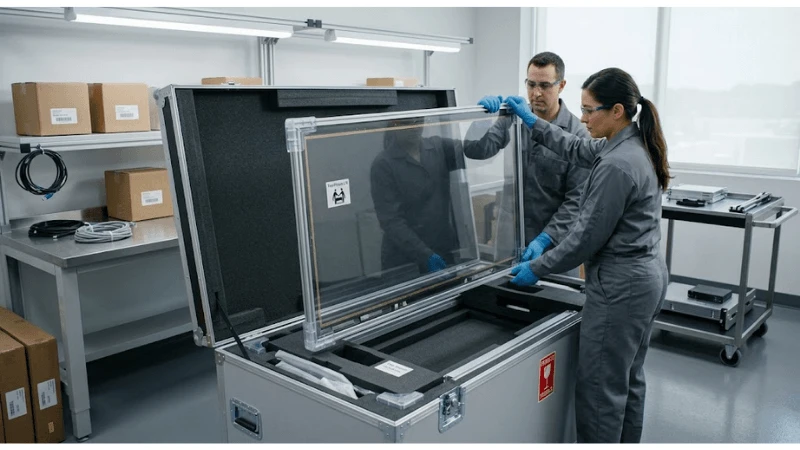
Transparent LCD showcase security should therefore be designed as a balance between access control, optical performance, serviceability, thermal management, and merchandising. A stronger lock is not enough if its mounting distorts the door, blocks the viewing area, pinches a signal cable, or forces technicians to remove the display panel for every service task. Because showcase geometries and panel assemblies vary widely, the exact lock, glass, hinge, and cable-retention solution must be engineered for the selected cabinet rather than copied from a generic display case.
Start With the Asset and Threat Model, Not the Lock Catalog
Security requirements change with what is inside the cabinet and how the public interacts with it. A low-value product sample in a supervised trade-show booth has a different threat model from high-value jewelry in an unattended retail zone. A museum may prioritize controlled curatorial access and minimal visible hardware. An electronics store may need frequent staff access for charging and product rotation. Define the asset value class, supervision level, opening frequency, expected public contact, and consequences of an unauthorized opening before specifying hardware.
Also distinguish malicious tampering from accidental load. A visitor leaning on a door, a cleaning cart striking the cabinet, a child pulling a handle, and a thief probing a lock are different events. Mechanical design should address reasonable impact and handling risks without promising burglary resistance that has not been tested. If a project requires a formal security or impact rating, the buyer should specify the applicable standard and request evidence for the complete enclosure configuration-not infer compliance from the thickness of one glass panel.
| Design question | Why it matters | Evidence to request |
|---|---|---|
| What is protected? | Asset value and replaceability define the security objective | Asset class and operational loss scenario |
| Who needs authorized access? | Determines key/card management and opening frequency | Named staff roles and access workflow |
| How often is the door opened? | High-cycle access changes hinge, latch and cable requirements | Expected service/merchandising routine |
| Where is the showcase installed? | Supervision, traffic and cleaning exposure change the risk | Site layout and public-contact conditions |
| Is a formal rating required? | Security claims need test evidence | Applicable standard and tested enclosure configuration |
Lock Placement Must Be Designed With Door Geometry and the Transparent Viewing Area
A lock is mechanically effective only when the strike, frame, door, and fasteners transfer load as intended. Transparent showcases often have narrow perimeter zones because the front surface is also the display. Placing a lock where it intrudes into the active area can obstruct content or the physical product. Placing it too close to an unsupported glass edge can create stress. The enclosure designer should define a structural mounting zone before the panel, touch overlay, trim, and merchandising layout are frozen.
Cam locks, keyed latches, concealed locks, electromagnetic or electronic access devices can all be appropriate in different cabinets. The important specification is not the lock family alone; it is the complete opening behavior. Ask whether the door can be opened while the screen is powered, whether a service key is captive or removable, whether the latch gives clear closed-state feedback, and whether staff can accidentally leave the door looking closed but unlatched.
Key management is part of physical security
If multiple stores use identical mechanical keys, a lost key can affect a larger fleet. If every cabinet uses a unique key, service operations become harder. Electronic access can improve auditability but adds power, wiring, configuration, and failure-mode considerations. The procurement team should choose the keying/access strategy with store operations, not leave it to the enclosure fabricator after the cabinet design is complete.
Hinges, Latches, and Service Openings Should Not Load the Display Panel
The transparent LCD assembly is an optical/electronic component, not a structural door beam. Door loads should travel through the enclosure frame, hinge reinforcement, and dedicated hardware. Cable loops must have enough controlled movement for the full door travel and should not pull on panel connectors. When touch glass or safety cover glass is bonded or mechanically retained at the front, hinge deflection and frame twist can affect alignment even if the panel itself is not directly carrying the door.
Service access is often safer when the merchandise compartment and electronics compartment are separated. Staff may need to replace a product, clean the interior, or rotate a display without exposing power supplies and signal boards. Technicians may need access to electronics without opening the public merchandise space. Separate access zones can reduce both security exposure and service time, although the exact approach depends on cabinet size and internal layout.
Protect Cables, Power, USB, and Service Ports From Public Reach
A locked door does not secure a showcase if a public-facing vent or cable opening gives access to USB, power, a media-player port, or an easily unplugged connector. Route service cables inside protected channels, use strain relief, and keep removable media ports behind authorized-access panels when the workflow allows. If the screen is updated by USB, decide whether staff should access a dedicated port without reaching the electronics cavity.
External power and network cables also need mechanical protection. A cable exiting at floor level can be pulled, cut, or caught by cleaning equipment. A floor-standing cabinet may benefit from internal strain relief and an exit path that does not expose the connector body. If the cabinet is anchored, the cable route should not prevent the required movement for installation or service. For wall or furniture-integrated cases, document who owns the final cable protection: display supplier, shopfitter, electrical contractor, or site integrator.
Safety Glass and Edge Protection Need a Complete-Enclosure View
Transparent showcases may use a transparent LCD panel, cover glass, touch overlay, side glazing, shelves, and a rear or top access surface. These layers can use different materials and retention methods. Buyers should avoid collapsing them into a single question such as "Is the screen tempered?" The screen stack and the structural glazing have different roles. Ask which glass is safety glass, where exposed edges are protected, how the panel is retained if damaged, and how replacement is performed.
Edge protection matters because glass is vulnerable at edges and corners during handling. Trim can also hide fasteners and improve tamper resistance, but it must not introduce pressure points on the active display. A clean front appearance should not depend on adhesive-only retention unless the retention design and service method are appropriate for the environment. Where impact requirements are important, request test evidence for the assembled front or cabinet configuration.
Door Sensors and Access Events Can Improve Operational Control
A simple door-open sensor can support several workflows: pause interactive content while staff are servicing the cabinet, turn internal lighting to a service state, generate a local indicator, or log an access event in a higher-level system. Whether those functions are available depends on the controller and integration. The sensor should not be described as a security system by itself; it is an input that can improve awareness when combined with defined logic.
If an electronic lock or access sensor is added, define what happens during power loss. Staff may need a mechanical override. A fail-safe or fail-secure philosophy should be selected based on life-safety, asset-security, and operational requirements; it should not be chosen merely for convenience. Any integration with an alarm or building system should be documented as a separate interface with clear ownership.
Merchandising Safety: Security Cannot Destroy the Optical Effect
The physical product should remain visible, and the digital overlay should remain legible. Large opaque lock housings, dark cable bundles, exposed brackets, or poorly positioned sensors can compromise the transparent effect. Security hardware should be placed in perimeter or structural zones where possible. Interior lighting should not create glare on lock hardware or reveal distracting wiring. The product should not sit so close to a moving door or cable loop that opening the case can strike it.
Merchandising teams should review a physical mock-up, not only a CAD image. A lock that looks unobtrusive in a drawing can become prominent when viewed through the transparent panel. The same mock-up can confirm hand clearance, door swing, product removal path, internal lighting, camera sightlines, and the customer viewing cone. This is especially useful when the case will display small premium products where minor visual clutter is noticeable.

Transparent LCD Showcase Security Acceptance Checklist
| Check | Method | Acceptance evidence |
|---|---|---|
| Authorized opening | Use every normal key/access method | Door opens smoothly without loading panel or cables |
| Latch confirmation | Close the cabinet repeatedly | Closed state is unambiguous and repeatable |
| Cable protection | Inspect public perimeter and full door travel | No accessible unplug points; strain relief remains effective |
| Panel/edge protection | Inspect active glass, trim and corners | No unprotected edge or hardware pressure point in agreed zones |
| Service separation | Perform a routine media/player service task | Technician can reach required components without unnecessary asset exposure |
| Power-loss access | Simulate permitted power-loss condition | Override/failure behavior matches the documented policy |
| Merchandising review | View from expected customer positions | Lock, wiring and sensors do not materially obstruct product/content |
RFQ Questions for a Secure Transparent Showcase
- What cabinet areas are structural mounting zones for the lock and hinges?
- What type of authorized access is proposed, and how are keys or credentials managed?
- Which glass layers are structural, protective, touch, or part of the LCD optical stack?
- How are exposed glass edges and corners protected during use and service?
- How are display, power, USB, network and sensor cables retained through full door travel?
- Can merchandise access and electronics service access be separated?
- Can a door-open sensor or electronic access status be exposed to the controller if required?
- What is the documented behavior during loss of mains power?
- Which security or impact claims are supported by test evidence for the complete assembly?
- Can the supplier provide a mock-up or engineering drawing showing lock, hinge, cable and active-display zones?
FAQ
Q: Does a stronger lock automatically make a transparent showcase secure?
A: No. The frame, strike, fasteners, hinges, glazing, cable openings, anchoring, and access workflow all contribute. A strong lock mounted to a weak or flexible structure can move the failure point without solving the problem.
Q: Should the display door be allowed to open while the screen is powered?
A: That depends on the panel assembly, cable routing, touch overlay, and service procedure. If powered opening is required, the cable loop, connector retention, moving clearances, and staff instructions should be designed and tested for it. Otherwise, the service procedure may require a controlled power state before opening.
Q: Can the same cabinet protect both merchandise and electronics?
A: It can, but a single shared access space may expose electronics during routine merchandising and expose merchandise during technical service. Separate zones are often easier to control when the enclosure has enough space, but the decision should reflect the actual service model.
Q: What should be verified before shipping a custom cabinet?
A: At minimum, verify lock/latch operation, hinge travel, cable movement, glass/edge protection, panel alignment, lighting, authorized service access, power-loss behavior where relevant, and the visual effect from the expected customer positions. If the project requires a formal rating, include that evidence in the acceptance package.
Q: Final Procurement Perspective
A: Transparent LCD showcase security is a multidisciplinary enclosure problem. The best designs start with the protected asset and service workflow, establish structural zones for locks and hinges, protect every accessible cable path, separate glass roles, define power-loss and access behavior, and validate the result with a physical acceptance checklist. That protects the merchandise without sacrificing the transparent display effect that justified the showcase in the first place.
Prototype the Complete Door and Access Workflow Before Production
Security hardware should be tested on a representative cabinet, not only as independent components. Build a prototype with the real display panel or a mechanically equivalent sample, the intended cover glass, hinges, lock, interior lighting, cable harness, player, shelves, and product mock-up. Perform the exact staff actions expected in operation: unlock, open, remove or replace the merchandise, connect a service tool if required, close, latch, confirm security, and restore the display to customer-ready condition.
Watch where hands, keys, cables, and the product travel. A lock may be secure yet awkward enough that staff scrape the glass with keys. A door may open smoothly when empty but flex after a shelf is loaded. A cable loop may clear the hinge at ninety degrees but pinch when the door is only partially open. These observations are difficult to predict from CAD and directly affect both security and long-term serviceability.
Separate Security Events From Ordinary Service Events
Not every opening should be treated as an alarm. Merchandise rotation, cleaning, media-player service, lighting adjustment, and inventory inspection can all be legitimate. Define which openings require authorization, which need an access record, and which can be performed by store staff. If an electronic sensor is included, decide how maintenance mode is entered so technicians do not create false security events throughout a planned service visit.
For higher-value installations, the organization may want a record of who opened the cabinet and when. That capability depends on the access-control hardware and integration and should be specified explicitly. A simple mechanical key provides no electronic audit trail. An electronic lock may provide one, but it introduces credential management, power-loss behavior, software integration, and cybersecurity questions. The value of the audit trail should justify those operational dependencies.
Plan for Cleaning, Consumables, and Repeated Human Contact
Retail cases are cleaned frequently, and cleaning can unintentionally defeat a security design. Staff should not need to remove protective trim, disconnect a sensor, or leave a door unlocked to reach common surfaces. Specify approved cleaning access and materials for the screen, glass, frame, lock and seals. If a lock cylinder or hinge requires periodic maintenance, include it in the service schedule and make sure lubricants or tools cannot contaminate the optical stack.
Keyed access also creates a consumables-and-spares question: spare keys, replacement cylinders, lock modules, hinge hardware, bonding straps for electronic locks, and door sensors may need to be stocked. Record part numbers and replacement procedures. If a lock is changed in the field, verify that the new hardware does not protrude into the active display area or change door alignment.
Use Change Control for Glass, Locks, Hinges, and Cabinet Fabrication
Transparent display cabinets are often customized, so production substitutions can be tempting when a hinge or lock is unavailable. A seemingly equivalent part can move a mounting hole, change door offset, require a larger cutout, or alter the load on the glass edge. Treat changes to lock, hinge, frame profile, glass thickness/type, adhesive, cable harness, or access sensor as engineering changes that require review against the approved prototype.
The acceptance record should include drawings or photographs that show the intended lock and hinge zones, cable path, glass protection, fastener type, and service clearances. That record helps procurement compare later production lots and helps field service restore the enclosure correctly after repair. Security is strongest when the mechanical design can be reproduced consistently, not when it depends on one experienced assembler knowing where each part "usually goes."





