Remote assistance changes a self-service kiosk from a silent terminal into a two-way communication device. That sounds simple-add a microphone, a speaker, and a call application-but the installed audio path is affected by enclosure geometry, fan and printer noise, loudspeaker leakage into the microphone, user position, software audio routing, network behavior, privacy expectations, and accessibility requirements. A microphone that sounds clear on a workbench can perform poorly after it is recessed behind a bezel. A speaker that is loud enough in a quiet office can become difficult to understand in a busy lobby. An echo canceller that works with one audio route can stop working when a USB device, headset, or operating-system setting changes.
This guide owns one specific engineering task: designing and validating the two-way audio path for remote assistance on a public or commercial kiosk. It is for kiosk engineers, system integrators, AV teams, remote-support operators, QA teams, and technical buyers. It does not try to replace the site's broader self-service kiosk accessibility, kiosk privacy, or remote monitoring and preventive maintenance guidance. Start with the Kiosk Display category for the broader commercial hardware context, then use this article to define the audio-specific design and acceptance work.
Start With the Complete Audio Round Trip
The useful unit of design is not the microphone or the speaker by itself. It is the full round trip from the person at the kiosk to the remote agent and back again. If any link in that chain is weak, the remote session can sound broken even when every component is individually functional.
| Audio stage | What can change the result | What to verify |
|---|---|---|
| User to microphone | User distance, standing or seated position, microphone orientation, bezel opening, background noise | Speech remains intelligible across the intended user positions |
| Microphone to capture path | Microphone board, USB or codec device, gain, operating-system route, driver, sample format | The intended device is selected and the captured signal is neither clipped nor too weak |
| Local audio processing | Echo cancellation, noise suppression, automatic gain control, beamforming, application settings | Processing improves the call without suppressing normal speech or becoming unstable |
| Network and session | Codec, packet loss, jitter, latency, reconnect behavior, application state | Audio problems can be separated from local acoustic problems |
| Remote endpoint | Agent headset, software gain, device selection, conferencing platform | The agent hears the kiosk user consistently and can distinguish local from remote faults |
| Speaker to kiosk user | Speaker orientation, grille, enclosure resonance, playback level, ambient noise, privacy | Remote speech is understandable without excessive spill into the microphone or surrounding area |
Document the exact hardware and software route before tuning. Record the microphone device, speaker device, operating system, driver or firmware where relevant, call application, audio-processing state, and the kiosk enclosure revision. When a later change affects one of these items, the original audio result should not be assumed to remain valid.
Design the Microphone Around the User and the Enclosure
Microphone selection matters, but placement usually determines whether the selected microphone can do its job. A microphone should have a clear acoustic path toward the expected user position and should not be treated as if the kiosk enclosure were acoustically transparent.
Define the real pickup zone
Test the microphone from the positions people will actually use. A public kiosk may need to support a tall standing user, a shorter standing user, a seated user, or someone who naturally speaks while looking at a payment terminal rather than directly at the display. If remote assistance is intended only from one defined interaction position, document that boundary instead of assuming the microphone can capture the entire surrounding area equally well.
Microphone arrays and directional processing can help control pickup, but more microphones do not automatically produce a better result. The array geometry, processing implementation, acoustic openings, enclosure reflections, and user position must work together. If the project uses an integrated microphone board or array, obtain the exact supplier documentation for that device rather than copying beam angles or pickup distances from another model.
Protect the acoustic opening
A microphone can be electrically correct and acoustically blocked. Decorative mesh, thick foam, gasket material, a misaligned aperture, adhesive, protective film, or a late bezel change can attenuate speech or alter the frequency response. Inspect the final production-equivalent front panel and verify that the acoustic port remains open after assembly.
Do not mount the microphone next to a predictable noise source merely because the PCB layout is convenient. Fans, printers, vibration from a speaker enclosure, relays, and mechanical resonance can enter the microphone locally and be much harder to remove than room noise arriving from a distance. During prototype testing, run those devices while recording the microphone rather than testing the audio system with the kiosk otherwise idle.

Place the Speaker to Serve the User Without Feeding the Microphone
The speaker has two jobs that can conflict: it must deliver clear speech to the kiosk user, but it should not dominate the microphone input. Speaker placement, directivity, grille design, enclosure volume, mounting stiffness, and the physical separation from the microphone all affect that balance.
Avoid treating speaker volume as the primary fix for poor intelligibility. Raising playback level can help the user hear the remote agent, but it also increases acoustic energy reaching the microphone and can make echo control more difficult. It can also increase privacy spill into the surrounding space. First check whether the speaker is aimed toward the user, whether the grille is obstructed, whether the enclosure creates strong resonance, and whether background noise is masking the speech.
Mechanical coupling matters as well. If the speaker is rigidly mounted to a panel that also supports the microphone, vibration can reach the microphone through the structure even when the direct acoustic path seems acceptable. Prototype testing should therefore compare the finished enclosure, not only loose audio components on a bench.
Echo Control Is a System Function, Not a Checkbox
Two-way remote assistance often requires the microphone to stay active while the kiosk speaker is playing remote speech. That creates an acoustic echo path: the far-end voice is reproduced by the kiosk speaker, picked up by the kiosk microphone, and sent back to the remote agent. In a severe case, the far end hears a delayed version of their own voice. In a worse configuration, gain around the loop can produce audible feedback or unstable behavior.
For WebRTC-based systems, RFC 7874 recommends acoustic echo cancellation or another form of echo control for endpoints and discusses the interaction between echo cancellation and capture/playback clocks. The current W3C Media Capture and Streams specification also exposes echoCancellation as a constrainable audio property for captured media. These references are useful for understanding the software layer, but neither proves that a finished kiosk will have good echo performance. The acoustic path inside the enclosure and the actual device routing still have to be tested.
Confirm that the canceller has the right signal path
Echo cancellation works best when the processing path has access to the playback reference that actually reaches the kiosk speaker. A software setting labelled "AEC" is not enough if the application captures from one device while playback is routed through another path the canceller cannot reference correctly. This is especially important when the design can switch between built-in audio, USB audio, HDMI audio, Bluetooth, or a headset.
Record the selected input and output device for every supported mode. Then repeat the echo test after a reboot, remote-session reconnect, USB device replacement, and any automatic route switch. Many intermittent "echo problems" are routing problems that appear only after the state changes.
Test full-duplex interruption, not only alternating speech
If the user must be able to interrupt the remote agent, test double-talk: the kiosk user speaks while remote speech is still playing. A system can sound excellent when only one side speaks at a time and still suppress, clip, or distort the near-end user during simultaneous speech. The expected behavior should match the application. A push-to-talk workflow has a different requirement from a natural full-duplex support call.
If the application supports a private headset mode, recheck the processing state after the headset is connected. RFC 7874 notes that endpoints should be able to detect a headset and disable echo cancellation when appropriate, because the loudspeaker-to-microphone echo path has changed. The exact implementation remains platform-specific.

Separate Noise Suppression, Gain Control, and Echo Cancellation
These functions solve different problems. Treating them as one "audio enhancement" switch makes diagnosis difficult.
- Echo cancellation targets the kiosk's own playback returning through the microphone path.
- Noise suppression attempts to reduce unwanted background sound such as ventilation, crowd noise, or mechanical noise.
- Automatic gain control changes capture level so speech does not remain unnecessarily weak or become clipped as conditions change.
- Beamforming, where available, uses multiple microphone channels and geometry to emphasize selected directions.
Each function can create artifacts when pushed too hard. Aggressive noise suppression can make speech sound metallic or can remove quiet syllables. Gain control can pump background noise upward during pauses. Poorly tuned echo processing can suppress near-end speech during double-talk. Test the functions in combinations that match the released software, and keep a way to capture untreated or minimally processed audio during engineering diagnosis when the platform allows it.
Do not create a universal ambient-noise threshold for all projects. Measure representative sites, identify the most difficult operating periods, and build the acceptance plan around those conditions. A kiosk in a quiet clinic lobby and a kiosk next to food-service equipment have different acoustic environments even when the same call application is used.
Make the Remote Session State Obvious
Audio quality is only part of remote assistance. The user also needs to understand when the microphone is active, when a remote agent is connected, whether the kiosk is muted, and when the session has ended. These are product-state questions with privacy consequences.
Use clear visual or audible state cues appropriate to the application, and make sure the software state matches the real capture state. Test what happens when the call drops, the application restarts, the user walks away, or the operator ends the session remotely. A stale "connected" indicator while the microphone is no longer capturing is a support problem; a hidden live microphone after the visible session appears finished is a privacy problem.
Broader treatment of shoulder surfing, transaction-data exposure, visible privacy state, and other public-kiosk privacy controls belongs in the Kiosk Privacy by Design guide. This audio page should only retain the privacy controls needed to make the remote-assistance audio state understandable and testable.
Design Accessibility Without Turning One Rule Into a Universal Kiosk Specification
Accessibility is relevant to audio, but the applicable legal and technical requirements depend on the machine type, purchaser, jurisdiction, and use case. Do not copy an ATM rule, a federal procurement rule, or a supplier's accessibility checklist into every kiosk specification without confirming that it applies.
For U.S. federal ICT covered by the Revised Section 508 Standards, the U.S. Access Board's Revised 508 Standards include requirements for closed functionality, speech output, volume control, operation with limited hearing, and a mode that does not require speech where speech is used for input or control. The ADA/ABA standards also contain specific speech-output provisions for ATMs and fare machines. The Access Board's broader self-service transaction machine initiative has separately considered accessibility requirements for other kiosks and SSTMs; it should not be treated as proof that every general kiosk currently has the same technical rule set.
From an engineering perspective, the audio review should at least ask:
- Can essential interaction still be completed by a user who cannot rely on hearing?
- If speech input is offered, is there a non-speech way to complete the same required task where applicable?
- Can the user control playback volume in the intended accessibility mode?
- Does a private-listening path change speaker routing and echo-processing behavior correctly?
- Are connection points and controls physically reachable in the intended kiosk layout?
- Are remote-agent speech and important audio-only prompts represented in another accessible form when the project requires it?
The site's Self-Service Kiosk Accessibility: Hardware and UX Checklist should remain the owner for the wider accessibility program. This article only owns the audio-specific interfaces.
Validate the Audio Path With Captures From Both Ends
A useful acceptance test should tell the team where the degradation was introduced. Listening to one remote call is not enough. When practical, capture the microphone signal locally and the received signal at the remote endpoint, then compare them with the kiosk playback path and network statistics. This separates acoustic pickup problems from processing, routing, network, and remote-end issues.
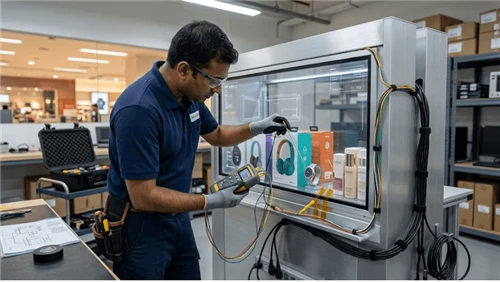
Use production-equivalent hardware and enclosure geometry. Repeat the test after final grille, bezel, gasket, fan, printer, and cable installation. The following sequence is a practical starting point:
- Confirm the exact input and output devices and record the software audio settings.
- Capture normal speech from the defined primary user position in a relatively quiet condition.
- Repeat from the important seated, shorter, taller, or off-axis positions required by the use case.
- Run the kiosk fan, printer, scanner mechanism, or other local noise sources that can operate during a call.
- Play remote speech through the kiosk speaker while the local microphone remains active and check for echo at the far end.
- Perform a double-talk test in which the local user interrupts the remote agent.
- Exercise the supported volume range and verify that high playback levels do not create unstable echo behavior.
- If a headset or private-listening mode exists, connect and disconnect it while observing device routing and processing state.
- Introduce a controlled network impairment or reconnect event so local acoustic faults are not confused with transport faults.
- End the session from both the kiosk and the remote side and verify microphone, speaker, indicators, and application state return to the intended idle condition.
| Test condition | Primary question | Evidence to retain |
|---|---|---|
| Quiet baseline | Is the basic device route and gain structure correct? | Configuration, local capture, remote capture, observed level or clipping state |
| Representative peak ambient noise | Can the remote agent still understand normal speech without excessive suppression artifacts? | Site condition, recording, task result, processing settings |
| Fan or printer active | Does local mechanical noise dominate the microphone? | Before/after capture tied to the same kiosk revision |
| Remote playback active | Is loudspeaker audio returned to the remote agent? | Far-end recording, playback level, routing state |
| Double-talk | Can the local user speak while the remote agent is talking? | Two-end recording and subjective intelligibility result |
| Headset/private mode | Does routing and echo processing change correctly? | Connected device, output route, microphone route, processing state |
| Reconnect or route change | Does the system return to the intended audio devices? | Event sequence, device list, application logs, post-recovery call |
Use a fixed reference phrase or task script for comparison, but do not turn one subjective rating into a universal pass number. If the project uses formal speech-quality metrics, define the method, tool, reference material, and acceptance threshold in the project specification.
Troubleshoot by the Point Where the Audio Changes
| Symptom | First checks | What the result can separate |
|---|---|---|
| Remote agent barely hears the kiosk user | Local microphone capture level, selected input device, blocked acoustic port, user distance, gain | Acoustic or capture problem versus network/remote problem |
| Remote agent hears their own voice | Playback route, AEC state, speaker-to-microphone coupling, whether the processor has a valid playback reference | Routing/AEC issue versus purely mechanical coupling |
| User speech disappears while remote agent talks | Double-talk test, noise suppression, echo-processing aggressiveness | Full-duplex processing problem versus microphone sensitivity |
| Speech sounds clipped or distorted | Capture gain, input clipping, AGC behavior, local recording before network transmission | Gain structure versus codec/network impairment |
| Audio becomes bad only when printer or fan operates | Mechanical noise path, microphone location, structure-borne vibration, noise suppression | Enclosure integration problem versus room noise |
| Call works until a USB device or headset is connected | Input/output device enumeration, route switching, AEC state, application device selection | State-management fault versus acoustic fault |
| Kiosk is loud enough but speech is still hard to understand | Speaker orientation, grille obstruction, enclosure resonance, background spectrum, remote audio quality | Intelligibility problem versus simple playback level |
| Microphone appears active after the session ends | Application state, operating-system capture indicator, process lifecycle, session termination | Privacy/state fault versus user-interface display error |
Preserve evidence before applying a recovery that can hide the cause. A restart may restore audio routing, but if the pre-restart input/output selection and processing state are not captured, the same fault can recur without a useful diagnosis. Fleet telemetry and remote alert design belong in the Kiosk Remote Monitoring and Preventive Maintenance page; this page only defines the audio observations worth exposing to that system.
What to Lock in the RFQ and Integration Review
Audio requirements should be written as interfaces and outcomes, not as a generic "microphone + speaker" line item. Ask suppliers and integrators to identify the exact included hardware and the responsibility boundary around software processing and remote-assistance applications.
- Which microphone or microphone-array hardware is included in the quoted configuration, and where is it mounted?
- Which speaker hardware, amplifier, grille, and enclosure arrangement are included?
- Which audio input and output interfaces are used by the operating system and remote-assistance application?
- Where are echo cancellation, noise suppression, automatic gain control, and beamforming implemented-hardware, operating system, application, or third-party SDK?
- Which audio routes are supported after reboot, application restart, USB reconnection, or headset connection?
- What local diagnostic recording or device-state information can service staff access?
- Which site-noise and user-position assumptions were used during testing?
- What accessibility audio modes, private-listening options, and volume controls are included, and which are project-specific options?
- Which software, hardware, enclosure, or peripheral changes require the audio test to be repeated?
KioskTagScreen's current Kiosk Display category describes speakers and other peripherals as project-configurable elements subject to final model and interface confirmation. That is the correct procurement boundary for this article as well: do not infer a microphone array, AEC implementation, codec, jack type, output power, or acoustic performance for a specific KioskTagScreen model unless the exact released configuration documents it.
Retest When the Acoustic or Digital Path Changes
The original acceptance result is only valid for the tested path. Repeat the affected audio checks when a revision can change that path, including:
- microphone, speaker, amplifier, codec, USB audio, or compute-module substitution;
- bezel, grille, gasket, enclosure, bracket, or acoustic-opening change;
- fan, printer, or other noise-source change;
- operating-system, driver, browser, WebRTC engine, remote-assistance application, or audio SDK update;
- changes to AEC, noise suppression, AGC, beamforming, device routing, or volume policy;
- new headset or private-listening hardware;
- site relocation or a materially different acoustic environment;
- a recurring field symptom that challenges the original assumption.
Keep the minimum reproducible baseline with the service documentation: kiosk revision, audio device identities, routing state, processing settings, representative test recordings, difficult operating condition, and the expected session-end state. That makes later troubleshooting a comparison with evidence rather than a fresh guess.
Bottom Line
A reliable remote-assistance kiosk is not created by adding a microphone and speaker to the bill of materials. The finished system has to capture the intended user, reject or tolerate the real environment, reproduce remote speech clearly, control its own acoustic echo, survive route changes, expose enough state for diagnosis, and end each assisted session in a predictable privacy state.
Design the complete round trip first. Validate microphone and speaker placement in the final enclosure. Test AEC during simultaneous speech, not only in a quiet alternating conversation. Separate acoustic faults from network and remote-end faults by capturing evidence at more than one point in the chain. Keep accessibility and privacy requirements explicit without pretending one rule applies to every kiosk market. When the project reaches configuration review, use the inquiry page to confirm the exact kiosk hardware, audio interfaces, software responsibilities, and validation scope before treating any audio feature as part of the delivered system.