


Digital signage is not one thing. Walk into a grocery store and you will see electronic shelf labels quietly updating prices across hundreds of SKUs. Step into a hotel lobby and a video wall fills the reception with brand imagery. Drive through a fast-food lane and an outdoor menu board adjusts its layout based on the time of day. Each of these is digital signage - and each requires a completely different hardware specification, software stack, and deployment approach.
This guide covers the major types of digital signage by where they are deployed and what they do best. It also includes a cost reference, an industry matching matrix, and a five-question decision framework - so you leave with a shortlist, not just a longer list of options.
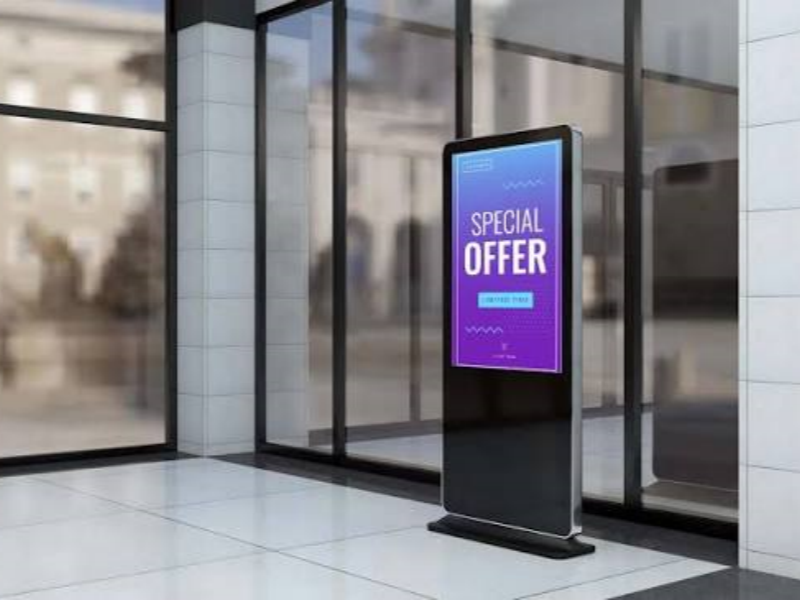
Types of Digital Signage at a Glance
| Type | Best Environment | Primary Use Case | Approximate Cost Per Unit |
|---|---|---|---|
| Digital Posters | Indoor | Promotions, branding | $300–$1,500 |
| Digital Menu Boards | Indoor / Drive-thru | Menu display, upselling | $500–$2,000 |
| Interactive Kiosks | Indoor | Self-service, wayfinding, ordering | $2,000–$8,000 |
| Video Walls | Indoor | High-impact brand storytelling | $5,000–$50,000+ |
| Shelf-Edge Displays (ESL) | Indoor retail | Dynamic pricing, product info | $5–$15 per label |
| Bar LCD Screens | Indoor retail / shelf | Product promotion at shelf level | $200–$800 |
| Corporate Displays | Indoor office | Internal comms, room scheduling | $300–$1,500 |
| Outdoor LED / Storefront | Outdoor | Street-level advertising | $3,000–$15,000 |
| Wayfinding Kiosks | Indoor / Outdoor | Navigation, directories | $2,000–$10,000 |
| Transparent Displays | Indoor retail | Premium brand experience | $5,000–$15,000+ |
All prices are approximate 2024–2025 U.S. market hardware costs, excluding installation, CMS software, and content creation.
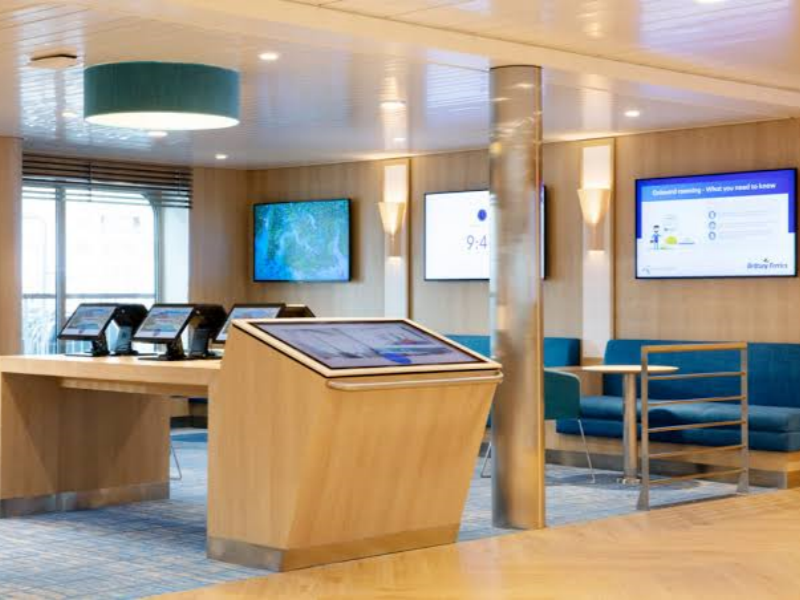
Indoor Digital Signage
Indoor displays operate in controlled lighting and climate conditions, which means hardware requirements are lower and costs are more accessible. They account for the majority of digital signage deployments worldwide.
Digital Posters and Promotional Displays
The direct replacement for a printed poster - except content updates from a laptop in seconds rather than days. A typical setup is a 32-to-55-inch commercial LCD on a wall or freestanding stand, running a promotional playlist. Most modern commercial displays include a built-in media player, so no separate hardware box is required.
They work well in retail windows, hotel lobbies, bank branches, and waiting rooms. The trade-off is passivity: they display content but do not collect data or enable interaction. If self-service, product discovery, or measurable engagement are goals, start with a more capable format - upgrading a poster to an interactive kiosk later means replacing the hardware entirely, not just the screen.
Digital Menu Boards
No category has seen faster adoption. Digital menu boards are now standard in quick-service restaurants, fast-casual dining, food courts, and corporate cafeterias - and for good reason. A board that automatically switches from a breakfast layout to a lunch layout at a scheduled time, highlights high-margin items with motion, and removes out-of-stock items in real time is a meaningful operational upgrade over printed menus.
For multi-location chains, the CMS advantage is even more significant. A headquarters team can push a new limited-time offer across hundreds of locations simultaneously, with region-specific pricing adjustments, without printing a single sheet.
Drive-thru menu boards deserve a separate mention. They face outdoor conditions - direct sunlight, temperature swings, potential rain exposure - and need to be specified accordingly (minimum 2,500 nits of brightness, IP65 enclosure rating). A screen specified for indoor use will degrade visibly within a season in a drive-thru lane. See our 2026 smart restaurant digital display guide for category-specific recommendations.
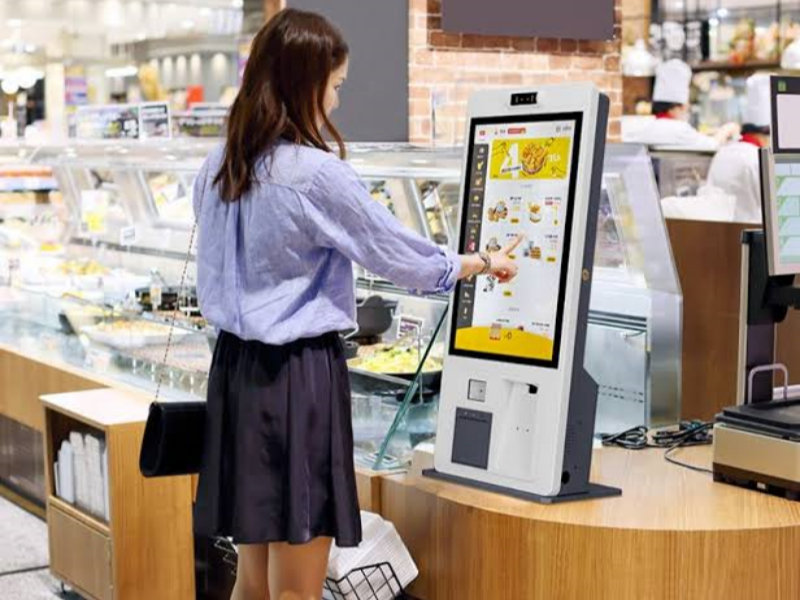
Interactive Kiosks and Touchscreens
The defining feature here is that the user drives the interaction. Instead of watching a content loop, visitors tap, scan, or search to place orders, check in, browse a product catalog, or find directions.
Retail stores use them as product finders and style advisors. Hotels deploy them for self-check-in. Hospitals use them for patient check-in and navigation. The format works wherever queue reduction and self-service are priorities. Our overview of which scenarios work best for touchscreen kiosks covers the decision in more detail.
Three interaction models are worth distinguishing:
- Direct touchscreen - the most common, and the most intuitive for most users. Commercial-grade units should be rated for high daily contact cycles and support accessibility modes (adjustable font size, screen-reader compatibility, ADA-compliant mounting height).
- QR code interaction - the user scans a code on screen with their phone, which opens a page or app. Useful in healthcare and food service where "touchless" remains a preference.
- Gesture and motion detection - growing in brand experience centers and trade show installations, but still niche outside high-budget deployments.
Kiosks require more planning than passive screens - durability (vandal-resistant glass, spill protection), accessibility compliance, and software complexity all increase. Budget an additional $500–$2,000 per unit for a commercial-grade enclosure. See our kiosk display solutions for enclosure options across use cases.
Video Walls
A video wall is multiple screens tiled into a single large canvas - commonly 2×2 or 3×3 - and they make the most sense when a single screen simply cannot fill the visual space. Corporate lobbies, retail flagship stores, broadcast studios, and command centers are the primary applications.
LCD video walls are cost-effective with excellent resolution, but bezels between panels create visible seams (ultra-narrow-bezel models reduce this to under 1 mm, but never zero). LED video walls use modular tiles with no bezels, higher brightness, and better uniformity. They cost more but age better - a faulty tile swaps out without taking the wall offline. For LED walls, pixel pitch is the key spec: P1.5 suits close-viewing control rooms; P4–P6 works for lobbies and retail where viewers stand further back.
Shelf-Edge Displays and Electronic Shelf Labels (ESL)
This category brings digital signage down to the product level. Electronic shelf labels are small, low-power screens - most commonly e-paper - attached to the front edge of a retail shelf, displaying price, product name, and promotional tags. They update wirelessly from a central system, which means a price change that previously required a team of staff working through an entire shift can now be completed store-wide in minutes.
A mid-size supermarket carrying 20,000 SKUs cannot manually replace price tags for every promotion without significant labor cost and compliance risk (shelf price mismatches with POS systems create checkout friction and regulatory exposure). ESLs eliminate that gap. Some models also display QR codes linking to extended product information. How ESL dynamic pricing works - including time-of-day pricing and automated promotional triggers - differs significantly from static label replacement and is worth understanding before specifying a system.
Alongside ESLs, bar-shaped LCD screens offer a complementary format - larger shelf-mounted displays that run video loops, cross-sell promotions, or highlight featured products right at the moment of purchase decision. The bar LCD buying guide for retail shelf signage covers sizing and brightness specifications for this specific application.
Corporate and Internal Communication Displays
A significant share of digital signage deployments are entirely internal - reaching employees who rarely sit at desks or check email. Meeting room panels (10–15-inch touchscreens synced with Microsoft 365 or Google Workspace) handle room availability and booking. KPI dashboards display live metrics from tools like Power BI. Break-room screens carry HR news, safety records, and shift updates. Hardware cost is modest ($300–$1,500 for standard displays; $200–$700 for meeting room panels), but CMS configuration and integration with existing business systems typically represents the larger investment.
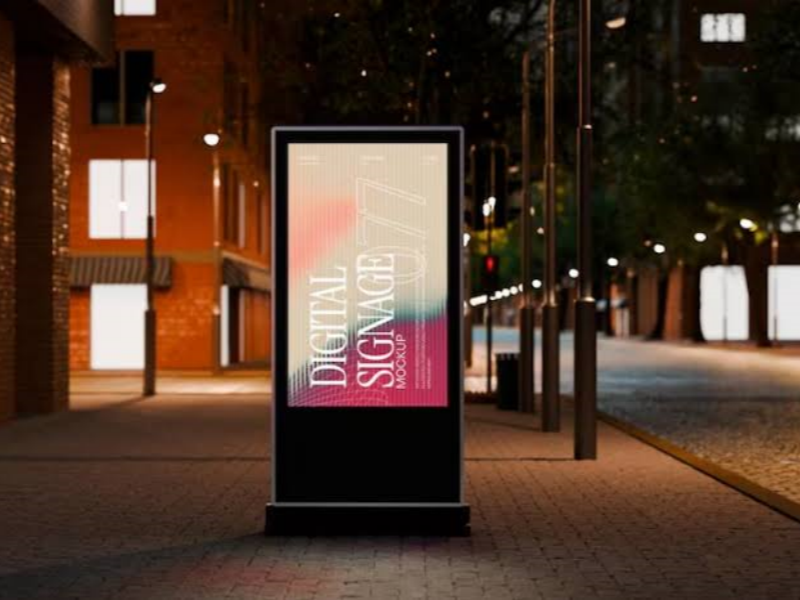
Outdoor Digital Signage
Outdoor screens face direct sunlight, rain, dust, and temperature extremes. Two specifications determine suitability: brightness (nits) and ingress protection (IP rating). Window-facing screens need a minimum 2,500 nits; fully exposed outdoor installations should target 5,000 nits or above. IP65 means the enclosure is fully sealed against dust and water jets - anything lower is a risk for permanent outdoor installation. Commercial outdoor displays are engineered for continuous operation from roughly −30°C to +50°C; consumer televisions are not.
Outdoor Storefront and Street-Level LED Screens
Storefronts, bus shelters, gas station canopies, and outdoor dining areas use high-brightness displays to compete for attention in sunlit environments. The primary decision here is between high-brightness LCD (better for text-heavy content like menus and directories) and outdoor LED modules (better for full-motion video and large formats). For a direct technical comparison of these two formats, see our LCD bar screen vs LED bar screen decision framework.
Wayfinding and Transit Signage
Airports, hospitals, university campuses, and convention centers deploy wayfinding kiosks to help visitors navigate unfamiliar environments under time pressure. Effective wayfinding goes beyond a static map: interactive search ("Where is Gate B7?"), real-time data feeds (flight departures, wait times), multi-language support, and ADA-compliant mounting heights are standard requirements. Transit signage - departure boards, parking availability signs - typically requires the same IP65+ and high-brightness outdoor specifications as storefront screens.
Transparent and Emerging Display Formats
Transparent OLED panels overlay digital content on a glass surface without blocking the view behind it - useful for luxury retail storefronts where a brand animation can play on the window while customers still see the merchandise inside. Our transparent OLED screen options and the associated transparent LED screen cost breakdown give a realistic picture of current pricing and specifications. The key limitation to communicate clearly: transparent displays have lower effective brightness than standard screens and perform best in controlled, dimmer interior environments - not sun-drenched storefronts.
Projection mapping (high-powered projectors casting content onto irregular surfaces or building facades) is primarily a temporary event format, not an operational signage solution for most businesses.
How to Choose the Right Type: A Five-Question Framework
The most common purchasing mistake in digital signage is choosing hardware before defining requirements. These five questions will narrow your shortlist faster than any spec comparison.
1. What outcome are you trying to create?
- Drive foot traffic or advertise → outdoor LED, digital posters, storefront screens
- Reduce queues and enable self-service → interactive kiosks with touchscreens
- Sell more at the shelf → ESLs, bar LCD screens, point-of-purchase displays
- Communicate with employees → corporate dashboards, meeting room panels
- Create an immersive brand experience → video walls, transparent displays
2. What environment will the screen operate in?
- Controlled indoor space → standard commercial LCD is usually sufficient
- Window-facing or semi-outdoor → minimum 2,500 nits
- Fully outdoor → IP65+ enclosure, 5,000+ nits, wide temperature range
- Temporary or rotating locations → portable format with battery option
3. Who is the audience and how far will they be from the screen?
A common sizing rule: for every 10 feet (3 meters) of typical viewing distance, you need roughly 1 inch of diagonal screen size for text to remain readable. A screen viewed from 20 feet should be at least 20 inches; 30 feet, at least 30 inches. For a video wall viewed across a large lobby, total canvas area matters more than individual panel size.
4. What will your content actually look like?
- Static images and text → any standard display works
- Video playlists → confirm the media player supports your resolution and file formats
- Real-time data (live pricing, dashboards, schedules) → you need a CMS with API integration capability
- Interactive content → you need a kiosk-grade touchscreen and interactive software platform
5. What is your realistic total budget?
Hardware is one line item. A complete deployment also includes CMS software ($10–$75 per screen per month), content creation ($0 with templates, $1,000–$5,000+ for custom builds), and professional installation ($200–$2,000 for a single indoor screen; $5,000+ for video walls). A digital poster can be operational for under $500. A multi-screen video wall with custom content can exceed $100,000. For ESL deployments specifically, the ESL cost analysis for retail covers hardware, software, and installation across different store sizes.
Which Type Works Best for Your Industry?
Digital Signage for Retail
Retail deployments typically combine multiple types at different points in the customer journey: digital posters or window-facing LED screens for street-level attention, interactive kiosks or product finder screens on the floor, and retail electronic shelf labels at the point of purchase. High-traffic end-caps benefit from short-form video loops on bar LCD screens. The highest ROI tends to come from ESLs in stores with frequent price changes and large SKU counts - the labor savings compound quickly.
Digital Signage for Restaurants and QSR
Digital menu boards are the foundation, supplemented by self-order kiosks for throughput during peak hours and outdoor drive-thru screens for lane management. The key operational win is time-segmented content: a breakfast menu that automatically gives way to a lunch menu, with a happy-hour promotion running from 3–6 PM without any manual intervention. Our guide on self-service kiosks for restaurants covers integration with POS systems and order management workflows.
Digital Signage for Healthcare
Hospitals and clinics prioritize wayfinding kiosks for patient navigation, waiting-room displays for health education content and approximate wait-time updates, and check-in kiosks to reduce front-desk load. Accessibility is non-negotiable: ADA-compliant mounting heights, high-contrast display modes, and multi-language support are standard requirements rather than optional upgrades.
Digital Signage for Corporate Offices, Hospitality, and Transportation
Corporate deployments center on meeting room panels, KPI dashboards, and lobby video walls. The internal signage business case rests on reach: warehouse staff, field teams, and retail floor workers who rarely check email are reliably reached by screens in common areas. Hotels rely on lobby directory screens, concierge kiosks, and event boards. Transportation hubs - airports, train stations - prioritize real-time departure displays, interactive wayfinding, and programmatic ad management that adjusts messaging based on passenger flow.
FAQ
Q: What is the most common type of digital signage?
A: Indoor LCD displays running promotional content or menu boards account for the largest share of global installations. They are affordable, simple to manage, and work across almost any commercial environment. Quick-service restaurants and retail stores drive the highest volume of deployments.
Q: What is the difference between a commercial display and a regular TV?
A: Consumer TVs are rated for 8–12 hours of daily home use. Commercial displays are rated for 16–24 continuous hours, built with higher-brightness panels, wider operating temperature ranges, and designed to integrate with CMS software. They also lack a TV tuner and include commercial media player inputs or a built-in system-on-chip processor for signage use.
Q: What software do I need to run digital signage?
A: A content management system (CMS) is what turns a screen into a managed digital sign. It lets you design content, build playlists, schedule when and where content plays, and push updates to screens remotely. Entry-level platforms start around $10–$20 per screen per month. Enterprise platforms with analytics, API integrations, and multi-location management run $30–$75 per screen per month. Most hardware vendors offer a compatible CMS, and several third-party platforms work across multiple hardware brands. If you need real-time data feeds - live pricing, POS integration, or live scheduling - confirm that the CMS supports API connections before committing to a platform.
Q: What is the difference between LED and LCD for digital signage?
A: LCD uses a liquid crystal panel with a backlight - excellent resolution at a lower price point, well suited to most indoor environments. LED uses light-emitting diodes, delivering higher brightness, better contrast, and longer operating life. LED is the preferred choice for outdoor installations, video walls, and high-ambient-light environments. It costs more upfront but consumes less power per unit of brightness and ages more gradually.
Q: How do electronic shelf labels compare to paper labels?
A: Paper labels require physical replacement for every price change - labor-intensive at scale and prone to shelf-price/POS discrepancies. ESLs update wirelessly and eliminate that compliance risk. The hardware cost is higher upfront, but most retailers managing more than 5,000 SKUs see payback within 18–36 months through labor savings. Our ESL vs paper labels comparison includes a cost-per-label breakdown across different store sizes.
Q: Can digital signage work without an internet connection?
A: Yes - most media players store content locally and keep running if the network goes down. Without connectivity you lose remote updates, real-time data feeds, and centralized CMS management. For truly remote locations, some platforms support USB-based content updates as a fallback, but for most deployments a reliable connection is strongly recommended.
Q: How long do commercial digital signage displays last?
A: Commercial LCD and LED displays are rated for 50,000–100,000 hours under optimal conditions - roughly 7–12 years of continuous use. Outdoor displays have shorter service lives due to UV exposure and thermal cycling. Brightness decreases gradually over time; screens running at maximum brightness dim noticeably sooner than those calibrated to an appropriate level for their environment.
Q: What screen size should I choose?
A: Start with viewing distance. A workable baseline: 1 inch of diagonal screen size per 10 feet (3 meters) of viewing distance for text-heavy content. A screen viewed from 30 feet across a retail floor needs to be at least 30 inches diagonal. For video-heavy content where fine text is not critical, you can go somewhat smaller. For video walls, total canvas area matters more than individual panel size.
Q: What is the difference between e-paper and LCD for shelf labels?
A: E-paper (e-ink) displays consume power only when the image changes, not while displaying a static label - making them extremely energy-efficient for price tag applications where the display is static most of the time. LCD shelf displays draw continuous power but support full color, higher contrast, and faster refresh rates, making them better suited for promotional content with motion or frequent changes. For most standard grocery pricing applications, e-paper is the practical and cost-effective choice. For promotional end-caps or high-frequency dynamic pricing, LCD formats offer more flexibility. Our guide on LCD vs e-ink shelf labels covers the trade-offs in more detail.
Next Steps
Start with the five-question framework above - purpose, environment, audience, content type, budget - before you look at any hardware. That sequence prevents the most common mistake: buying a screen based on aesthetics and then discovering it cannot do what the business actually needs.
If you are evaluating shelf-edge solutions, the ESL vs bar LCD decision usually comes down to SKU count and price change frequency. More than 5,000 SKUs with regular promotional cycles: ESLs typically deliver faster payback. A smaller, more stable assortment focused on visual promotion: bar LCD end-cap screens often offer better return on a lower upfront investment.
For anything that does not fit cleanly into these categories, contact our team directly - most projects benefit from a conversation before hardware selection, not after.





