


A commercial LCD can reach end of life even when the rest of the machine is healthy. The exact panel may be discontinued, the panel maker may introduce a new revision, a controller IC may change, or the purchasing team may need a second source. At that point, "same size and resolution" is not a safe replacement rule. A visually similar LCD can differ in mechanical envelope, connector location, interface mapping, power sequence, timing, backlight behavior, optical characteristics, touch stack, and controller requirements.
This article provides a replacement-qualification method for integrators using LCD display screen category products in retail displays, kiosks, and embedded commercial equipment. It focuses on panel revision control and EOL compatibility rather than field repair. The aim is to help procurement and engineering decide whether a proposed substitute is drop-in, requires controlled hardware or firmware changes, or should be treated as a redesign.
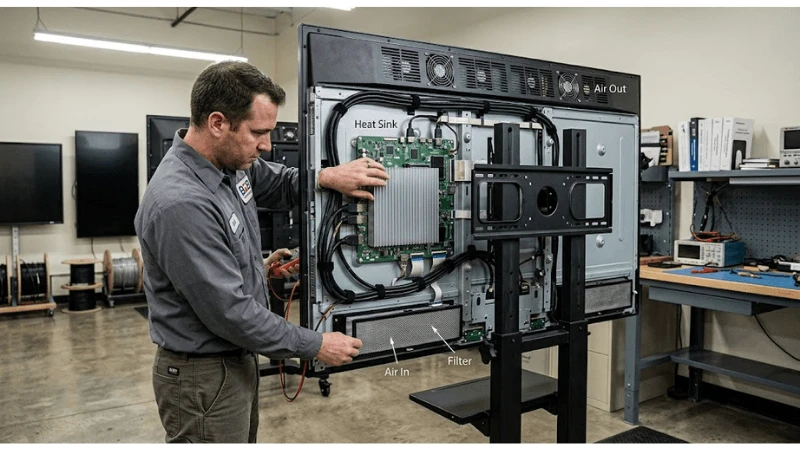
Define What "Compatible Replacement" Means for Your Product
Compatibility is layered. A panel can fit mechanically but fail electrically. It can power on and display an image but have a different active area, color response, viewing cone, or brightness that changes the finished product. It can pass a bench test but fail the service process because the connector moved behind a bracket. Before asking a supplier for an alternative, classify what your product is allowed to change.
| Compatibility layer | Questions to answer | Typical evidence |
|---|---|---|
| Mechanical | Outline, thickness, active area, mounting, connector position, cable bend space | Old/new mechanical drawings and overlay review |
| Electrical | Supply rails, current behavior, logic levels, backlight drive, power sequence | Datasheet comparison and controlled bench measurements |
| Interface | LVDS/eDP/MIPI/RGB type, lanes, mapping, connector and pin assignment | Interface tables, cable drawing, controller configuration |
| Timing | Resolution, pixel clock range, blanking, sync or DE behavior | Timing tables and controller output capture/configuration |
| Optical | Brightness, contrast, view direction, color, surface treatment | Golden-sample visual and instrumented checks as required |
| Software | Initialization, EDID, panel ID, scaling, touch firmware | Approved firmware revision and regression results |
| Service | Removal path, cable access, replacement time, spare labeling | Service trial on production enclosure |
Start With Controlled Documents, Not Distributor Listings
The old panel datasheet, old drawing, cable drawing, controller-board schematic or interface definition, touch-panel drawing, and finished-product BOM form the baseline. Capture exact revision identifiers. A web listing that says "equivalent" may be useful for discovery, but it does not define the interface your product was validated against.
For the new panel, request the same document set. If a supplier proposes a revision under the same marketing family, ask what changed. The critical question is not whether the supplier considers the revision minor; it is whether any changed parameter crosses an interface boundary in your design. Even a connector shift can force a cable or bracket change that alters reliability.
Mechanical Compatibility Is More Than Diagonal Size
Compare the module outline, active area location, thickness, mounting holes or tabs, bezel support points, connector positions, cable exit direction, and keep-out zones. A panel that is a few millimeters different in the wrong place can interfere with a chassis lip, cooling path, touch controller, or service tool. The commercial LCD VESA mounting guide is useful background because it shows why load paths and mounting flatness must stay controlled after substitution.
Do an overlay review using the actual CAD or dimensioned drawings. Then install a sample into the production enclosure without forcing the panel or altering the original hardware. Photograph gaps, cable routing, connector strain, and the relationship between the active image and front opening. If a spacer, new screw, foam strip, or bracket modification is needed, the change is no longer mechanically drop-in and should be recorded in the BOM.
Electrical and Power-Sequence Differences Can Damage Hardware
Compare supply voltage ranges, logic supply requirements, backlight input, inrush behavior, enable signals, and power-on/off sequencing. Do not infer compatibility from connector shape. Two panels can use the same connector family with different pin assignments or electrical expectations.
Power behavior also interacts with the rest of the system. A controller that was stable with one panel may brown out or sequence incorrectly with another load. Use the principles in the commercial LCD scheduled power control guide to verify cold start, scheduled start, abnormal power interruption, and recovery with the proposed replacement. The exact limits must come from the selected panel and controller documentation, not from a generic LCD rule.
Verify Interface Mapping and Timing End to End
For raw or semi-integrated panels, compare the interface type, lane count, bit mapping, clocking, polarity, connector, and pin assignment. An LVDS panel may use a mapping that differs from another LVDS panel; an eDP panel may expose different link or EDID behavior. The controller board must be configured for the new panel, not merely connected to it.
If the finished display uses HDMI or another external input, the panel change may be hidden behind the internal controller-but it still requires qualification. Image acquisition problems that resemble a panel defect can originate in the player, cable, or controller path; the commercial LCD input signal failover guide helps separate source-side failures from a replacement-panel issue.
| Bench symptom after replacement | Do not assume | Check next |
|---|---|---|
| No image | Panel is defective | Power sequence, enable lines, interface mapping, controller configuration |
| Image shifted or unstable | Cable is bad | Timing, mapping, pixel clock, scaling configuration |
| Wrong colors | Panel quality problem | Bit mapping, color order, controller profile, cable pinout |
| Backlight only | Signal source failed | Panel logic power, interface data, controller initialization |
| Works cold, fails after warm-up | Random intermittent defect | Power margin, cable routing, thermal interaction, connector retention |
Qualify Optical and Touch Differences in the Finished Product
A replacement may be electrically functional yet commercially unacceptable. Compare active-area alignment, white balance, black level, uniformity, viewing behavior, surface reflectance, and perceived brightness in the installed enclosure. If the product is sold as part of a multi-screen fleet, check whether the new revision creates an obvious mismatch beside existing units.
For touch assemblies, include sensor size, cover-glass stack, optical bonding state, controller, USB or serial behavior, firmware, and calibration. A new panel can also change the mechanical distance between LCD and touch stack. Test the complete input path, including edge targets and any application gestures that matter to the deployed UI.
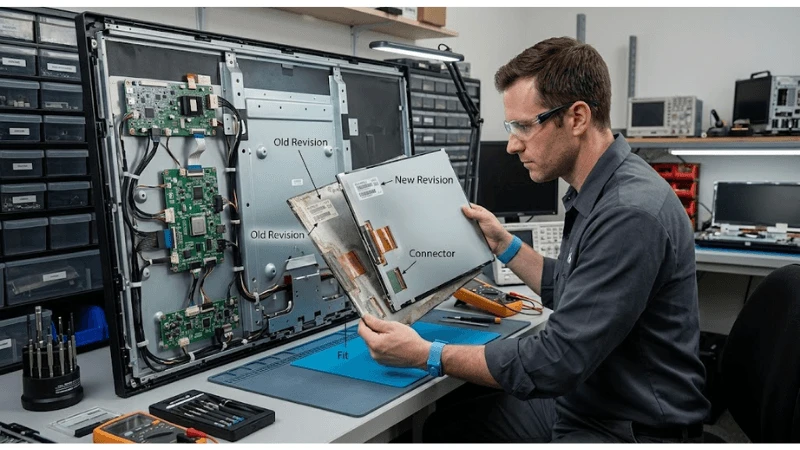
Create a Golden-Sample Qualification Build
Do not qualify the replacement as a loose panel alone. Build at least one production-representative unit with the final controller board, power supply, harness, enclosure, thermal materials, touch stack, and software. Record every revision. The objective is to establish a golden configuration against which pilot and production units can be compared.
- Inspect incoming panel and document identifiers.
- Install with the controlled mechanical process and production harness.
- Run cold-start, normal operation, restart, and abnormal power-recovery checks.
- Exercise all external video inputs used by the product.
- Run representative content, gray levels, solid colors, and fine text.
- Validate touch and peripheral interaction if integrated.
- Operate in the intended mounting orientation and thermal boundary.
- Remove and reinstall once using the field-service procedure.
- Record exceptions and decide whether they require drawing, firmware, work-instruction, or supplier change.
Manage EOL and Revision Changes as Engineering Changes
The most dangerous replacement is an unannounced one. A purchasing substitute can enter production because the part number looks equivalent, then create a new controller setting, cable orientation, or optical behavior that was never regression-tested. Build a change-control gate around any panel manufacturer, panel model, controller IC, connector, timing, backlight, or touch change that can affect the finished product.
Ask suppliers how product change notifications, EOL notices, and successor recommendations are communicated. Record the last-buy decision separately from the technical replacement decision. A large spare purchase can reduce short-term engineering work but may create storage, aging, and future service constraints; a qualified successor can be more sustainable if the design is expected to remain in production.
Procurement Questions for a Replacement Panel RFQ
- Is the proposed panel the same model, a controlled revision, or a different model marketed as an alternative?
- Which mechanical, electrical, interface, timing, optical, and controller parameters differ from the existing panel?
- Can the supplier provide old/new drawings and datasheets for a documented comparison?
- Does the change require a new cable, controller profile, firmware, EDID, touch calibration, or thermal material?
- What change-notification and EOL process applies to the proposed replacement?
- Can the supplier provide sample units from the intended production source for qualification?
- Will future production remain traceable by panel model and revision?
- Which tests does the supplier recommend repeating when the panel revision changes?
Field Troubleshooting After a Panel Substitution
If failures appear after rollout, first separate substitution-related defects from general system faults. Confirm the unit actually contains the new panel revision. Compare controller and firmware versions, harness part number, and mechanical build with the golden sample. Preserve the as-failed condition before swapping parts; otherwise the team may erase the evidence that distinguishes a wrong configuration from a defective component.
Use the commercial LCD airflow and dust guide if the symptom is temperature- or dust-related, and keep the product-level boundary clear. A panel replacement is successful only when the complete assembly remains repeatable through production, installation, and service-not merely when a bench image appears.
FAQ
Q: Is the same resolution enough to make two LCD panels interchangeable?
A: No. Resolution is only one compatibility layer. Mechanical dimensions, interface mapping, voltages, timing, backlight behavior, optical properties, and controller configuration can all differ.
Q: What is a drop-in replacement?
A: For a B2B product, treat "drop-in" as a claim that the replacement can use the existing mechanical, electrical, interface, software, and service design without uncontrolled changes. Confirm that claim with documents and a production-representative test.
Q: Should a panel revision trigger full product requalification?
A: The regression scope should be risk-based. A cosmetic documentation change may require little retesting; a controller, interface, optical stack, or mechanical change can justify broader regression. The project should decide this from the change itself rather than a fixed rule.
Q: How many spare panels should be purchased at EOL?
A: There is no universal quantity. Base the decision on installed fleet size, expected service life, failure history, storage conditions, repair policy, successor qualification timing, and whether later redesign is acceptable.
Final Decision
A commercial LCD replacement should be approved as a controlled system change, not a catalog substitution. Build the decision from drawings, datasheets, controller settings, sample qualification, service trials, and traceable revisions. Teams can use the bar-shaped LCD solution and product catalog pages for adjacent product context, review display solutions overview for broader integration options, and use request a project quotation to define the exact compatibility documents and sample scope required for a replacement project.
Separate a True Drop-In Replacement from a Qualified Second Source
The phrase "drop-in replacement" should be reserved for a substitution whose mechanical, electrical, interface, timing, optical, environmental, and software-relevant behavior has been verified against the released host design. Many replacements are instead qualified second sources: they can be used after controlled changes to brackets, cables, scaler firmware, power sequencing, EDID, touch calibration, or enclosure settings. Both strategies are valid, but confusing them creates service and production risk.
A procurement team should therefore classify every candidate before approving it. If the replacement needs any host-side change, record that change in the product configuration and identify which finished-unit revisions can accept the panel. This is especially important for long-lived commercial displays, where service stock, field units, and new production may coexist for years. A visually similar panel with a different interface revision is not interchangeable merely because the diagonal size and resolution match.
| Replacement class | What it means | Control needed |
|---|---|---|
| Verified drop-in | No released host change is required within the qualified boundary | Compatibility report tied to both panel revisions |
| Qualified second source | Works after documented host or assembly changes | BOM/configuration split and controlled work instruction |
| Service-only substitute | Approved for defined installed units or repair cases | Serial/revision applicability list |
| Engineering candidate | Promising but not released | Evaluation sample and open issue log |
Run a Pilot Lot and Preserve Incoming Revision Traceability
A golden sample is necessary but not sufficient when the supply chain is changing. Before full release, build a pilot lot through the normal incoming inspection and production process. This reveals practical issues that an engineering bench can miss: label ambiguity, connector handling, cable strain, screw-stack tolerance, scaler configuration, touch bonding alignment, brightness calibration workflow, and operator confusion between old and new parts.
Record the panel manufacturer, full part number, revision marking, date or lot code where available, host board revision, firmware/scaler configuration, and finished-unit serial number. The exact fields depend on the product architecture, but the principle is stable: a later field failure must be traceable back to the combination that was actually built. Do not rely on a purchasing description such as "15.6-inch FHD LCD" as the service identity.
Incoming inspection should also confirm that the mechanical assumptions remain compatible with the enclosure controls in the commercial LCD VESA mounting guide and that any power or timing differences are still within the released behavior described in the commercial LCD scheduled power control guide workflow. If the panel change alters startup detection or source behavior, repeat the relevant commercial LCD input signal failover guide tests rather than assuming those functions are isolated from the display module.
Manage Service Spares and Mixed Fleets Deliberately
End-of-life substitutions often create a mixed fleet. The service organization needs to know whether a replacement panel can be installed in every historical unit, only in units above a hardware revision, or only together with a cable, bracket, or controller kit. Package that information as a service compatibility rule, not as tribal knowledge. A spare label should identify the approved host range and any companion parts required for the repair.
Mixed-fleet management also affects software. If controller settings differ between panel generations, the device should either identify the installed configuration reliably or the service process must apply the correct profile after replacement. Avoid a situation where a factory reset silently loads parameters intended for the original panel and creates brightness, timing, rotation, or touch problems on the substitute.
Add Change-Control Evidence to the RFQ
When a display program depends on long availability, ask suppliers how panel revisions, controller substitutions, backlight changes, connector changes, and end-of-life notices are communicated. The goal is not to demand that components never change; that is unrealistic. The goal is to establish a review point before a material change enters production. Require enough notice and documentation to repeat the qualification tests that are affected by the change.
For commercial programs, keep the approved replacement matrix with the broader LEGOYO technical blog technical record and route unresolved compatibility questions through contact LEGOYO. The about LEGOYO page can help procurement teams document the supplier context while the formal project configuration remains in the controlled engineering and purchasing records.
Keep an Approved Compatibility Matrix for the Life of the Product
After release, preserve the qualification result as a matrix that links finished-product revision, panel part number and revision, controller/scaler profile, touch option, cable set, bracket or spacer set, and approved firmware where those items affect compatibility. Update the matrix through engineering change control rather than replacing the old entry. This gives purchasing and service teams a historical answer when a field unit returns years later and prevents a newly qualified panel from being assumed compatible with every earlier hardware build.





