


This guide covers what makes these displays worth considering, where they perform best across different industries, how they compare to traditional static signage, and what to evaluate before committing to a purchase. If you're deciding whether the investment makes sense for your operation, each section below addresses that question directly.
What Is an LCD Bar Display?
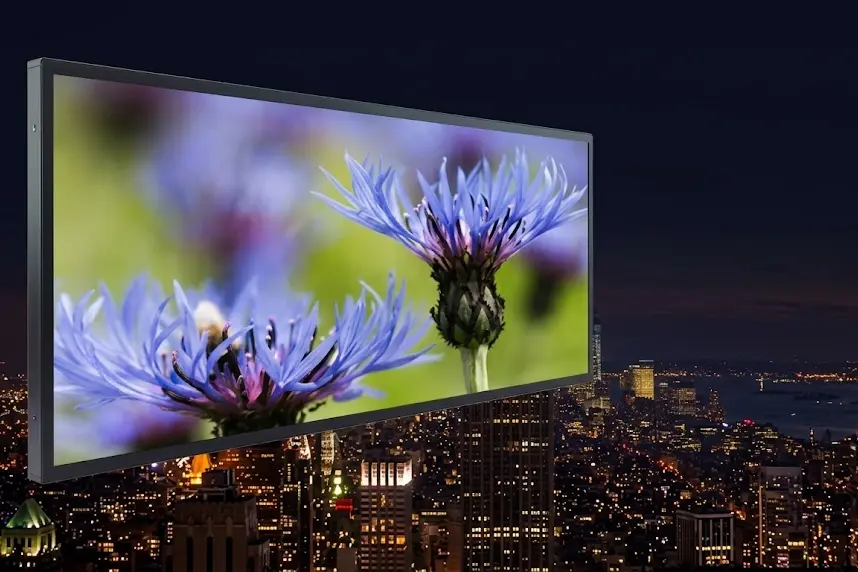
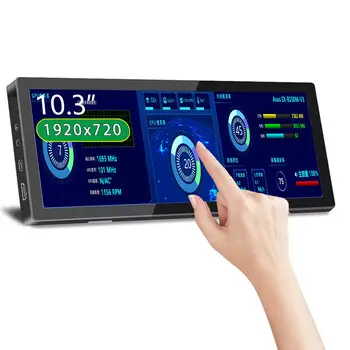
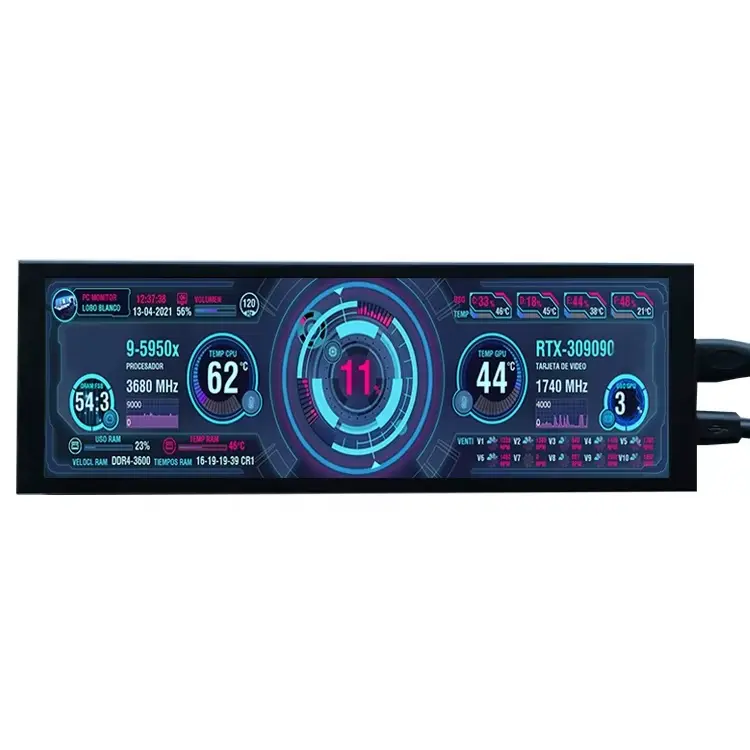
An LCD bar display-also called a bar type LCD display or stretched bar LCD screen-is a liquid crystal panel cut to an ultra-wide aspect ratio. Standard commercial monitors use a 16:9 ratio. Bar displays use ratios like 16:3 or 16:4, meaning they're four to five times wider than they are tall.
That proportion mirrors the geometry of shelf edges, elevator fascias, overhead signage rails, and vehicle interiors-spaces where the only viable screen is one that's wide and shallow.
How It Differs from a Standard Commercial Display
Beyond shape, commercial-grade bar displays are built for sustained operation. They use brighter panels-typically 350–1,000+ nits, compared to 250–500 nits for most consumer screens under continuous load-and are housed in aluminum enclosures designed for thermal stability. Many use fanless cooling, which eliminates one of the most common failure points in long-run commercial hardware.
Common Sizes and Aspect Ratios
Bar displays range from compact 10-inch shelf-edge panels to large-format units at 28 inches, 35.5 inches, and up to 49 inches for overhead or wall-mounted installations. The 16:3 and 16:4 ratios cover the majority of retail and hospitality applications. For a complete overview, the full LCD display range includes specifications for each format.
12 Business Benefits Worth Taking Seriously
The list below focuses on benefits that consistently matter in real deployments-not theoretical advantages that look good on a spec sheet but rarely affect business outcomes.
1. They Fit Where Other Screens Don't
The most immediate argument for bar displays is physical. Shelf edges, elevator interiors, above-door frames, and narrow architectural recesses all become viable signage locations. For businesses with constrained spaces, that alone justifies the format-there's often no alternative that works.
2. Motion and Color Outperform Print at the Point of Decision
A scrolling promotion placed at shelf level-where a customer is actively choosing a product-draws more attention than a printed insert in the same position. This is less about aesthetics and more about proximity and movement: the screen is in the right place at the right moment, and it moves. Static print, by comparison, becomes invisible to habituated shoppers within days of installation.
3. Content Updates Take Seconds, Not Days
Changing printed signage involves design, approval, printing, delivery, and manual swap-out-a process that can stretch over days and accumulates cost each time. With a networked bar display, the same update takes seconds from any authorized location. For businesses that rotate promotions weekly or respond to competitor pricing, this operational shift is significant.
4. Centralized Control Across Multiple Locations
Most commercial bar displays connect to a cloud-based content management system. One team can push updates to dozens or hundreds of screens at different sites simultaneously. For franchise groups, hotel chains, or multi-site retailers, this eliminates the coordination overhead of distributed print management-and the inconsistencies that come with it.
5. Zone-Based Layouts Multiply What One Screen Can Communicate
Bar displays commonly support split-screen playback, dividing the panel into independent content zones. A single screen can show a product image on the left, pricing in the center, and a promotional offer on the right-simultaneously, without any element interfering with the others. Printed signage can't replicate this without adding more physical pieces.
6. Commercial Brightness Holds Up in Challenging Environments
Units rated at 500–700 nits maintain legible content in brightly lit retail floors, near windows, or in semi-open environments. Consumer monitors at similar peak brightness ratings typically throttle output under sustained load to protect the panel. Commercial-grade bar displays are specified to hold rated brightness through a full operating day-a distinction that matters for environments where the lights are always on.
7. Eliminates Recurring Print and Materials Costs
Paper, ink, design fees, and installation labor for printed signage are costs that repeat with every content change. Once display infrastructure is in place, updates add no marginal material cost. For operations that change signage more than a few times per year, the break-even point tends to arrive within two to three years-sometimes faster at scale.
8. Touch Options Enable Self-Service Applications
Bar displays can be configured with infrared (IR) or projected capacitive (PCAP) touch overlays for applications requiring user input-product lookups, wayfinding, queue check-in, or interactive menus. This extends the format into functional self-service territory well beyond passive display. Our overview of which scenarios work best for touchscreen deployments covers where this adds the most operational value.
9. Improves the Experience During Unavoidable Wait Periods
In hospitality, healthcare, and food service environments, screens displaying relevant content in waiting areas give customers something to engage with during delays. In queue management deployments across these sectors, the consistent observation is that informed customers-people who know their position or can see something useful-report a more positive experience even when wait times don't change.
10. Durable Enough for Commercial and Semi-Outdoor Use
Commercial units are rated for continuous operation: aluminum enclosures, wide temperature ranges, and industrial components rated for 50,000+ hours. Models with IP54 or higher ingress protection ratings are suitable for covered outdoor areas, drive-through lanes, or open-air transit shelters where consumer-grade electronics would fail prematurely.
11. Reduces Dependence on Local Staff for Signage Execution
When content is managed centrally, correct messaging doesn't depend on a store associate printing and replacing inserts on schedule. Approved pricing, current promotions, and accurate dates go up automatically-which matters particularly for multi-site operations where local execution has historically been inconsistent.
12. Scalable Infrastructure That Grows With Your Operation
Starting with three displays in a single location doesn't lock you into anything. Bar displays running standard operating systems (Android, Linux, Windows Embedded) can be integrated into larger content management platforms, connected to inventory systems, or expanded across new sites incrementally. The investment is additive, not replaceable.
Where LCD Bar Displays Deliver the Clearest ROI by Industry
Retail and Grocery
Shelf-edge deployment is where bar displays earn their keep most directly. Positioned at the point of purchase, they display pricing, promotional content, or dynamic offers-updated in real time without staff involvement. For grocery operations managing high-SKU environments with frequent price changes, this format pairs naturally with electronic shelf label systems for a complete shelf-level communication stack. For a deeper look at how this plays out in practice, see stretched LCD screens in supermarket and grocery deployments.
Hospitality
Hotels use bar displays to handle wayfinding, elevator floor directories, conference room schedules, and F&B promotions-without front desk involvement. The narrow form factor fits elevator interiors and corridor walls where a standard monitor would be impractical or visually intrusive. In larger properties, this can reduce guest inquiries at reception noticeably.
Transportation
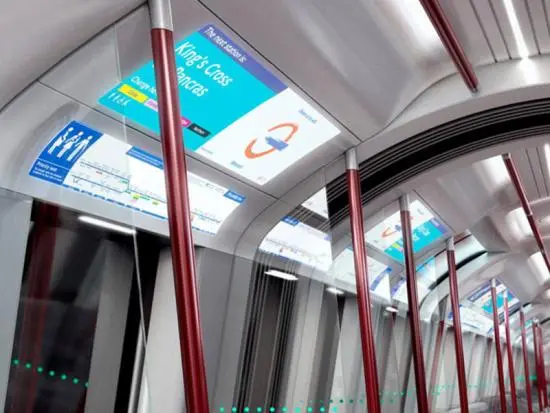
Transit platforms, airport gates, and vehicle interiors have used this format for years. The elongated panel fits naturally above seating, along platform edges, or in overhead panels-positions purpose-built for at-a-glance information. Real-time departure updates, service alerts, and route information reach passengers where they're already looking.
Restaurants and Quick-Service
Menu boards above counters, order-status screens at pickup windows, and drive-through promotional displays are all standard applications. For QSR chains pushing time-sensitive promotions across multiple locations, updating every screen simultaneously from a single interface is a direct operational advantage. Our 2026 smart restaurant LCD deployment guide covers current patterns in food service signage in more detail.
Healthcare
Queue management displays, appointment status boards, wayfinding at facility entrances, and pharmacy order-ready notifications are practical uses that don't require clinical integration. In waiting areas specifically, accurate real-time information reduces the number of questions directed to staff-a measurable efficiency gain in high-volume clinics and hospital outpatient departments.
Corporate and Office
Meeting room name panels, lobby visitor directories, and elevator floor guides are the most common office applications. These are low-complexity deployments that keep internal information current without requiring anyone to update a physical holder.
LCD Bar Display vs. Traditional Static Signage
| Dimension | LCD Bar Display | Static Printed Signage |
|---|---|---|
| Content update speed | Seconds (remote) | Days to weeks |
| Recurring cost | Low after installation | Repeats with every change |
| Visual impact | High - motion, brightness, animation | Static, dependent on ambient light |
| Multi-location consistency | Centrally controlled | Dependent on local execution |
| Interactivity | Available via touch options | None |
| Initial investment | Higher upfront | Lower upfront |
| Best suited for | Frequent changes, multi-site operations | Stable messaging, minimal changes |
For a hardware-level comparison between display technologies, this guide on LCD bar screen vs. LED bar screen differences covers the technical distinctions that affect purchasing decisions.
Is an LCD Bar Display Right for Your Operation?
It's likely a good fit if:
- Your content changes more than a few times per year-pricing, promotions, schedules
- You operate spaces with meaningful foot traffic where signage visibility has a direct impact
- You manage multiple locations and need consistent messaging without relying on local staff
- Your current print signage process is slow, expensive, or inconsistently executed
- You have shelf-edge, overhead, or narrow-wall locations where standard screens won't fit
Static signage may still be the better choice if:
- Your messaging is fully stable and changes fewer than two or three times per year
- You're operating in a very small space with minimal customer-facing foot traffic
- Reliable network infrastructure isn't available or feasible at the installation site
The test is straightforward: how often does your signage actually need to change, and what does it cost-in time, money, and customer experience-when it doesn't update fast enough?
What to Look for When Buying: A Practical Checklist
The bar LCD display buying guide covers specifications in depth. The short version of what matters most:
Key Specs That Affect Real-World Performance
Brightness: 350–500 nits is sufficient for most standard indoor commercial environments. Window-facing or semi-outdoor installations should specify 700 nits or higher. Ask specifically for sustained brightness under continuous operation-peak brightness figures are often measured under conditions that don't reflect actual deployment.
Physical dimensions: Measure the installation space before specifying hardware. A display that's a few centimeters too tall for a shelf-edge channel is unusable regardless of every other spec. Confirm both the active display area and the total bezel dimensions against your mounting constraints.
Resolution: Full HD is the practical minimum for most applications. Resolution matters most for close-proximity viewing-a shelf-edge display read from half a meter needs sharper rendering than an overhead unit read from three meters. Don't over-specify for distance applications; don't under-specify for product-level displays.
Indoor vs. Outdoor-Rated Models
Running an indoor-rated display in a semi-outdoor environment-even under a covered canopy with heat and moisture exposure-will shorten its lifespan substantially. Outdoor-rated models carry IP54 or higher ingress protection and wider operating temperature ranges. The price difference is real, but so is the cost of replacing failed hardware ahead of schedule. For a broader look at what commercial specifications mean in practice, see the case for commercial-grade LCD over consumer-grade alternatives.
CMS Compatibility and Software Integration
Confirm hardware compatibility with your content management platform before purchasing-not after. Units shipping with embedded Android or Linux media players have the broadest software compatibility. If integration with inventory systems or scheduling platforms is required, verify that those integrations are tested against the specific hardware, not simply listed as theoretically compatible.
Three Buying Mistakes Worth Avoiding
- Choosing on price alone. The gap between a budget and mid-range bar display typically comes down to sustained brightness rating, panel lifespan, and enclosure quality-factors that don't appear in the headline price but determine total cost of ownership over a five-year deployment.
- Skipping the site survey. Mounting surface material, power access points, ambient light levels, and viewer distances should all be confirmed before hardware is specified. These constraints are easier and cheaper to accommodate in the planning stage than after equipment has been ordered.
- Underestimating content requirements. A bar display cycling through three static images adds little operational value over print. Budget time and resources for content creation, scheduling, and ongoing management from the outset. The hardware investment is the straightforward part.
Frequently Asked Questions
What's the practical difference between an LCD bar display and a standard commercial monitor?
The primary difference is aspect ratio. Standard 16:9 monitors are designed for video and general computing. Bar displays use ratios like 16:3 or 16:4, making them suited for shelf edges, transit panels, and elevator interiors where a standard screen won't fit physically. They're also built for continuous commercial operation-16 to 24 hours daily-rather than intermittent consumer use.
Can bar displays run outdoors?
Some models are rated for semi-outdoor and outdoor installation, with IP54+ ingress protection and brightness at 700 nits or above. Standard indoor commercial models should not be used outdoors, including in covered areas exposed to significant ambient heat, moisture, or temperature swings.
How does content management work across multiple screens?
Most commercial bar displays are compatible with cloud-based CMS platforms that allow centralized scheduling and real-time updates across any number of screens at different locations. Android-based units typically have the widest range of compatible software options.
How do LCD bar displays fit alongside electronic shelf labels?
They serve different but complementary functions. Electronic shelf labels handle compact, individual-SKU price and product data. LCD bar displays handle larger-format content-promotional video, animated pricing, campaign graphics-at section or category level. Many retailers deploy both in the same environment for different signage objectives.
What does installation typically involve?
Shelf-edge units typically clip into standard shelf rail profiles and need only a power connection and network access. Overhead or wall-mounted installations may require professional mounting hardware and conduit for cabling. Complexity scales with the installation environment-a site survey before specification avoids most surprises.
Getting Started
The hardware decision is straightforward once the operational questions are clear: what content runs on these screens, how often it changes, who manages it, and what a successful deployment looks like six months in. Those questions are worth answering before comparing specifications.
If you're ready to move from evaluation to specification, our display solutions overview covers the full product range by application. To discuss your specific installation requirements directly, submit a specification inquiry and our technical team will respond with hardware recommendations matched to your environment.





