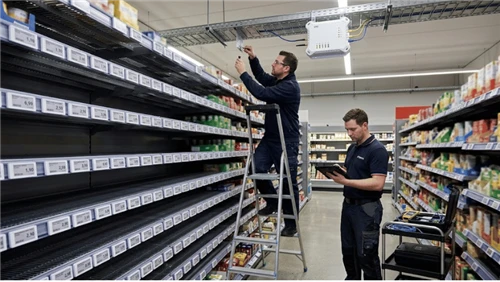
A $1,200 commercial display in the same spot runs 14 hours a day for four years without a single service call.
After supplying commercial LCD displays to retailers across grocery, pharmacy, electronics, and food-service verticals, we see this pattern play out constantly. The real question is never "which screen costs less at checkout." It is which one costs less over three years, performs reliably in your actual environment, and does not force you to shut down a promotion to swap hardware.
This guide compares commercial displays and consumer TVs with specific numbers-brightness, lifespan, warranty terms, total cost-and gives you a clear framework to decide which screen fits your situation.

What Separates a Commercial Display from a Consumer TV?
A consumer TV is built for a living room: controlled lighting, a few hours of viewing per day, someone sitting on a couch six feet away. A commercial display is engineered for a store, lobby, restaurant, or airport terminal: harsh overhead lighting, 12–16 hours of daily operation, and viewers walking past at varying distances and angles.
The difference is not cosmetic. It shows up in every component-power supply, cooling system, backlight, panel coating, firmware, and warranty coverage. The sections below break down exactly where these differences matter most for your buying decision.

7 Differences That Actually Affect Your Decision
1. Operating Hours and Build Quality
Consumer TVs are designed around a duty cycle of 6–8 hours per day. Push one to 12 or 14 hours and you are running it outside its design envelope. The power supply overheats, the backlight degrades faster, and component failures start appearing within the first year.
Commercial displays are rated for 16/7 (16 hours a day, 7 days a week) or 24/7 continuous operation. They achieve this through reinforced power supplies, commercial-grade capacitors, and active cooling systems-internal fans or engineered ventilation channels that consumer TVs lack entirely. The result is consistent performance across years of nonstop use in environments that would wear out a home TV in months.
A useful threshold: if your screen will run more than 10 hours a day, a consumer TV becomes a reliability gamble.
2. Brightness
This difference is immediately visible. Consumer TVs typically output 250–400 nits-plenty for a dimmed living room, not enough for a retail floor lit by commercial fluorescent or LED fixtures at 500–1,000 lux. Under those conditions, a 300-nit screen looks washed out, and customers walking past will not notice your promotions at all.
Commercial displays start at 500 nits for standard indoor models and reach 2,500 nits for high-brightness units designed for window-facing or semi-outdoor placements. Some fully outdoor-rated panels exceed 3,000 nits. If you are choosing a screen for a retail environment, 500 nits is the working minimum. For a window-facing storefront display, you will need 2,000 nits or more.

3. Warranty - The Detail Most Buyers Miss
Here is what catches many first-time buyers off guard: most consumer TV warranties explicitly exclude commercial use. Samsung's QLED TV warranty, for instance, limits commercial-use coverage to just 90 days of parts and labor-compared to the standard residential warranty period. Mount that TV in your store, and a backlight failure at month six means you are paying for a replacement entirely out of pocket.
Samsung's commercial signage line, by contrast, carries a standard 3-year commercial warranty. LG and other major manufacturers follow a similar split: one warranty tier for home, a different (and much longer) one for their professional display products.
Beyond coverage duration, lifespan differs as well. Consumer panels are rated for roughly 30,000 hours. Commercial panels typically reach 50,000–60,000 hours-enough for 5–7 years of 16-hour daily operation before noticeable brightness degradation.
4. Image Retention and Burn-In
Does your content include a logo in the corner, a fixed menu layout, or a static price banner? On consumer TVs-especially OLED models-prolonged display of static content causes image retention or permanent burn-in. Even LED/LCD consumer sets can develop ghosting artifacts after months of showing the same layout.
Commercial displays address this with built-in anti-retention technologies: automatic pixel shifting, periodic screen-refresh cycles, and orbital motion algorithms that subtly reposition content at the pixel level. These run in the background without any manual intervention. For digital signage applications where static elements are part of the content design, this is a meaningful differentiator.
5. Connectivity and Remote Management
A consumer TV gives you HDMI, USB, and Wi-Fi. That is fine for a single screen running a media player.
Commercial displays add RS-232 serial control, RJ45/LAN Ethernet, and DisplayPort. These are not features you pay for and never use-they enable remote management at scale: powering screens on and off on a schedule, monitoring device health, pushing firmware updates, and receiving alerts when a display goes offline. For a chain operating 20, 50, or 200 screens across multiple locations, remote management is the difference between a manageable network and a logistical headache requiring physical site visits for every issue.
A significant development in the 2025–2026 market is the integration of Android-based System-on-Chip (SoC) processors directly into commercial displays. These built-in SoCs run digital signage CMS software natively, eliminating the need for an external media player-reducing hardware costs and potential failure points.
6. Mounting Orientation
Need a portrait-oriented screen for a menu board, wayfinding sign, or digital endcap display? Consumer TVs are designed exclusively for landscape use. You can physically rotate one 90 degrees, but doing so disrupts the internal cooling airflow-heat accumulates unevenly, accelerating component failure. Worse, portrait installation typically voids the manufacturer's warranty.
Commercial displays are designed and tested for both orientations. Their cooling systems account for vertical airflow, and their warranties explicitly cover portrait mounting. Many also support ceiling mounts, recessed flush mounts, and integration into kiosk enclosures-options consumer TVs simply cannot accommodate. Specialized form factors like stretched bar displays for shelf-edge signage take this further, fitting into spaces where no standard TV would work.
7. Safety and Regulatory Compliance
In public spaces-retail stores, hospitals, schools, restaurants-displays may need to meet commercial safety and regulatory standards: UL listing, FCC Part 15 Class A compliance, fire-safety ratings, and in some environments, IP-rated dust and moisture protection.
Commercial displays are engineered to meet these requirements. Many include tempered safety glass, anti-tamper locks, and certified IP ratings. Consumer TVs are certified for residential use only (FCC Part 15 Class B) and may not satisfy the inspection requirements in your deployment environment. Before purchasing, check the local codes that apply to your installation location.

Specification Comparison: Commercial Display vs Consumer TV
| Specification | Consumer TV | Commercial Display |
|---|---|---|
| Designed operating hours | 6–8 hrs/day | 16/7 or 24/7 |
| Brightness | 250–400 nits | 500–2,500 nits (indoor); 3,000+ (outdoor) |
| Rated lifespan | ~30,000 hours | 50,000–60,000+ hours |
| Warranty | 1 year residential (90 days commercial at Samsung) | 3 years, commercial use covered |
| Burn-in protection | Limited or none | Built-in pixel shift, screen refresh |
| Remote management | Not available | RS-232, LAN, cloud CMS |
| Portrait orientation | Not supported; may void warranty | Fully supported and warranty-covered |
| Built-in media player | Smart TV OS (Android/Roku/Tizen) | Android SoC optimized for signage CMS |
| Certifications | Residential (FCC Class B) | Commercial (UL, FCC Class A, IP-rated) |
| Price range | $150–$1,500 | $500–$5,000+ |
3-Year Total Cost of Ownership: The Calculation Most Buyers Skip
Initial price is the number everyone compares. But it is the wrong number. Here is a more realistic scenario for a retail store running one 55-inch screen at 14 hours per day:
Option A - Consumer TV:
- Initial cost: ~$350
- Typical first failure: 8–18 months in a high-duty retail environment (power supply or backlight degradation from thermal stress beyond the unit's design limits)
- Replacements over 3 years: 1–2 additional units at ~$350 each
- Installation labor per swap: $100–$200 depending on location
- Estimated 3-year total: $800–$1,300
- Hidden cost: promotional downtime, staff time coordinating replacements, potential warranty denial
Option B - Commercial Display:
- Initial cost: ~$1,200
- Expected replacements in 3 years: zero (well within the rated 50,000-hour lifespan)
- 3-year warranty coverage: included
- Estimated 3-year total: ~$1,200
For a single screen, the gap is modest. Multiply it across 20 or 50 locations and the consumer TV approach becomes significantly more expensive-not even counting the brand-image cost of dark screens in customer-facing locations. For a deeper look at the economic case for commercial-grade LCD panels in retail, we have covered the topic in detail.
A general rule: if a screen runs more than 10 hours per day, a commercial display typically pays for itself within 18 months through avoided replacements and reduced maintenance labor.

Which One Should You Choose? Scenarios and Recommendations
| Scenario | Recommended | Why |
|---|---|---|
| Small café menu board, <8 hrs/day, indoor | Consumer TV | Low duty cycle, controlled lighting, budget-sensitive |
| Retail store signage, 12–16 hrs/day | Commercial display | Sustained operation, adequate brightness, reliability |
| Grocery shelf-edge or endcap | Stretched bar display | Specialized form factor; standard screens do not fit |
| Window-facing with sunlight | High-brightness commercial (2,000+ nits) | Consumer TVs unreadable in direct light |
| Corporate meeting room, few hours/day | Either-consumer TV often sufficient | Low daily hours reduce the durability advantage |
| QSR menu board, 16+ hrs/day, portrait | Commercial display | Continuous use, heat, portrait orientation |
| Multi-location chain, 20+ screens | Commercial display | Remote management essential at scale |
| Interactive customer kiosk | Commercial touchscreen display | Touch, tamper resistance, commercial durability |
Three factors drive the decision: daily operating hours, ambient brightness, and deployment scale. Unit price is the least important variable once you account for lifecycle costs.
Four Mistakes That Cost Retailers Money
Comparing sticker prices instead of lifecycle costs. A $350 consumer TV is not cheaper than a $1,200 commercial display if you replace it twice in three years and pay labor each time. Run the 3-year math before signing a purchase order.
Mounting a consumer TV in portrait orientation. This is one of the most common errors we see in small-business signage deployments. Portrait mounting disrupts the TV's cooling design and almost always voids the warranty. If portrait is required, use a display that is rated and warranted for it.
Assuming the home warranty covers business use. It usually does not. Samsung's consumer TV warranty explicitly limits coverage to "noncommercial use." LG, Sony, and TCL use similar language. A screen used in a store or restaurant may carry zero warranty protection from day one. Read the terms before buying.
Ignoring remote management needs at the outset. One screen is easy to manage manually. Ten screens across three locations are not. If you expect your deployment to grow, start with hardware that supports RS-232 or LAN-based management. Retrofitting that capability later is either expensive or impossible.
Frequently Asked Questions
Can I use a regular TV for digital signage?
Yes-in low-demand situations. A consumer TV works for indoor setups with controlled lighting, running fewer than 8–10 hours per day. Many small businesses start this way. But understand the trade-offs: the warranty likely will not cover commercial use, the lifespan will be shorter, and you will have no remote management capability. For anything beyond basic, low-hours use, a commercial-grade LCD advertising display is the more reliable path.
How long do commercial displays last?
Most are rated for 50,000–60,000 hours. At 16 hours per day, 365 days per year, that translates to roughly 8–10 years of rated life. In practice, expect 5–7 years of reliable service before any noticeable brightness degradation on a quality commercial panel.
What brightness do I need for a retail store?
For a standard indoor retail environment with commercial lighting (500–1,000 lux), choose a display with at least 500 nits. For screens near windows or in sunlit areas, 2,000 nits or higher is necessary. Consumer TVs at 250–400 nits will appear dim under typical retail lighting.
Do commercial displays come with built-in media players?
Increasingly, yes. Many commercial displays manufactured since 2024 include an Android-based SoC that can run CMS software directly-no external player needed. Before purchasing, verify that the built-in SoC supports the specific CMS platform you plan to use.
Is a commercial display worth the extra cost for a small business?
If your screen runs more than 10 hours per day, the 3-year total cost of a commercial display is often comparable to-or lower than-a consumer TV that needs replacing. Even a single custom retail LCD display in a high-traffic zone can justify the investment through avoided downtime and maintenance.
What does the IP rating on a commercial display mean?
IP (Ingress Protection) ratings indicate resistance to dust and water. The first digit covers solids (0–6), the second covers liquids (0–9). For standard indoor commercial use, IP20 is typical. Semi-outdoor or kitchen environments call for IP54 or higher. Fully outdoor kiosk installations need IP65 or above. Consumer TVs generally carry no IP rating.
Choosing the Right Screen
The decision comes down to three questions: how many hours per day will the screen run, how bright is the space, and how many screens do you need to manage?
For a single screen in a quiet indoor space running a few hours a day, a consumer TV is perfectly sensible. For longer hours, brighter environments, portrait mounting, or multi-location rollouts, a commercial display is not a luxury-it is the more economical option over time.
If you are evaluating commercial display options for retail signage, shelf-edge screens, or interactive kiosks, browse our full hardware range or reach out to discuss your project. We are happy to share what we have learned from deployments across retail, food service, and specialty environments.