Walk into a large supermarket chain today and you'll likely see electronic shelf labels on almost every shelf rail - wireless digital displays that update prices instantly, without a single printed sticker. Most small grocery store owners assume that technology is built for retailers with dedicated IT teams and national rollout budgets.
That assumption is costing smaller operators more than they realize.
Legoyo has manufactured ESL and retail display systems since 2002, working with over 300 brands across 40+ countries, including independent grocers and regional chains. The pattern we see consistently: smaller stores often have a stronger business case for digital shelf labels than large chains, precisely because lean teams make every hour of manual work more expensive.
This guide walks through the real numbers - what manual pricing actually costs, how ESL deployment works at small-store scale, and how to decide whether the investment makes sense for your operation.
The Real Cost of Paper Price Tags in a Small Grocery Store
How much time does manual pricing actually take?
Most independent grocery stores update prices more than once a week. Weekend promotions, fresh produce markdowns, and supplier cost changes all generate label work - and each update requires someone to print, sort, and physically walk the aisles replacing tags.
In a store with around 600 SKUs, a full price update typically takes two staff members three to four hours. Run that twice a week and you're looking at roughly 300–400 hours of labor per year, dedicated entirely to a task that generates no revenue and adds nothing for customers.
According to the U.S. Bureau of Labor Statistics, the mean hourly wage for retail sales workers sits around $17–$19. At those rates, 350 annual hours of pricing labor costs roughly $6,000–$6,600 - before overtime. Holiday prep and seasonal transitions tend to be the heaviest label-change periods, which is exactly when spare staff hours are hardest to find.
The less obvious costs
Labor time is the most visible expense, but manual pricing creates compounding problems that rarely appear in a line item. For a practical comparison of what paper and digital approaches cost over time, see our breakdown of paper labels vs. electronic alternatives.
- Pricing errors. When tags are placed by hand across hundreds of SKUs, mismatches happen. A tag on the wrong shelf or a missed update creates a discrepancy between shelf price and POS checkout. In many jurisdictions, a customer charged more than the displayed shelf price is entitled to a remedy under consumer protection law - the consequences of price display errors range from refund obligations to regulatory notices.
- Print and material waste. Per-label printing costs are modest, but across thousands of label changes per year they add up - and all of it becomes landfill.
- Staff morale and turnover. Repetitive manual tasks are consistently cited as a driver of retail employee dissatisfaction. In a small store where replacing one team member costs real time and money, turnover is more expensive than most owners account for.
How ESLs Automate Pricing and Reduce Errors in Small Grocery Stores
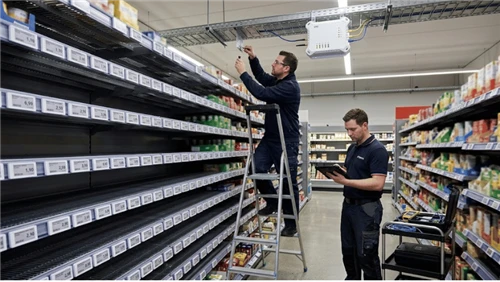
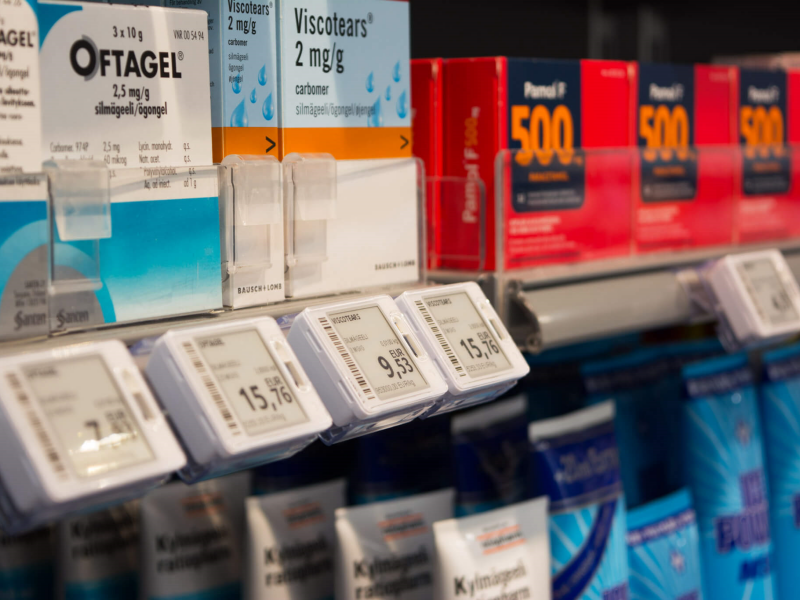
Electronic shelf labels are wireless e-paper or LCD displays that mount directly onto your existing shelf rails. They connect to a central management system via your store's Wi-Fi or a dedicated radio-frequency gateway, pulling price and product data remotely.
When a price changes, you update it once in the software. Within minutes, every relevant label reflects the new value - chilled aisle, freezer section, fresh produce area. No printing queue, no sorting, no aisle walking. Because label data syncs directly from the same source as your POS, shelf prices and checkout prices stay aligned automatically. Staff who previously spent half a shift on label changes can redirect that time to customer service and restocking - work that actually affects how people experience your store.
Does the ROI Add Up for a Small Grocery Store?
A worked cost scenario
The figures below are industry estimates, not a formal quote. Actual costs vary by supplier, SKU count, hardware spec, and local labor market. Use them as a framework.
| Cost item | Estimated annual figure |
|---|---|
| Manual pricing labor (600 SKUs, 2× per week) | $5,500–$7,000 |
| Print and label material costs | $300–$600 |
| Compliance incidents and pricing disputes | Variable - typically underestimated |
| ESL system (hardware + software, amortized over 7 years) | $1,800–$3,500 (industry estimate) |
| Estimated net annual saving | $3,500–$6,000+ |
Payback periods of 18–36 months are commonly reported for stores in this range - shorter for operations running frequent promotions or paying above-average overtime. For a deeper look at modeling this for your own store, the ESL ROI calculator guide and detailed cost breakdown cover the main variables.
What drives the ROI case up or down
- SKU count. Stores with fewer than 200 SKUs and stable pricing rarely see a strong case. 400+ SKUs with frequent updates are typically the strongest candidates.
- Promotion frequency. More markdowns mean faster labor savings compound.
- Local wage rates. Higher staff costs shorten the payback window.
- Perishables volume. Fresh and chilled sections require the most frequent label updates and often deliver the fastest section-level ROI.
- Current error rate. If pricing discrepancies are already generating refunds or customer friction, ESL eliminates that cost from day one.
What to Look for When Choosing an ESL System for a Small Store
Hardware specs that matter at this scale
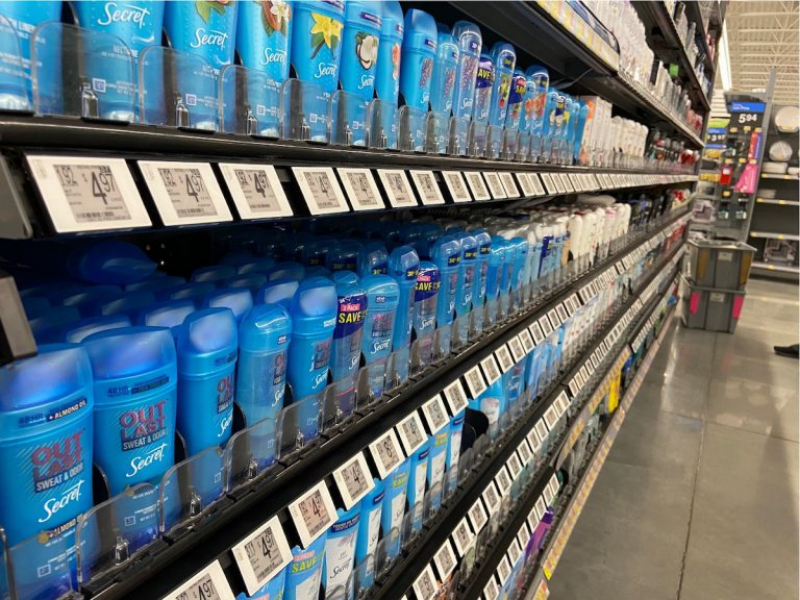
- Display size range. A practical system covers 1.5–2 inches for standard shelf edge tags up to 4–7 inches for produce sections and endcap promotions. See ESL configurations for grocery environments for common size setups.
- Battery life. E-paper labels only consume power when content changes. Quality labels are typically rated for 5–10 years under normal grocery update frequencies - verify actual rated cycles, not just marketing claims.
- IP rating and operating temperature - two separate specs. IP65 covers dust and water jet resistance, appropriate for ambient and fresh sections. Freezer aisles additionally require a rated operating temperature of at least -20°C or -25°C. A label rated IP65 is not automatically rated for sub-zero temperatures. Check both when specifying hardware for cold storage.
- Communication protocol. ESL systems use 2.4 GHz Wi-Fi, Sub-GHz radio, or Bluetooth Low Energy - each has different range, interference, and gateway cost profiles. See our comparison of Bluetooth vs. Wi-Fi vs. Sub-GHz ESL to match the right protocol to your store layout.
- Update speed. For stores running daily markdowns, the system should update all labels within a few minutes. See refresh rate and display performance considerations before committing.
Four questions to ask any supplier before signing
- Which POS systems do you integrate with natively - is mine on that list?
- Who owns integration maintenance when my POS software updates?
- What does setup require on my end - can a non-technical store manager handle it?
- Can you provide a reference customer at similar store size and POS configuration?
On installation: for a 500–800 SKU store, what the process typically involves is 2–4 wireless gateways mounted in the ceiling, labels clipped to existing shelf rails, and a software connection to your pricing data - usually completed in one to two days with a half-day of staff training.
When an Electronic Shelf Label System Is - and Isn't - the Right Fit
ESL is not the right move for every small grocery store right now. This checklist helps clarify where you stand:
- You update prices more than once per week on average
- Your store carries 300 or more SKUs
- You sell fresh produce, dairy, or perishables with frequent markdowns
- You've experienced checkout disputes or compliance notices related to shelf pricing
- You pay overtime specifically to complete label changes before weekends or holidays
- Staff turnover is higher than you'd like
If four or more of these apply, the ROI case is worth a serious evaluation. If two or fewer apply - particularly if SKU count is below 200 and prices rarely change - the math is weaker. A section-level pilot covering just your fresh aisle is a lower-risk way to generate real usage data before committing to a full rollout.
ESL also adds limited value in specific scenarios: seasonal pop-up stores, operations with highly stable pricing, or stores where the current pricing workload falls under two hours per week. To see how other independent grocery operators have approached the decision, including those who started with a single aisle, the store-level case breakdowns give useful context.
Getting Started
The most useful first step is a clear number on what manual pricing actually costs your store. Track staff hours on label-related tasks over three to four weeks, multiply by your fully loaded hourly labor cost, and annualize it. That figure becomes your honest baseline for evaluating any supplier quote.
Most reputable ESL manufacturers will offer a pilot - a small-scale trial on one or two aisles - before you commit to a full deployment. If a supplier won't provide a pilot or a reference customer at comparable store scale, that's worth noting. To explore ESL solutions designed for independent and regional grocery operators, or to request a quote based on your store's SKU count and layout, Legoyo's team has been working with small-format retail since 2002.
Frequently Asked Questions
How much do electronic shelf labels cost for a small grocery store?
Per-label hardware typically runs from a few dollars for basic e-paper tags to $15–$25 for larger or specialty units. For a 600-SKU store, total system cost amortized over the hardware's usable life generally compares favorably against ongoing manual pricing labor costs. For real-world deployment cost data across SMB grocery deployments, that breakdown covers what operators are actually paying. Always request itemized quotes from at least two suppliers and ask about software subscription fees.
How long does ESL installation take?
For a 500–800 SKU store, initial setup typically takes one to two days: mounting the gateways, clipping labels to shelf rails, and connecting the platform to your pricing data. Staff training on the management software usually takes a half-day.
Do electronic shelf labels work with existing POS systems?
Most modern ESL platforms integrate with common retail POS systems via API or scheduled file exchange. The key question is who maintains the integration when your POS updates. Ask your supplier directly which systems they support natively and whether ongoing integration upkeep is handled on their side.
What is the typical battery life of an electronic shelf label?
E-paper labels only consume power when display content changes, making them efficient. Most quality e-paper labels are rated for 5–10 years under typical grocery update rates. LCD labels used in promotional zones consume more power and generally require wired power or more frequent service. For a technical comparison, see our LCD vs. e-ink guide.
Can electronic shelf labels be used in freezer sections?
Yes, but you need hardware specified for that environment. Check two independent specifications: IP rating (IP65 or higher for moisture resistance) and operating temperature range (typically rated to -20°C or -25°C for commercial freezers). A label rated IP65 is not automatically rated for sub-zero temperatures - confirm both with your supplier before ordering hardware for cold storage zones.
What is the minimum store size that makes ESL worthwhile?
There is no hard minimum, but stores with fewer than 200 SKUs and infrequent price changes (monthly or less) rarely see a strong ROI case. The single most important variable is pricing frequency, not store size - a small specialty grocer running daily fresh markdowns can see faster payback than a larger dry goods store with stable pricing. A section-level pilot is a lower-risk way to generate real data before a full rollout.