


A screen can be accurately calibrated and still show gray blacks or clipped shadow detail if a media player sends one range while the display expects another, or if a conversion somewhere in the chain changes color-space signaling. That is the practical reason to treat commercial LCD RGB range color space mismatch as a system problem rather than a specification-line feature. This guide is for Digital-signage engineers, CMS/media-player teams, AV integrators, retail IT, and commissioning technicians and answers one narrow question: How do you diagnose commercial LCD images that look washed out, overly dark, or strangely saturated when the panel itself is healthy but source and display video-range/color-space settings disagree? The focus is source-to-display video-level/color-space agreement, distinct from panel color matching.
The evidence chain should follow the product from specification to field use. Begin with model-specific documentation, connect it to drawings and configuration for the finished display/fixture assembly, then verify the difficult interactions on production-equivalent hardware. Store the exact revision and the condition under which it passed. After rollout, compare incidents with that baseline so old evidence is not reused after a replacement. The important interfaces include panel mechanics, video source, display settings, optical condition, mounting, and service replacement. When a numerical limit matters, source it from the applicable standard, the exact model, or an approved project requirement instead of turning a convenient example into a universal specification.

Keep the scope connected to Bar-Shaped LCD Screen, Bar LCD CMS Integration, Bar LCD Thermal Management. They establish adjacent product and integration context; this article keeps its own keyword owner and engineering boundary.
The topic-lock research reviewed public category/technical material from Samsung Business Displays, LG Commercial Display, and Sharp/NEC Display Solutions. The purpose was to identify common buyer language and gaps in implementation detail. Competitor claims are not used as LEGOYO facts, and competing commercial pages are not linked from the final article.
Set the boundary before selecting a fix
Color-matching pages own multi-screen calibration; this page owns source encoding/range, display input interpretation, player/GPU settings, and commissioning test patterns. The controlling object is the finished display/fixture assembly, not a loose component on a laboratory table. The deployment team should frame the supported condition around source output format and pixel encoding, full-range versus limited-range agreement, and display input black-level/range setting; name the owner of each interface; and state what the user or technician sees when it falls outside the approved state. That approach separates a real component defect from a fixture, configuration, content, environment, or service problem.
Write exclusions next to the scope. This article focuses on source-to-display video-level/color-space agreement, distinct from panel color matching and should not absorb every adjacent topic merely because the same hardware is involved. The first adverse case to place in the plan is "Blacks appear gray because the source/display range assumptions differ." If the project cannot explain how that condition is detected, contained, and retested, the boundary is still too vague for procurement or acceptance.
Scope-to-evidence map
| Control point | Review action | Adjacent dependency | Output |
|---|---|---|---|
| source output format and pixel encoding | make the state observable | Interaction with display input black-level/range setting | acceptance record tied to production revision |
| full-range versus limited-range agreement | challenge a tolerance edge | Interaction with color-space/gamut mode selection | acceptance record tied to production revision |
| display input black-level/range setting | reproduce a service state | Interaction with HDMI/DisplayPort metadata and automatic mode behavior | acceptance record tied to production revision |
| color-space/gamut mode selection | confirm recovery after disturbance | Interaction with CMS/transcoder export format consistency | acceptance record tied to production revision |
| HDMI/DisplayPort metadata and automatic mode behavior | establish the reference condition | Interaction with test patterns for black/white clipping and color bars | acceptance record tied to production revision |
| CMS/transcoder export format consistency | expose the dependency | Interaction with configuration baseline across player, extender, switcher, and display | acceptance record tied to production revision |
Engineering controls to specify explicitly
The controls below come directly from the failure boundary for commercial LCD RGB range color space mismatch. They are intentionally more specific than generic product features. For each one, define the reference state, the interaction that can change it, the production/service check, and the change that invalidates the old result.
Source output format and pixel encoding
For source output format and pixel encoding, the key issue is whether the final assembly keeps the intended state after tolerance, service and environment are added. Frame the variable that controls it, which part or configuration establishes the reference, and how a technician can prove it without relying on tribal knowledge. Pair the check with full-range versus limited-range agreement, because those two conditions can move together after a change. The negative case "Blacks appear gray because the source/display range assumptions differ" is useful because it forces the review away from nominal geometry or default settings. The expected outcome should say what remains functional, what becomes unavailable, and what evidence distinguishes this condition from an unrelated integration error.
Full-range versus limited-range agreement
Put full-range versus limited-range agreement into the requirement set before tooling and quotations are frozen. Pin down the variable that controls it, which part or configuration establishes the reference, and how a technician can exercise it without relying on tribal knowledge. Pair the check with display input black-level/range setting, because those two conditions can move together after a configuration edit. The negative case "Shadow detail is crushed after an automatic input-mode change" is useful because it forces the review away from nominal geometry or default settings. The expected outcome should say what remains functional, what becomes unavailable, and what evidence distinguishes this condition from an unrelated edge-case breakdown.
Display input black-level/range setting
Display input black-level/range setting is an installation condition, not a drawing label. Establish the variable that controls it, which part or configuration establishes the reference, and how a technician can demonstrate it without relying on tribal knowledge. Pair the check with color-space/gamut mode selection, because those two conditions can move together after a site alteration. The negative case "One screen in a row uses a different input setting after service replacement" is useful because it forces the review away from nominal geometry or default settings. The expected outcome should say what remains functional, what becomes unavailable, and what evidence distinguishes this condition from an unrelated mismatch.
Color-space/gamut mode selection
The design review for color-space/gamut mode selection needs a reference that survives production and field service. Define the variable that controls it, which part or configuration establishes the reference, and how a technician can check it without relying on tribal knowledge. Pair the check with HDMI/DisplayPort metadata and automatic mode behavior, because those two conditions can move together after a substitution. The negative case "A video transcode changes range or matrix while still producing a playable file" is useful because it forces the review away from nominal geometry or default settings. The expected outcome should say what remains functional, what becomes unavailable, and what evidence distinguishes this condition from an unrelated service escape.
Hdmi/displayport metadata and automatic mode behavior
For HDMI/DisplayPort metadata and automatic mode behavior, the key issue is whether the final assembly keeps the intended state after tolerance, service and environment are added. Describe the variable that controls it, which part or configuration establishes the reference, and how a technician can inspect it without relying on tribal knowledge. Pair the check with CMS/transcoder export format consistency, because those two conditions can move together after a field modification. The negative case "An extender or switcher alters metadata and triggers a different display mode" is useful because it forces the review away from nominal geometry or default settings. The expected outcome should say what remains functional, what becomes unavailable, and what evidence distinguishes this condition from an unrelated failure.
Cms/transcoder export format consistency
Put CMS/transcoder export format consistency into the requirement set before tooling and quotations are frozen. Set the variable that controls it, which part or configuration establishes the reference, and how a technician can confirm it without relying on tribal knowledge. Pair the check with test patterns for black/white clipping and color bars, because those two conditions can move together after a revision. The negative case "Technicians attempt to fix a range mismatch with brightness/contrast controls and create additional clipping" is useful because it forces the review away from nominal geometry or default settings. The expected outcome should say what remains functional, what becomes unavailable, and what evidence distinguishes this condition from an unrelated latent defect.
Test patterns for black/white clipping and color bars
Test patterns for black/white clipping and color bars is an installation condition, not a drawing label. Bound the variable that controls it, which part or configuration establishes the reference, and how a technician can validate it without relying on tribal knowledge. Pair the check with configuration baseline across player, extender, switcher, and display, because those two conditions can move together after a service intervention. The negative case "Blacks appear gray because the source/display range assumptions differ" is useful because it forces the review away from nominal geometry or default settings. The expected outcome should say what remains functional, what becomes unavailable, and what evidence distinguishes this condition from an unrelated configuration fault.
Configuration baseline across player, extender, switcher, and display
The design review for configuration baseline across player, extender, switcher, and display needs a reference that survives production and field service. Document the variable that controls it, which part or configuration establishes the reference, and how a technician can verify it without relying on tribal knowledge. Pair the check with source output format and pixel encoding, because those two conditions can move together after a replacement. The negative case "Shadow detail is crushed after an automatic input-mode change" is useful because it forces the review away from nominal geometry or default settings. The expected outcome should say what remains functional, what becomes unavailable, and what evidence distinguishes this condition from an unrelated drift.
Trace the interfaces that can move the result
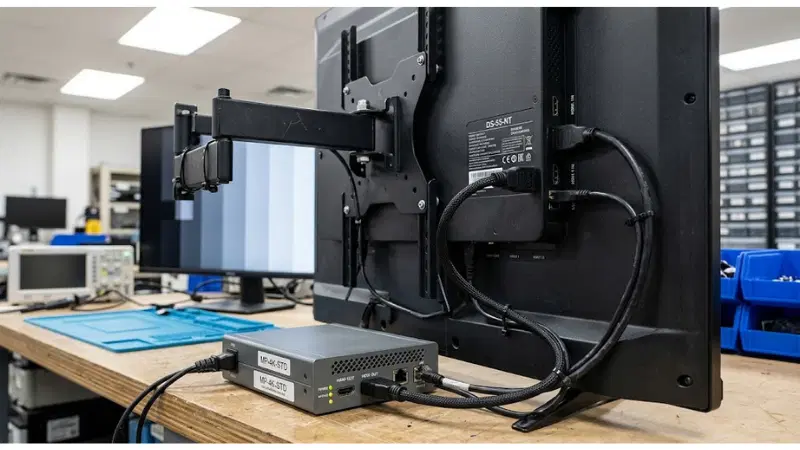
Commercial lcd rgb range color space mismatch sits inside the finished display/fixture assembly and can be changed indirectly by panel mechanics, video source, display settings, optical condition, mounting, and service replacement. Build the interface map before troubleshooting. That prevents the first visible symptom from becoming the assumed root cause and gives service teams a sequence for checking recent changes before parts are swapped.
| Interface layer | Variables to connect | Practical challenge | Traceability |
|---|---|---|---|
| Mechanical/fixture | source output format and pixel encoding; color-space/gamut mode selection | Read back the configured state before and after restart, reset or replacement | capture unit/revision and result |
| Electrical or device state | full-range versus limited-range agreement; HDMI/DisplayPort metadata and automatic mode behavior | Exercise representative and difficult site conditions rather than laboratory defaults | capture unit/revision and result |
| Configuration/software | display input black-level/range setting; CMS/transcoder export format consistency | Repeat the task with service access, cleaning, replenishment or replacement steps included | capture unit/revision and result |
| Environment/content | color-space/gamut mode selection; test patterns for black/white clipping and color bars | Compare a substitute part or revision with the approved evidence before release | capture unit/revision and result |
| Service/operations | HDMI/DisplayPort metadata and automatic mode behavior; configuration baseline across player, extender, switcher, and display | Hold the approved baseline and move one physical variable at a time | capture unit/revision and result |
| Supplier/lifecycle | CMS/transcoder export format consistency; source output format and pixel encoding | Observe power/device state while the linked mechanical or optical condition is changed | capture unit/revision and result |
The map should be useful during a real incident. A technician should be able to answer: what changed last, which of source output format and pixel encoding or full-range versus limited-range agreement could explain the symptom, and what quick observation preserves evidence before recovery is attempted? If the answer requires unwritten knowledge from the original designer, the handover is incomplete.
Failure modes worth provoking on purpose
Normal-operation testing is necessary but not sufficient. The expensive incidents usually sit at boundaries: partial faults, service reassembly, configuration drift, or conditions that recover temporarily. For commercial LCD RGB range color space mismatch, the following cases are high-value because they exercise the actual integration boundary rather than an isolated feature.
| Failure condition | Controlled investigation | Likely checkpoints | Evidence / closure |
|---|---|---|---|
| Blacks appear gray because the source/display range assumptions differ | capture the system state before applying the recovery action | Check source output format and pixel encoding and display input black-level/range setting | traceable evidence package; corrective action; targeted retest |
| Shadow detail is crushed after an automatic input-mode change | repeat after the normal service or reset procedure | Check full-range versus limited-range agreement and color-space/gamut mode selection | traceable evidence package; corrective action; targeted retest |
| One screen in a row uses a different input setting after service replacement | compare a known-good unit or reference condition | Check display input black-level/range setting and HDMI/DisplayPort metadata and automatic mode behavior | traceable evidence package; corrective action; targeted retest |
| A video transcode changes range or matrix while still producing a playable file | verify the following transaction/content cycle, not just the immediate reset | Check color-space/gamut mode selection and CMS/transcoder export format consistency | traceable evidence package; corrective action; targeted retest |
| An extender or switcher alters metadata and triggers a different display mode | reproduce it on a production-equivalent assembly | Check HDMI/DisplayPort metadata and automatic mode behavior and test patterns for black/white clipping and color bars | traceable evidence package; corrective action; targeted retest |
| Technicians attempt to fix a range mismatch with brightness/contrast controls and create additional clipping | change only the suspected variable while holding the baseline | Check CMS/transcoder export format consistency and configuration baseline across player, extender, switcher, and display | traceable evidence package; corrective action; targeted retest |
Keep symptom, cause and consequence separate
When "Blacks appear gray because the source/display range assumptions differ" occurs, record the user-visible symptom first, then the device/configuration state, recent service intervention, diagnostic finding, and final correction. Do the same for "Shadow detail is crushed after an automatic input-mode change." This makes incidents comparable across sites. A reboot, reseat or adjustment can be an approved recovery step, but it should not erase the clues needed to determine whether the same configuration fault is recurring.
Turn the risk into an acceptance plan
Use a small number of well-defined tests that expose important interfaces rather than a long checklist of cosmetic observations. Each test should have a reason, an owner and a retest trigger. Exact numerical limits remain tied to model documentation, standards or buyer-approved requirements; the table below describes method and evidence rather than inventing a universal number.
| Test ID | Primary focus | Method | Adverse condition | Evidence |
|---|---|---|---|---|
| A14-1 | source output format and pixel encoding | Baseline source output format and pixel encoding; then challenge display input black-level/range setting | Include adverse case: Blacks appear gray because the source/display range assumptions differ | log setup, observation, disposition and retest |
| A14-2 | full-range versus limited-range agreement | Baseline full-range versus limited-range agreement; then challenge color-space/gamut mode selection | Include adverse case: Shadow detail is crushed after an automatic input-mode change | log setup, observation, disposition and retest |
| A14-3 | display input black-level/range setting | Baseline display input black-level/range setting; then challenge HDMI/DisplayPort metadata and automatic mode behavior | Include adverse case: One screen in a row uses a different input setting after service replacement | log setup, observation, disposition and retest |
| A14-4 | color-space/gamut mode selection | Baseline color-space/gamut mode selection; then challenge CMS/transcoder export format consistency | Include adverse case: A video transcode changes range or matrix while still producing a playable file | log setup, observation, disposition and retest |
| A14-5 | HDMI/DisplayPort metadata and automatic mode behavior | Baseline HDMI/DisplayPort metadata and automatic mode behavior; then challenge test patterns for black/white clipping and color bars | Include adverse case: An extender or switcher alters metadata and triggers a different display mode | log setup, observation, disposition and retest |
| A14-6 | CMS/transcoder export format consistency | Baseline CMS/transcoder export format consistency; then challenge configuration baseline across player, extender, switcher, and display | Include adverse case: Technicians attempt to fix a range mismatch with brightness/contrast controls and create additional clipping | log setup, observation, disposition and retest |
What the evidence package should contain
- Production model/revision and the parts that establish source output format and pixel encoding
- Fixture, enclosure, content or configuration needed to reproduce full-range versus limited-range agreement
- Method and tool used to inspect or measure display input black-level/range setting, including tool status where relevant
- Expected behavior for the difficult case "Blacks appear gray because the source/display range assumptions differ" and the observed behavior
- Defect disposition and corrective action if color-space/gamut mode selection does not meet the project boundary
- Explicit retest triggers covering HDMI/DisplayPort metadata and automatic mode behavior, supplier substitution and field service
A useful acceptance record lets a reviewer reconstruct why the unit passed months later. Photographs without configuration context, measurements without the test condition, or logs without unit identity are easy to collect and difficult to use. Store the evidence with the requirement and defect disposition rather than in an unrelated project folder.
RFQ questions that reveal hidden scope
Ask for evidence and responsibility together. A supported feature with an unowned interface still becomes project risk. For commercial LCD RGB range color space mismatch, require answers that name the exact model/revision, included elements, exclusions, and service method. The questions below are intended to reveal whether two quotations describe the same responsibility boundary.
- Which pixel formats, ranges, and color spaces are supported on the intended input?
- How does the display choose automatic versus manual range/color-space modes?
- Which source/player settings must be locked for the approved content workflow?
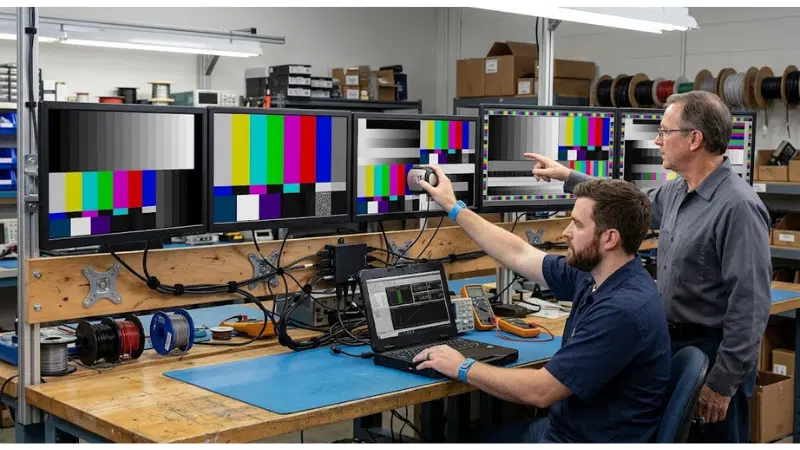
- What test patterns are included in commissioning to expose clipping or range mismatch?
- Can remote management read back or enforce the relevant display settings?
- What replacement/reset procedure restores the approved video pipeline baseline?
Before comparing price, normalize these five items
- Identify the exact quoted revision and every part/configuration that affects source output format and pixel encoding
- Ask for reviewable evidence around full-range versus limited-range agreement and the exclusions around display input black-level/range setting
- Name who owns integration and field verification of color-space/gamut mode selection
- Record the service/replacement method that can change HDMI/DisplayPort metadata and automatic mode behavior
- Treat any workaround affecting CMS/transcoder export format consistency as a documented deviation with owner and retest
A different architecture is not automatically worse. If a supplier handles source output format and pixel encoding another way, check whether the method still serves the use case, can be demonstrate on delivered hardware, and can be maintained after replacement. Keep the outcome and evidence requirement fixed; avoid mandating an implementation unless the project genuinely depends on it.
Keep the approved state alive after handover
A passed unit can drift after store remodeling, cleaning, replacement parts or software maintenance. For commercial LCD RGB range color space mismatch, give operations the baseline configuration, diagnostic or inspection cues, safe recovery method, replacement constraints, and retest triggers. This is especially important when the immediate service action can make the symptom disappear without proving its cause.
Metrics that can reveal drift
- washed-out/crushed-image incidents
- configuration drift after reset or replacement
- screens differing within the same content group
- content files requiring emergency re-encode
- service cases misdiagnosed as panel failure
Trend these signals by site, production revision, service action and time. For example, repeated movement in "washed-out/crushed-image incidents" after a particular replacement or configuration release is stronger evidence than isolated anecdotes. The goal is to connect field behavior back to source output format and pixel encoding, full-range versus limited-range agreement, or another controlled variable while the evidence is still recoverable.
Write retest triggers into the service package
- A hardware or material field modification can alter source output format and pixel encoding or full-range versus limited-range agreement
- Software, driver or configuration changes can alter display input black-level/range setting where it participates in the result
- Fixture, mounting, lighting, cleaning, cable, power or site changes can move color-space/gamut mode selection
- A replacement part or supplier lot changes the baseline for HDMI/DisplayPort metadata and automatic mode behavior
- A repeat of "Blacks appear gray because the source/display range assumptions differ" challenges an assumption used during the original approval
- Relocation or reassembly disturbs CMS/transcoder export format consistency or another physical datum
For neighboring decisions, use Shelf-Edge LCD Content Design, LCD Image Retention Prevention, Commercial Display vs Consumer TV, LEGOYO Products, Supermarket Solutions. Those pages should remain separate owners for their broader subjects; use them to understand dependencies rather than copying their acceptance result into this one.
Final decision gate: approve, revise, or stop
- Boundary: can another team reproduce the configuration and exclusions around source output format and pixel encoding?
- Interface: is ownership clear where full-range versus limited-range agreement interacts with display input black-level/range setting?
- Acceptance: did the evidence include the adverse condition "Blacks appear gray because the source/display range assumptions differ"?
- Recovery: can "Shadow detail is crushed after an automatic input-mode change" be contained without erasing diagnostic context?
- Lifecycle: will a future service intervention affecting color-space/gamut mode selection trigger a comparison with the baseline?
Close commercial LCD RGB range color space mismatch as approve, revise, or stop rather than "looks fine." If an unresolved item must move into pilot operation, state the temporary control, evidence owner, and the exact event that closes the gap. That keeps a pilot assumption from quietly becoming the fleet standard.
FAQ
Q: What is the first thing to verify when blacks appear gray because the source/display range assumptions differ?
A: Confirm the approved baseline for source output format and pixel encoding and full-range versus limited-range agreement before changing parts or settings. Capture the state and recent service/configuration changes, then reproduce the symptom if it is safe to do so.
Q: How should source output format and pixel encoding be documented?
A: Use a model/revision-specific datum, drawing, configuration readback, inspection method or test record. The document should tell production and service how to recognize the approved state and when a retest is required.
Q: Can supplier documentation replace project testing for commercial LCD RGB range color space mismatch?
A: No. Supplier documentation defines product capability and limits. Project testing verifies the chosen fixture, software, environment, content, workflow and service method in the final integrated configuration.
Q: How can a team distinguish "Shadow detail is crushed after an automatic input-mode change" from another fault?
A: Compare the symptom with the controlled variables most likely to affect it-especially display input black-level/range setting and color-space/gamut mode selection. Change one suspected variable at a time and keep logs, measurements or photos tied to the exact unit.
Q: What changes should force a retest of HDMI/DisplayPort metadata and automatic mode behavior?
A: Retest after substitutions or service changes that can alter the same load path, optical path, electrical state, configuration or environment. A recurring field incident is also a valid trigger even when no planned engineering change is known.
Q: How should two supplier solutions be compared?
A: Normalize exact configuration, included accessories, evidence, integration responsibility, deviations, service access and replacement strategy. Initial price is not comparable until those boundaries are aligned.
Final recommendation
The final deliverable should make design intent visible to procurement, factory, commissioning and service teams alike. For commercial LCD RGB range color space mismatch, keep source output format and pixel encoding, full-range versus limited-range agreement, and display input black-level/range setting inside the same evidence chain. Test at least one difficult condition, preserve the result, and make future service intervention trigger an explicit comparison rather than an assumption.
For broader context, return to LEGOYO products and the technical blog. When a project is ready for configuration review, prepare site conditions, interfaces, intended workflow and acceptance evidence before using Request a Quote.





